If you want the cleanest SNES emulator on Android in 2026—one that boots .sfc and .smc files in seconds, syncs your .srm and cloud saves automatically with your PC or iPhone, and even lets you host 2-player online netplay—Rebit (powered by Snes9x) runs natively as an Android app and right inside Chrome. If you prefer a strictly local, offline-only Android setup and don’t mind manual folder management, Snes9x EX+ and RetroArch (with the Snes9x or bsnes core) are the two best standalone alternatives.
Playing Super Nintendo games on a modern Android phone is one of the great joys of portable retro gaming. Your phone’s OLED screen has deeper blacks and richer colors than any 1990s CRT ever dreamed of, the CPU barely breaks a sweat running Snes9x at locked 60 fps—even on demanding SA-1 and Super FX titles like Super Mario RPG and Yoshi’s Island—and the entire golden era of 16-bit RPGs fits in your pocket.
There is just one catch that every experienced mobile retro gamer runs into on day one: the SNES controller has six action buttons (Y, B, X, A, plus L and R shoulders). Unlike the 2-button NES or Game Boy, figuring out what plays great on glass, when to clip on a Bluetooth or USB-C controller, and how to stop Android’s scoped-storage updates from breaking your .srm save folder makes all the difference between a 5-minute novelty and actually finishing Chrono Trigger or Super Metroid on your phone.
Let’s walk through the best Android SNES emulator options, how to conquer the 6-button control layout, how to keep your saves safe across devices, and how to jump into cross-device 2-player SNES netplay from your phone.
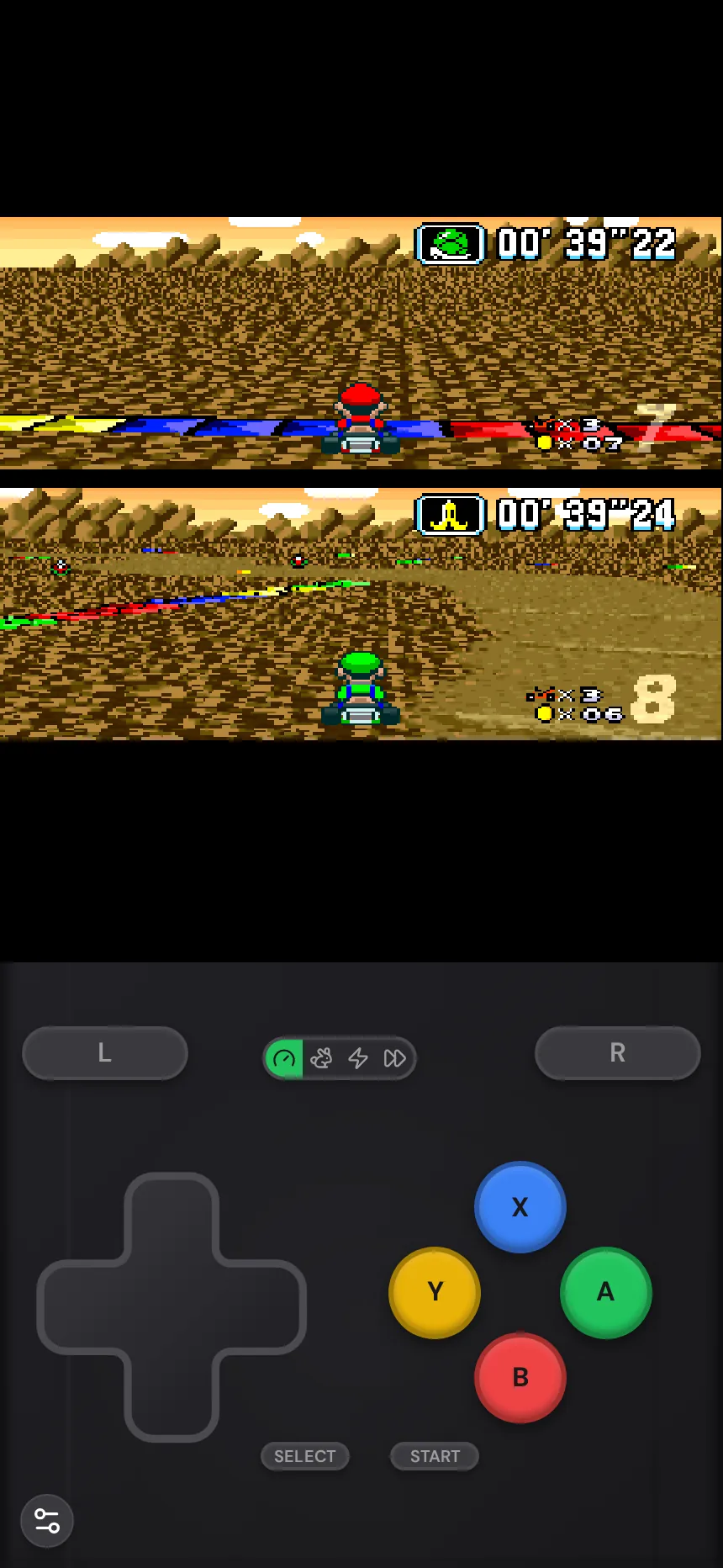
Comparing the best SNES emulators for Android
| Emulator | Cost & Setup | Core & Chip Support | Save Management | Online Multiplayer |
|---|---|---|---|---|
| Rebit (Snes9x) | Free (2 GB cloud storage; optional Pro) — zero setup | Snes9x (full Super FX, SA-1, CX4, DSP-1) | Automatic cloud autosaves (1 min free / 10s Pro), save states, .srm import/export across Android, iOS, web, desktop |
Built-in 2P Rollback, Lockstep, and Stream room-code netplay (P2P free, Edge Link Pro) |
| Snes9x EX+ | Free open-source standalone app | Snes9x | Local storage only; manual backups | None |
| RetroArch | Free open-source multi-system frontend | Snes9x, bsnes, Mesen-S | Local storage; manual sync (often trips over Android scoped storage) | RetroArch netplay (more complex setup) |
| Lemuroid | Free open-source Libretro wrapper | Snes9x | Local + optional Google Drive sync | None |
Here is why I moved my personal Android SNES library to Rebit: I got tired of losing track of where my 25-hour Final Fantasy VI save lived. On local Android emulators, switching phones, clearing app data, or hitting an Android OS storage-permission reset can silently break your save folder. With Rebit, your .sfc/.smc library and cloud autosaves follow your account automatically between your Android phone, your desktop browser, and any other device you sign into.
How to set up SNES games on Android in under two minutes
You don’t need BIOS files, core downloads, or zip-extraction headaches to start on Rebit’s SNES emulator online platform:
- Install the Rebit app for Android or open Rebit right in Chrome on your phone.
- Tap Add Game and select a
.sfcor.smcROM you own (or upload it from your PC—it appears in your Android library immediately). - Rebit detects the Super Nintendo system, grabs box art, and pairs the game with Snes9x automatically.
- Tap Play. The full SNES layout (D-pad, A, B, X, Y, L, R, Select, Start) is ready on screen, and cloud autosaves run in the background automatically.
Quick .sfc vs. .smc tip for Android players
Both .sfc (clean unheadered dumps) and .smc (older copier format, sometimes with a 512-byte header) load smoothly on Rebit and Snes9x EX+. If your ROM is inside a .zip containing multiple region dumps or readme files, unzip it first and upload the single .sfc or .smc file you want—especially if you plan to play Rollback or Lockstep netplay with a friend, where matching files matter.
Solving the 6-button SNES touchscreen dilemma
Let’s be real with each other: some SNES games are pure bliss on touchscreens, and others demand a physical controller. Knowing which is which saves you a ton of frustration.
Genres that feel native on Android touchscreens
- 16-bit JRPGs: Chrono Trigger, EarthBound, Final Fantasy VI, Final Fantasy IV, Super Mario RPG, Lufia II, Breath of Fire II. You rarely need simultaneous shoulder-plus-face inputs, and EarthBound was literally designed so you can play almost the entire game with one hand (L acts as confirm/check!). Add Rebit’s 4× fast-forward (free; up to 8× on Pro) and grinding random encounters on a bus feels effortless.
- Tactical & Strategy: Tactics Ogre: Let Us Cling Together, Front Mission, Ogre Battle, SimCity, Civilization. Slow, deliberate, and awesome in short bursts.
- Puzzlers: Tetris Attack (one of the greatest puzzle games ever made—try it!), Super Puzzle Fighter, Kirby’s Avalanche, Mario’s Super Picross.
Action games & the "Y-hold + B-roll" problem
Now think about Super Mario World, Donkey Kong Country, Mega Man X, and Super Metroid. In Super Mario World and DKC, you hold Y to sprint/carry a shell or barrel while rolling the joint of your thumb onto B to jump. In Super Metroid, you might hold Y (shoot), B (sprint), A (jump), and L/R (diagonal aim) in the same two seconds.
On glass, you can handle Super Mario World and A Link to the Past comfortably once you practice rolling your right thumb from Y to B—just flip to landscape mode so the face buttons have generous spacing. For Super Metroid, Mega Man X, Contra III, or Street Fighter II Turbo, do yourself a favor and pair a controller.
Best Bluetooth & USB-C controllers for SNES on Android
Android has fantastic native gamepad support, and Rebit works automatically with standard Bluetooth and USB controllers:
- 8BitDo SN30 Pro (Bluetooth): Literally shaped like an SNES controller with modern dual sticks and crisp clicky L/R shoulders. If you want pure 1991 muscle memory on an Android tablet or phone clip, nothing beats its D-pad.
- GameSir G8 Galileo / Backbone One / Razer Kishi (USB-C telescopic): Snaps straight onto your Android phone’s USB-C port, turning it into a dedicated 16-bit handheld with zero Bluetooth latency and full tactile L/R triggers for Super Metroid, F-Zero, and Super Mario Kart powerslides.
- Xbox Series / PlayStation DualSense / Switch Pro: Already own one? Pair it over Bluetooth in Android Settings and jump straight in. If you prefer playing with an analog stick and notice slight drift, open Rebit’s Settings to adjust the stick deadzone.
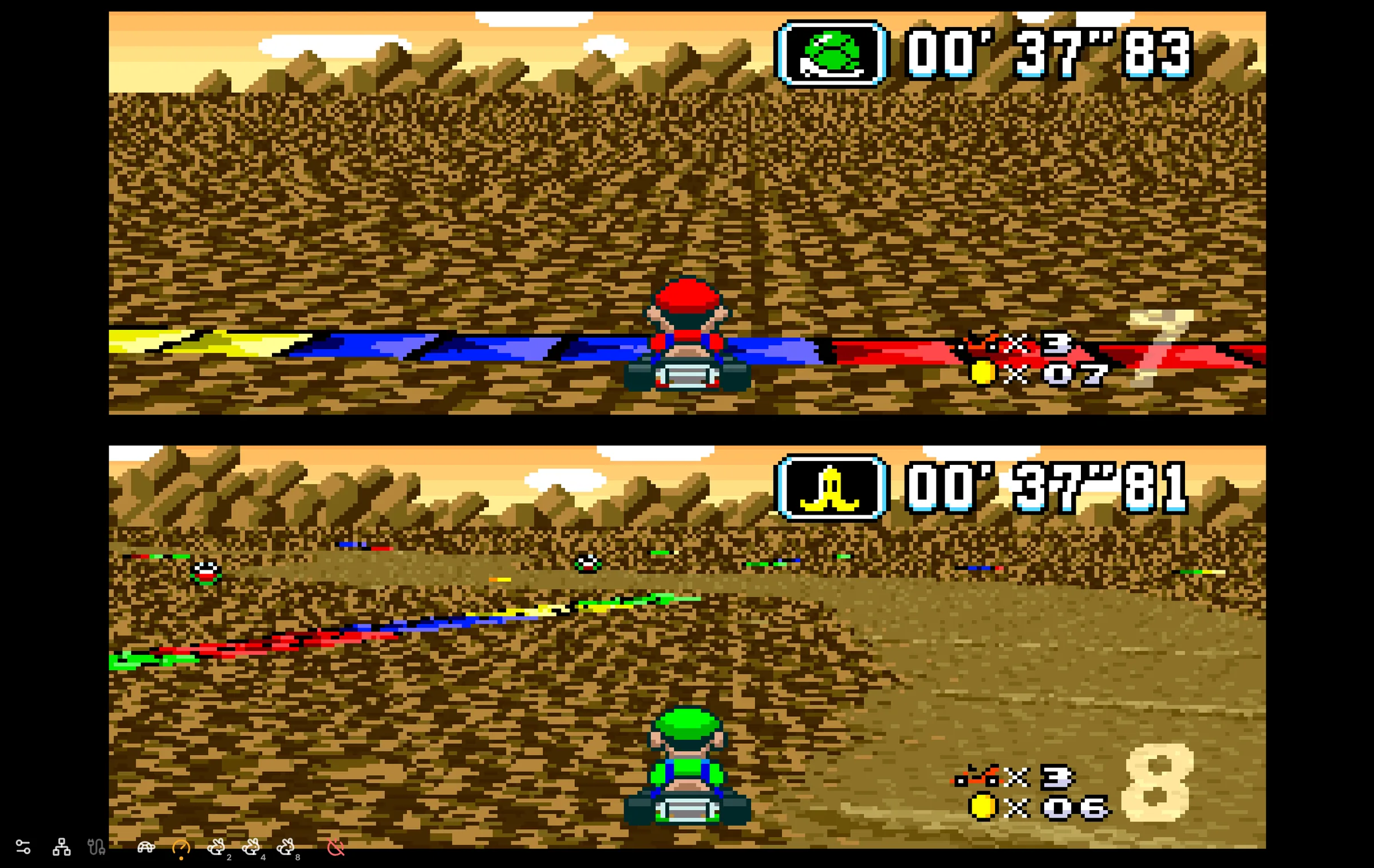
Protecting your .srm saves (and syncing Android ↔ PC)
If you have ever used standalone Android emulators across Android 11, 12, 13, and 14+, you probably know the pain of Scoped Storage (content:// URIs): an app update or folder permission change suddenly hides your saves/ directory, and your 35-hour Chrono Trigger file looks like it vanished.
Here is how to stay completely immune to save loss on Android:
| Save Type | What It Does | Why You Want It |
|---|---|---|
| Cloud autosave (Rebit) | Syncs automatically every minute (free) or every 10 seconds (Pro) | Switch from Android to PC/Mac browser mid-dungeon with zero manual file copying |
| Manual save states | Instant freeze-frame at any moment | Practice tough Donkey Kong Country minecart jumps or Mega Man X Sigma phases |
Battery save (.srm) |
Portable cartridge SRAM file | Exportable backup that works across Snes9x, bsnes, Mesen, and Rebit |
Migrating from Snes9x EX+ or RetroArch? Find your .srm file (usually inside your RetroArch saves/Snes9x/ folder or alongside your ROM), upload the matching .sfc or .smc ROM to Rebit, and upload the .srm on the game’s page. Your in-game save slots load right away—just remember that emulator-specific save states (.state / .s00) don’t transfer between different apps, so always bring the .srm.
Hosting 2-player SNES multiplayer from your Android phone
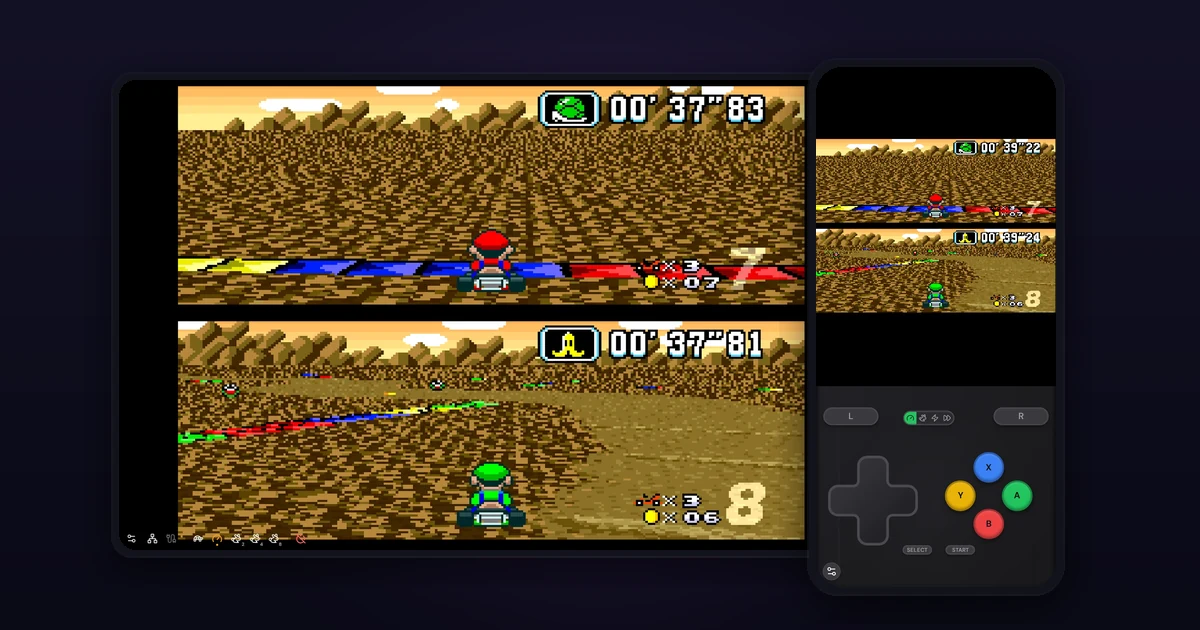
One of my favorite moments with modern emulation is sitting on the couch with my Android phone, launching Super Mario Kart or TMNT IV: Turtles in Time, and sending a room code to a friend sitting at their PC in another city.
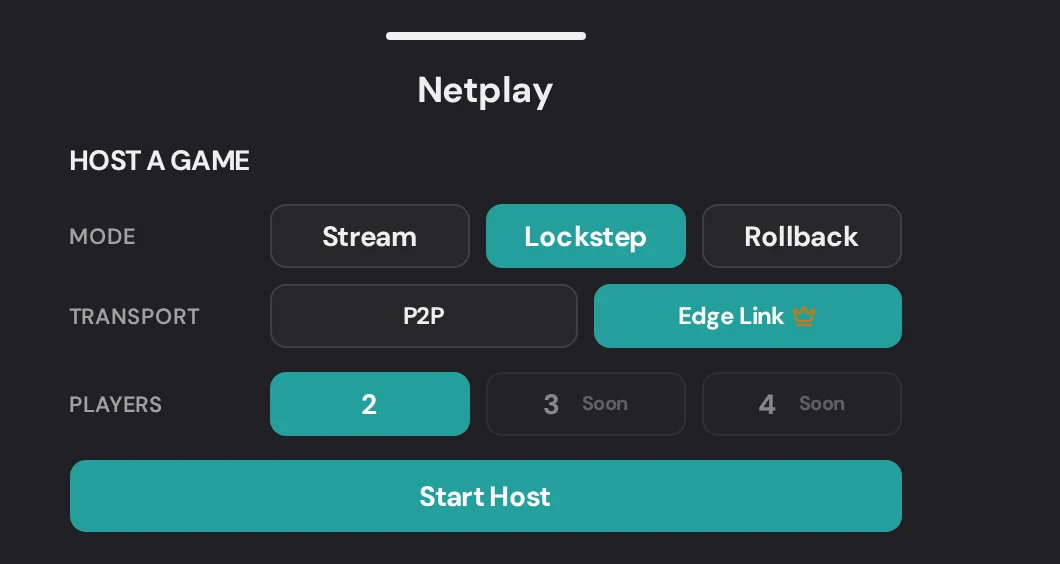
From Rebit’s in-game menu, tap Netplay → Host Room:
- Rollback: Best for fast action, fighters, and racers (Super Mario Kart, Contra III, Street Fighter II). Local inputs feel instant. Both players need the exact same
.sfc/.smcROM. - Lockstep: Steady fallback if you’re on spotty mobile data or Wi-Fi where Rollback jitters. Both players need the same ROM.
- Stream: Only the host needs the ROM—awesome when you want to drag a friend into Goof Troop or Kirby Super Star immediately without file-matching.
Mobile network tip: Start with P2P (free). Mobile carriers frequently use CGNAT, which can block direct peer-to-peer handshakes between two phones. If your room hangs on "Connecting," switch transport to Edge Link (Pro) so Rebit relays the match smoothly over its network.
Want the full netplay deep dive—including fixing mismatched .sfc/.smc dumps—or need game ideas for tonight? Check out our SNES emulator netplay guide and our favorite 12 SNES games to play online with friends.
Frequently asked questions
What is the best free SNES emulator for Android?
For instant setup, automatic cloud saves across Android, iOS, and PC, and built-in 2-player online netplay, Rebit (powered by Snes9x) is free to start with 2 GB of cloud storage. For a strictly offline, local-only Android app, Snes9x EX+ is the cleanest free standalone option.
Can I play SNES games on Android without installing an app?
Yes. Open Rebit’s play SNES games online page in Chrome on Android, upload a .sfc or .smc file you own, and play immediately—or install the Rebit Android app for a dedicated full-screen experience with the exact same cloud library.
Does Rebit provide SNES ROMs?
No. Rebit never hosts or links to copyrighted ROMs. You upload dumps of SNES cartridges you own, and Rebit gives you Snes9x, touch and gamepad controls, cloud saves, and online netplay.
Can an Android player play SNES netplay with a friend on PC or iPhone?
Yes! Rebit’s 2-player SNES netplay works cross-device across Android, iOS, and desktop browsers—just share the room code from the host’s Netplay panel.
Ready to take your 16-bit library everywhere? Head over to play SNES games online or open Rebit, upload a .sfc or .smc game you own, and pick up your run from Android to desktop without ever losing a save.