Home
Welcome to Rebit, a mobile-friendly place to keep your retro games, play them in the browser, save progress, share with friends, and play together.
This manual is written for regular users on iPhone and Android. When a step says "tap," use your finger on the screen. When it says "swipe," drag your finger across the screen.
Start Here
- Getting Started: Sign in, add your first game, open your library, and start playing.
- Installation: Add Rebit to your iPhone or Android home screen.
- Upload Your First Game: Upload a ROM, import from RomM, choose a system, and watch upload progress.
- Library: Search, filter, group, sort, import, and manage your games.
- Game Details: Rename a game, play, view activity, manage screenshots and achievements, share, download, or delete.
- Playing Games: Start a game and use the basic play controls.
- Saves, Screenshots, and Cheats: Save progress, load saves, capture screenshots, and manage cheat codes.
- In-Game Settings: Change controls, audio, shaders, console themes, cores, and save behavior while playing.
- Netplay: Host a room, join by Room ID, use LAN, and find active rooms.
- Nintendo DS Cloud Rooms: Create Nintendo DS multiplayer rooms where every player joins with their own game and in-game save.
- GBA Link Cable: Connect compatible Game Boy Advance games for trading, battling, and linked multiplayer.
- Multiplayer Replays: Rewatch a supported multiplayer session, move through its timeline, and understand replay status.
- Remote Controller: Use another phone as a controller with a QR code or room code.
- Discover: Browse trending games, friends activity, top players, and active netplay rooms.
- Public Profiles: Manage your profile, followers, account tools, logout, and account deletion.
- Sharing: Share profile and game pages, and save public games to your library.
- RetroAchievements: Connect your account and see achievements in Rebit.
- Settings: Find account, appearance, integration, emulation, storage, and ROM cache settings.
- Storage and Pro: Understand storage usage, limits, cleanup, and upgrades.
- Troubleshooting: Fix common upload, play, save, achievement, netplay, install, and storage problems.
Quick Mobile Navigation
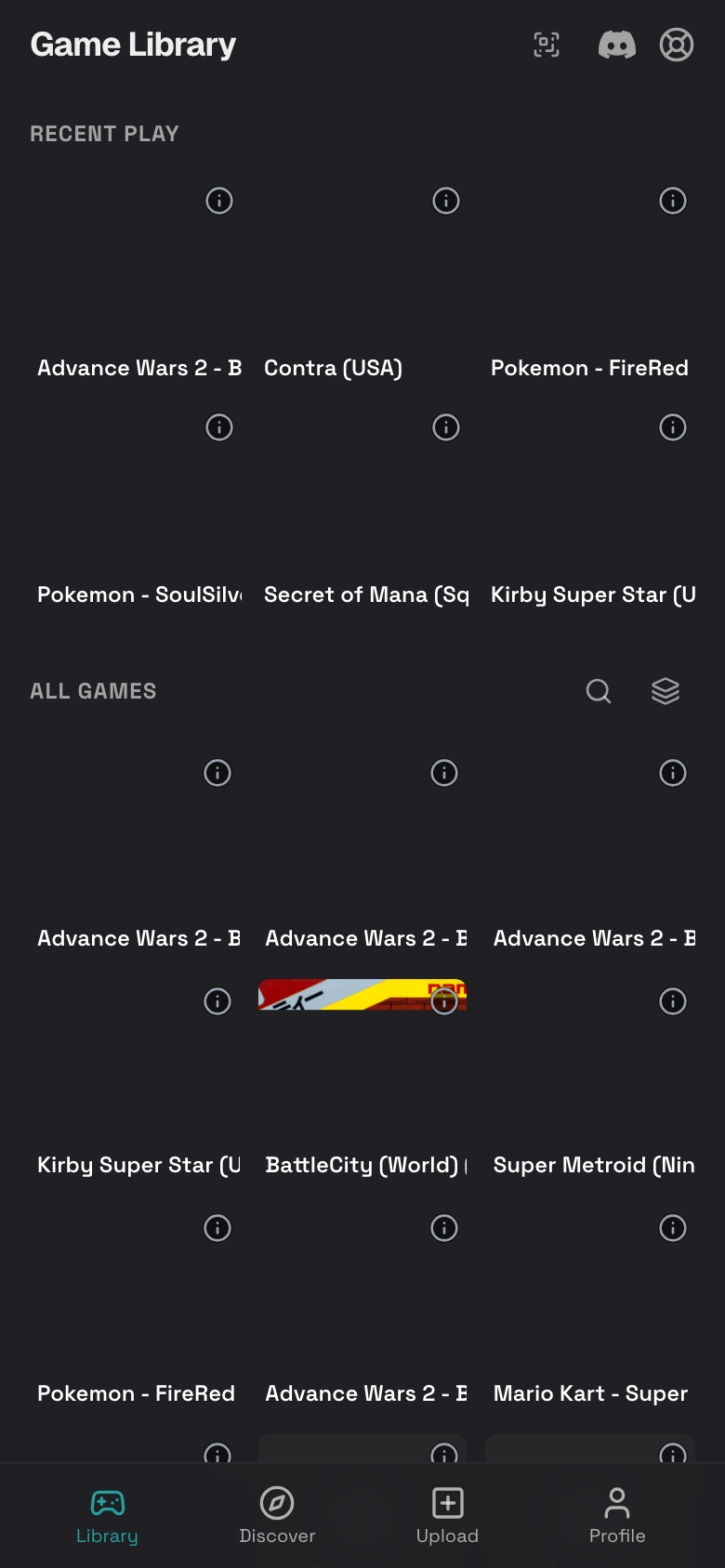
Rebit uses a bottom dock on mobile:
- Library: Your games and recent play.
- Discover: Trending games, friends activity, top players, and active rooms.
- Upload: Add a game from your phone or import from RomM.
- Profile: Your public profile, settings, install option, and account tools.
Best First Steps
If you are new to Rebit, follow this simple path:
- Sign in.
- Upload your first game.
- Open your library.
- Start playing.
- Install Rebit when you want it on your home screen.
Helpful Safety Notes
- Only upload game files that you are allowed to use.
- Large files may take time on mobile data. Wi-Fi is recommended.
- Saves, screenshots, and ROMs use account storage.
- If a feature asks for permission, such as fullscreen or clipboard access, follow your phone browser's prompt.