Beetle NeoPop
Play Neo Geo Pocket games online
SNK’s pocket fighters, Metal Slug 1st & 2nd Mission, and Card Fighters’ Clash belong on every handheld fan’s shelf. Rebit runs your own .ngp, .ngc, .ngpc, and .npc backups in a browser or phone app with Beetle NeoPop.
Upload your own .ngp, .ngc, .ngpc, or .npc cartridge — no BIOS required. Rebit supplies no games.
- Core
- Beetle NeoPop
- Files
- .ngp, .ngc, .ngpc, .npc
- Saves
- Cloud autosave & flash saves
From pocket cartridge to first match
Upload a cartridge backup you own and start playing on desktop or mobile.
-
01
Upload your .ngc or .ngp file
Rebit accepts .ngp, .ngc, .ngpc, and .npc Neo Geo Pocket and Color dumps.
-
02
Play with crisp 2-button controls
Beetle NeoPop maps the directional stick, A, B, and Option cleanly on touchscreens and gamepads.
-
03
Keep your progress synced
Cloud saves keep your unlocks and card decks synced across devices.
Pocket SNK. Ready anywhere.
Neo Geo Pocket games in public libraries
Titles from players’ Neo Geo Pocket and NGPC collections, not ROM downloads.
-

Metal Slug - 1st Mission
-
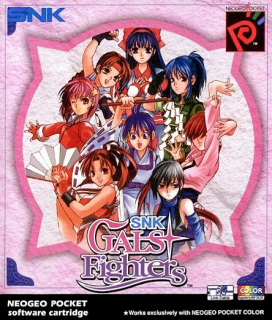
SNK Gals' Fighters
-
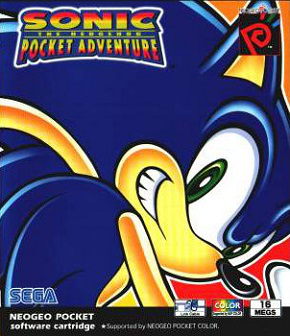
Sonic The Hedgehog Pocket Adventure
-
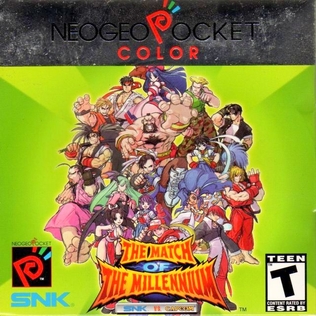
SNK Vs Capcom - Match of The Millennium
Rebit does not provide game files or download links. These names come from public library activity.
Neo Geo Pocket emulator questions
Does Rebit support both Neo Geo Pocket and Neo Geo Pocket Color?
Yes. Beetle NeoPop runs both monochrome Neo Geo Pocket (.ngp) and Neo Geo Pocket Color (.ngc, .ngpc, .npc) cartridges.
Do I need a Neo Geo Pocket BIOS?
No. Beetle NeoPop boots your cartridges directly without requiring a separate BIOS upload.
Looking for Neo Geo MVS arcade games instead?
For Neo Geo MVS arcade ZIP sets like Metal Slug and King of Fighters ’98, use Rebit’s Arcade emulator page.
Related guides
Other systems
Play your Neo Geo Pocket library
Open Rebit and add an .ngc or .ngp cartridge you own. Start free and upgrade only when your library grows.