Beetle PCE Fast
Play PC Engine CD games online
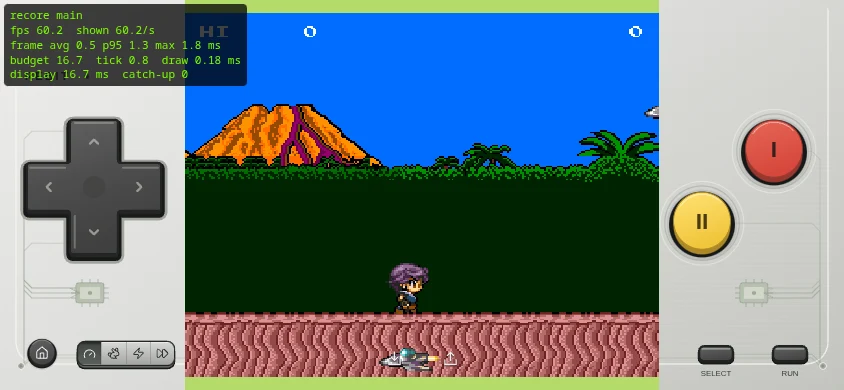
From Castlevania: Rondo of Blood and Ys I & II to Gate of Thunder, Lords of Thunder, and Cosmic Fantasy, Rebit’s PC Engine CD and TurboGrafx-CD emulator runs your own disc backups at 60 fps in a browser or on your phone.
Upload CHD, CUE with tracks, or M3U — Super CD-ROM² System Card 3.00 BIOS is provided automatically. Rebit supplies no games.
- Core & BIOS
- Beetle PCE Fast · System Card 3.00 built in
- Disc files
- CHD, CUE + BIN/ISO/WAV, M3U
- Multiplayer
- Stream rooms only
From disc rip to CD soundtrack
Bring your own legally owned disc backup. Rebit handles the System Card BIOS and compresses cue/track rips to CHD in the browser.
-
01
Upload a CHD or CUE with tracks
Add your disc under PC Engine CD / TurboGrafx-CD. Include every .bin, .iso, or .wav track named in the .cue sheet—a lone .iso is refused because PC Engine CD games need their audio tracks.
-
02
Boot with System Card 3.00
Rebit supplies the Super CD-ROM² System Card 3.00 automatically on Beetle PCE Fast and maps classic PC Engine controls (I, II, Select, Run) on touchscreens and gamepads.
-
03
Save to the cloud or host a room
Keep your progress synced between your browser and phone apps, or invite a second player into a Stream room.
Disc formats
Cue sheets, CHD, and multi-disc sets
PC Engine CD games pair a data track with Red Book CD audio tracks. Upload a CHD, or select a .cue sheet together with all of its .bin, .iso, or .wav tracks. Rebit compresses discs to CHD right in your browser—and refuses a lone .iso because it lacks the soundtrack.
CHDOne compact file per disc—fast to upload and ready to boot.
CUE + tracksSelect the .cue sheet together with every .bin, .iso, or .wav track it references.
M3U multi-discInclude an .m3u playlist plus each disc image to swap discs from the in-game menu.
System Card 3.00 ready. No BIOS hunt.
PC Engine CD and TurboGrafx-CD questions
Do I need to upload a Super CD-ROM² System Card BIOS?
No. Rebit provides the Super CD-ROM² System Card 3.00 automatically, so you only need to upload your own game disc image.
Why was my lone .iso file refused?
PC Engine CD and TurboGrafx-CD games rely on separate CD audio tracks alongside the data track. A lone .iso strips out the audio, so upload the .cue sheet together with all of its .bin, .iso, or .wav tracks, or a .chd image.
Can I play PC Engine CD on my phone?
Yes. PC Engine CD runs at 60 fps in desktop and mobile browsers and in the Rebit phone apps (from OTA v2.1.228), with cloud saves across devices.
Are RetroAchievements or rollback netplay supported?
RetroAchievements are not available for PC Engine CD yet. Multiplayer uses Stream rooms only, where the host runs the disc and the guest sends controller inputs.
Related guides
Play your PC Engine CD library
Open Rebit and upload a CHD or CUE/track rip you own. Start free and upgrade only when your library grows.