Beetle VB
Play Virtual Boy games online
From Virtual Boy Wario Land, Jack Bros., and Teleroboxer to Red Alarm, Galactic Pinball, Mario’s Tennis, Vertical Force, Mario Clash, Golf, 3-D Tetris, and homebrew, Rebit’s Virtual Boy emulator runs your own .vb cartridges in crisp 2D black-and-red in a browser or on your phone.
Upload your own .vb or .vboy cartridge backup — no BIOS and no 3D headset needed. Rebit supplies no games.
- Core & Display
- Beetle VB · plain 2D black-and-red at 50 Hz
- Files & Saves
- .vb / .vboy · auto 64 KiB RAM cloud saves
- Controls & Netplay
- Dual D-pads · Stream rooms only
From .vb cartridge to red-and-black action
Start with a .vb or .vboy backup you own or an open-source Virtual Boy homebrew demo.
-
01
Upload your .vb or .vboy file
Add your Virtual Boy cartridge backup to your Rebit library. No separate BIOS file is required—Beetle VB boots directly.
-
02
Play in plain 2D with both D-pads
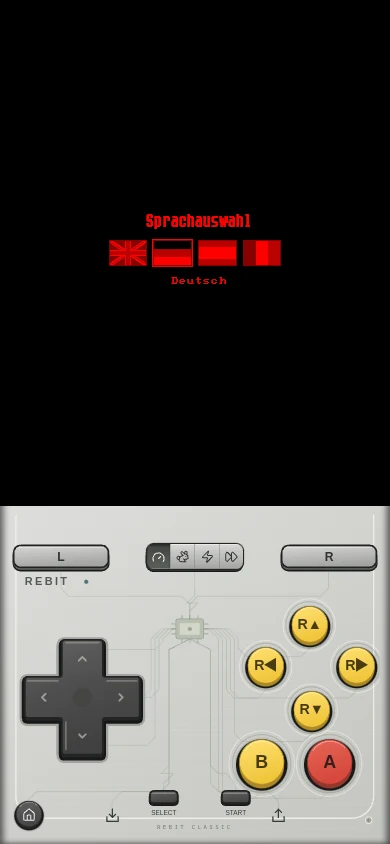
Launch in your browser or phone app (from OTA v2.1.231) at the console’s native 50 Hz. Use the left D-pad plus the right D-pad via R▲ R▼ R◀ R▶, your gamepad’s right stick, or T/G/F/H keys.
-
03
Keep 64 KiB RAM saves in the cloud
In-game cartridge RAM saves upload automatically so your stages and high scores sync between devices.
Dual D-pads & 2D display
Classic red-and-black 2D—with both D-pads mapped
Virtual Boy’s symmetrical controller put a D-pad under each thumb alongside A, B, L, R, Select, and Start. Rebit shows your cartridges in crisp, plain 2D black-and-red at the console’s native 50 Hz—no 3D headset or glasses—and maps the right D-pad to on-screen R▲ R▼ R◀ R▶ buttons, a gamepad’s right stick, or the T/G/F/H keys.
Right D-padOn-screen R▲ R▼ R◀ R▶ buttons, your gamepad’s right stick, or T/G/F/H on desktop keyboards.
Plain 2D at 50 HzAuthentic classic black-and-red display at the console’s native 50 Hz refresh—no VR headset required.
64 KiB RAM cloud savesCartridge RAM saves upload automatically to the cloud so your progress follows you across devices.
Classic black and red. No tabletop visor.
Virtual Boy emulator questions
Do I need 3D glasses or a VR headset to play Virtual Boy on Rebit?
No. Rebit renders Virtual Boy cartridges in plain, comfortable 2D using the console’s iconic black-and-red palette at its native 50 Hz refresh rate.
Do I need a Virtual Boy BIOS file?
No. Beetle VB boots .vb and .vboy cartridges directly with no BIOS upload needed.
How does the Virtual Boy’s second (right) D-pad work?
The right D-pad maps to dedicated R▲ R▼ R◀ R▶ buttons on touchscreens, the right analog stick on Bluetooth/USB gamepads, and the T/G/F/H keys on desktop keyboards—alongside the left D-pad, A, B, L, R, Select, and Start.
Do saves sync across devices, and is online multiplayer supported?
Yes to cloud saves: 64 KiB cartridge RAM saves upload automatically to your Rebit account. Sharing a session with a friend uses Stream rooms only.
Related guides
Other systems
Play your Virtual Boy library
Open Rebit and add a .vb or .vboy cartridge backup you own. Start free and upgrade only when your library grows.