PicoDrive
Play Sega 32X games online
Want to drive the flat-shaded tracks of Virtua Racing Deluxe again? Rebit’s Sega 32X emulator plays your own .32x cartridge backup in a browser or on your phone. No Genesis, add-on cables or BIOS file needed.
Free to start. Rebit does not provide game files, so bring your own legally owned copies.
- Files
- .32x cartridges
- Controller
- Six-button Genesis pad
- Multiplayer
- Stream rooms only
Your 32X cartridges. No add-on cables.
From cartridge backup to first lap
Start with a .32x dump of a cartridge you own, or a 32X homebrew release from its creator.
-
01
Add the .32x file
Upload the cartridge image to your library. If you select a system yourself, choose Sega 32X rather than Sega Genesis or Sega CD.
-
02
Launch with PicoDrive
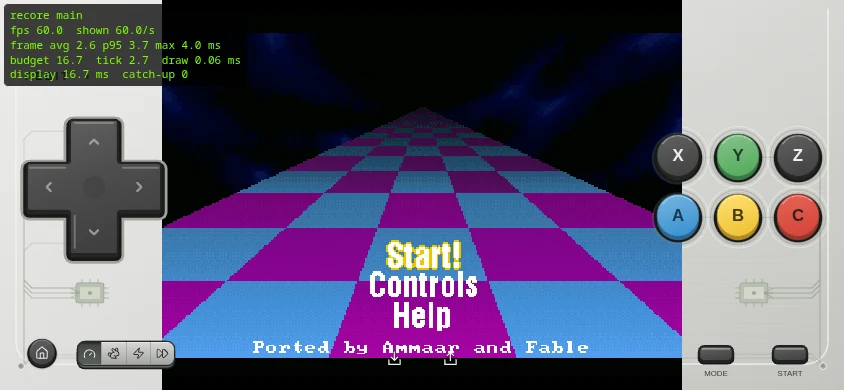
The six-button Genesis layout gives you X, Y and Z as well as A, B and C. Which buttons you need depends on the game.
-
03
Keep your place
Save before switching screens. Sign in to the same Rebit account to pick up a cloud save on your phone or in your browser.
Sega 32X emulator questions
Does PicoDrive need a 32X BIOS on Rebit?
No. You only need the .32x game file. Sega CD disc images are a different format; renaming a disc image does not turn it into a 32X cartridge.
Can I play Sega 32X on my phone?
Yes. Rebit supports 32X in the browser and phone apps, with 60 fps playback on supported devices.
Can two players share a 32X game online?
For titles with local multiplayer, host a Stream room and invite your friend. The host runs the cartridge; the guest sends controller inputs. There is no 32X lockstep or rollback mode.
Play your first 32X cartridge
Add your .32x file to your Rebit library. Start free and upgrade only when your library grows.