Recore · FinalBurn Neo
Play Neo Geo CD games online
Run your own Neo Geo CD (.chd or .cue with .bin/.iso/.wav tracks) backups in a browser or on your phone—powered by FinalBurn Neo on Recore with the Neo Geo CDZ BIOS built in, arranged CD audio soundtracks, browser-side CHD compression, quick save states, and automatic cloud memory card saves.
Pick Neo Geo CD (SNK group) in the upload picker and add a .chd or .cue + tracks — Rebit provides the CDZ BIOS. Rebit supplies no games.
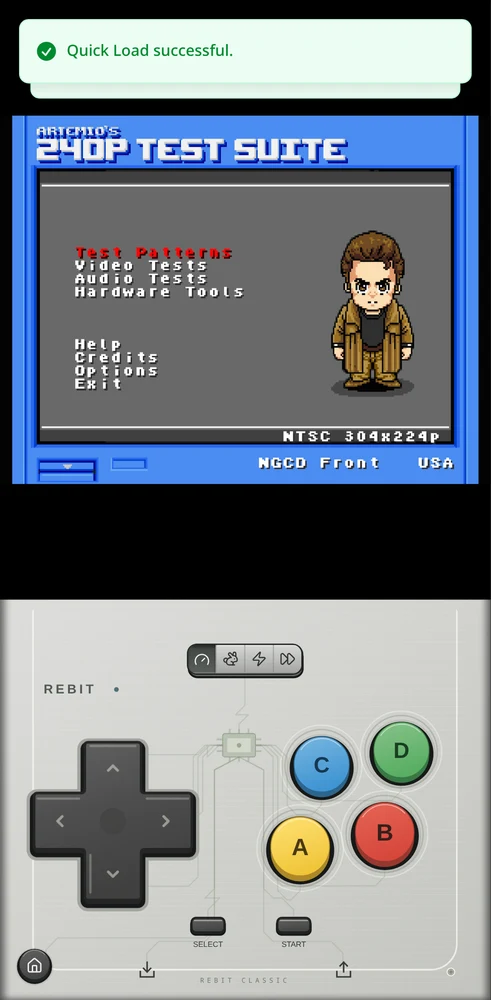
- Core & BIOS
- FinalBurn Neo on Recore · CDZ BIOS built in
- Files & Picker
- .chd or .cue + .bin/.iso/.wav · pick Neo Geo CD (SNK)
- Saves & Status
- Cloud memory card + save states · solo only for now
From .cue/.bin or .chd to CD-audio SNK play
Bring your own legally dumped Neo Geo CD disc image.
-
01
Choose Neo Geo CD (SNK) & upload
Select Neo Geo CD in the upload picker (SNK group) since CHDs are not auto-detected. Upload a .chd directly or a .cue with its .bin/.iso/.wav tracks—Rebit compresses discs to .chd right in your browser before uploading.
-
02
Boot with built-in CDZ BIOS & CD audio
FinalBurn Neo on Recore supplies the Neo Geo CD (CDZ) BIOS automatically and plays the disc’s arranged CD audio soundtracks on desktop browsers and phone apps (from OTA v2.1.239).
-
03
Play with A/B/C/D & sync memory cards
Use the Neo Geo A/B/C/D + Select/Start layout on touchscreens or gamepads. Console memory card saves upload to the cloud automatically alongside quick save/load states.
Recore + FinalBurn Neo
Built-in CDZ BIOS, arranged CD audio soundtracks, browser CHD compression & cloud memory cards
Rebit runs Neo Geo CD discs on Recore with FinalBurn Neo across desktop browsers and phone apps (from OTA v2.1.239). Choose Neo Geo CD in the upload picker (SNK group), upload a .chd or a .cue with its .bin/.iso/.wav tracks, and play with full CD audio, built-in CDZ BIOS, Neo Geo A/B/C/D + Select/Start controls, and automatic cloud memory card saves.
Pick Neo Geo CD (SNK) + browser CHD compressionUpload a .chd directly or a .cue with its .bin/.iso/.wav tracks—Rebit compresses multi-track discs to .chd right in your browser before uploading. Select Neo Geo CD in the upload picker (SNK group) since CHDs are not auto-detected.
Built-in Neo Geo CDZ BIOS + full CD audioRebit supplies the Neo Geo CD (CDZ) BIOS automatically and plays arranged CD audio soundtracks straight from your disc image.
Neo Geo A/B/C/D controls + cloud memory cardsPlay with the classic A/B/C/D + Select/Start pad on touchscreens or gamepads. Console memory card saves upload to the cloud automatically alongside quick save/load states.
Arranged CD audio. Browser & phone.
Neo Geo CD emulator questions
How is Neo Geo CD different from Neo Geo arcade (.zip) or Neo Geo Pocket?
Neo Geo CD is SNK’s disc-based home console with arranged CD audio soundtracks and memory card saves—separate from Rebit’s Neo Geo arcade MVS/AES .zip sets and Neo Geo Pocket (.ngp/.ngc) handheld games.
Why do I need to pick Neo Geo CD manually when uploading?
Disc .chd images are shared across multiple CD consoles and are not auto-detected, so choose Neo Geo CD under the SNK group in the upload picker before adding your .chd or .cue/.bin/.iso/.wav files.
Do I need a Neo Geo CD BIOS file?
No. Rebit provides the Neo Geo CD (CDZ) BIOS automatically, and CD audio tracks play straight from your disc image.
Are Neo Geo CD netplay rooms or RetroAchievements available yet?
Not yet—RetroAchievements and online netplay rooms are not available for Neo Geo CD right now. Solo play with automatic cloud memory card saves and quick save/load states is live on web and mobile apps.
Related guides
Other systems
Play your Neo Geo CD library
Open Rebit, pick Neo Geo CD (SNK), and add a .chd or .cue disc backup you own. Start free and upgrade only when your library grows.