Recore · vecx
Play Vectrex games online
Run your own GCE Vectrex (.vec and .bin) cartridge backups in a browser or on your phone—powered by vecx on Recore with the system ROM built in, a tall 50 Hz software-rendered vector screen, D-pad plus buttons 1–4 in a row, quick save states, and stream rooms.
Upload .vec (auto-detected) or pick Vectrex for .bin — system ROM built in, no BIOS needed. Rebit supplies no games.
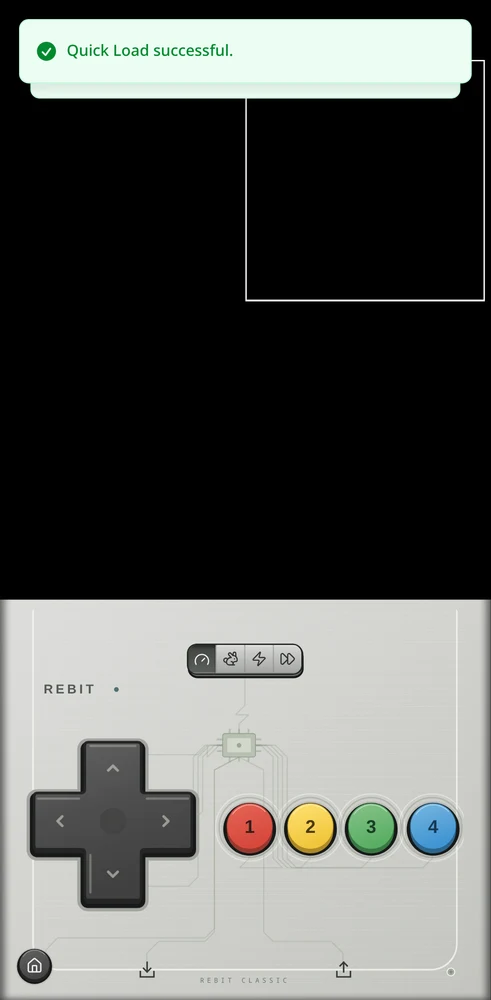
- Core & ROM
- vecx (Recore) · System ROM built in, no BIOS
- Display & Files
- Tall portrait 50 Hz vectors (no overlays) · .vec (auto), .bin
- Controls & Saves
- D-pad + buttons 1–4 · Save states (no battery saves) · Stream rooms
From .vec backup to 50 Hz vector play
Bring your own legally dumped .vec or .bin file.
-
01
Upload your .vec or .bin file
.vec files auto-detect automatically. For .bin dumps, choose Vectrex in the upload picker.
-
02
Launch immediately—system ROM built in
vecx on Recore includes the Vectrex system ROM automatically across desktop browsers and phone apps (from OTA v2.1.241).
-
03
Play in tall 50 Hz portrait with save states
Use the D-pad and four-in-a-row 1–4 buttons, save progress with quick save/load states, or invite friends via stream rooms.
Recore + vecx
Tall 50 Hz portrait vector display, built-in system ROM & 1-2-3-4 control panel
Rebit runs GCE Vectrex cartridges on Recore with vecx (vecx_recore_1) across desktop browsers and phone apps (from OTA v2.1.241). The system ROM is built in—no BIOS upload needed—and vectors are drawn cleanly in software at 50 Hz on a tall portrait canvas.
Built-in system ROM + .vec and .bin uploadsUpload .vec files for automatic detection, or select Vectrex in the upload picker for .bin dumps. The Vectrex system ROM is built in automatically.
Tall 50 Hz portrait vector screen (no overlays)Vectors are drawn crisply in software at 50 Hz on a tall portrait screen without translucent color overlays—preserving clean monochrome wireframe contrast on modern displays.
1–4 control row, save states & stream roomsPlay with the D-pad plus buttons 1, 2, 3, and 4 arranged in a row like the real Vectrex control panel. Vectrex cartridges had no battery saves, so quick save/load states keep your runs—with stream rooms for multiplayer.
Pure 1982 vectors. Buttons 1-2-3-4.
Vectrex emulator questions
Do I need to upload a Vectrex BIOS or system ROM?
No. The Vectrex system ROM is built into Rebit’s vecx core automatically—just upload your own .vec or .bin game file.
Does Rebit include translucent Vectrex color screen overlays?
No. Vectors are drawn cleanly in software at 50 Hz on a tall portrait display without color overlays, keeping wireframe lines crisp on desktop and phone screens.
How do saves work on Vectrex?
Original Vectrex cartridges had no battery-backed saves, so Rebit gives you quick save/load states to resume your high-score runs anytime.
How does multiplayer work for Vectrex on Rebit?
Online multiplayer for Vectrex uses stream rooms only (no lockstep), alongside local solo play on browsers and phone apps.
Related guides
Other systems
Play your Vectrex library
Open Rebit and add a .vec or .bin backup you own. Start free and upgrade only when your library grows.