Getting PC Engine CD formats right comes down to one rule: every disc needs its audio tracks, not just its data. On Rebit, upload a .chd file, a .cue sheet together with every .bin, .iso, or .wav track it lists, or an .m3u playlist with all discs for a multi-disc game. A lone .iso is refused on purpose. Start on the PC Engine CD / TurboGrafx-CD player—you don't need to hunt down a System Card BIOS, because Rebit provides Super CD-ROM² System Card 3.00 automatically.
Why PC Engine CD formats refuse a lone ISO
NEC built the CD-ROM² and TurboGrafx-CD around mixed-mode compact discs. Track 1 (or Track 2 on many discs) holds the game's program and graphics data, while the remaining tracks are standard Red Book CD audio—the rock guitars in Lords of Thunder, the orchestral boss themes in Castlevania: Rondo of Blood, and the spoken cutscenes in Ys Book I & II.
When someone rips only the data track into a standalone .iso, all of those audio tracks vanish. Even if an emulator tried to boot that file, you would hit missing music, broken cutscene timing, or a hang on the first CD audio seek. That is why Rebit checks your selection before storing it and rejects a lone .iso with a clear message telling you to pick a .cue sheet with its tracks or a .chd.
Pick the cleanest format you already have
| Format | What to select | Best for |
|---|---|---|
| CHD | One .chd file per disc |
Fastest upload and tidiest single-file backup |
| CUE + BIN/ISO/WAV | The .cue sheet plus every track file it references |
Raw disc rips from your own collection |
| M3U multi-disc | One .m3u playlist plus every disc image listed inside it |
Multi-disc games so you can swap discs from the in-game menu |
If you upload a .cue sheet with its .bin, .iso, or .wav tracks, Rebit compresses the disc to CHD right in your browser before saving it to your library. You keep the full CD soundtrack while cutting down upload size and storage.
Do you need a Super CD-ROM² System Card BIOS?
No. On original hardware, moving from CD-ROM² to Super CD-ROM² required slotting a System Card 3.00 HuCard into the console before a disc would boot. On Rebit, Beetle PCE Fast loads the Super CD-ROM² System Card 3.00 automatically. You never need to upload syscard3.pce alongside your game.
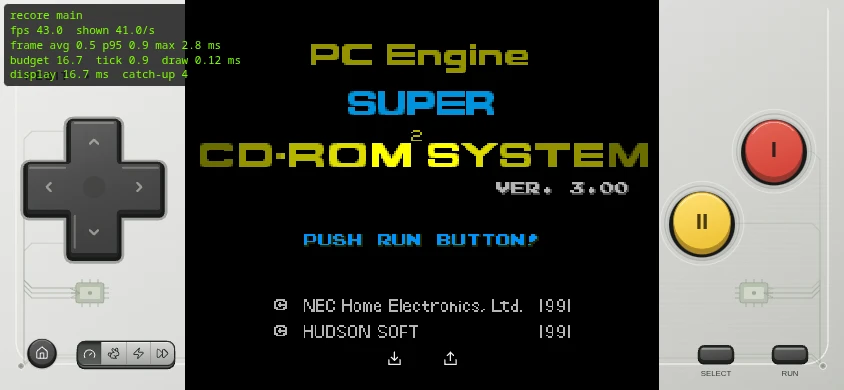
If you see the System Card screen and hear the chime, press Run (mapped to Start on most pads) to boot the disc. Just like on a real PC Engine, the classic four-button layout—I, II, Select, and Run—works on touchscreens, keyboards, and Bluetooth/USB controllers.
Fix common PC Engine CD upload errors
- Missing track file named in the
.cuesheet. Open the.cuefile in any plain-text editor and check everyFILE "..."line. Make sure you selected all of those track files in the same upload and that the filenames match. - Uploaded a
.pceHuCard by mistake. Cartridge games belong on the PC Engine / TurboGrafx-16 HuCard player, not the CD uploader. Both run on Beetle PCE Fast, but.pcecartridges and CD disc sets stay separate in your library. - Only uploaded the
.m3uplaylist. An.m3ufile is just a text list of disc filenames. Select the.m3utogether with every.chdor.cue/track set it points to so Rebit can store them as one multi-disc game.
Once your disc boots cleanly at 60 fps in your browser or phone app (OTA v2.1.228+), cloud saves keep your progress synced across devices. Note that RetroAchievements aren't available for PC Engine CD yet, and two-player sessions run in Stream rooms only. Ready to pick your first disc? Check out our guide to the best PC Engine CD games to play first.
Understanding Red Book audio tracks on PC Engine CD
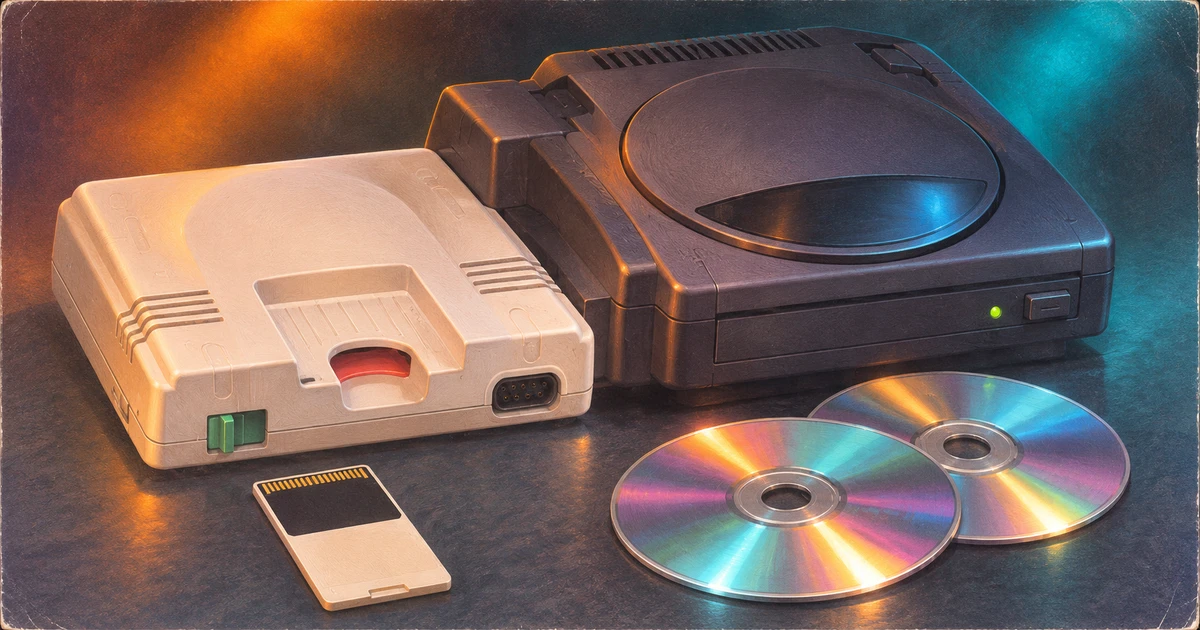
When NEC launched the CD-ROM² in Japan in 1988 (and the TurboGrafx-CD in North America in 1989), it became the first home console to put games on compact discs. Unlike modern DVDs or Blu-rays where everything sits inside one filesystem, PC Engine CD discs are mixed-mode CDs:
- Data tracks hold the game's code, tile graphics, and level maps.
- Audio tracks (Red Book CD-DA) are standard uncompressed stereo music tracks—identical to a music CD you could drop into a 1990s stereo.
That hardware design is why a .cue sheet is mandatory for raw rips. The .cue file is a tiny map telling Beetle PCE Fast the exact minute, second, and frame where every data track and audio track begins. Strip away the .cue and audio files to leave a lone .iso, and the emulator has no soundtrack to seek to.
How in-browser CHD compression helps your library
Raw .cue/.bin/.wav rips of a single PC Engine CD game can easily reach 500–700 MB across two dozen files. When you select a .cue sheet together with its tracks on Rebit, the app compresses the disc into a single CHD (Compressed Hunks of Data) right inside your browser before uploading it to your cloud library.
You get three immediate wins:
- Smaller storage footprint—lossless FLAC-style audio compression shrinks Red Book music dramatically without losing sound quality.
- One tidy file per disc—no risk of misplacing Track 14 later.
- Faster launches on every device—once stored as CHD in your library, your browser and phone app (OTA v2.1.228+) load the disc cleanly at 60 fps.
Multi-disc .m3u playlists explained
A few ambitious PC Engine CD RPGs and visual adventures span more than one disc. To keep them grouped as a single library item on Rebit, create a plain text file ending in .m3u listing each disc filename on its own line:
Game Title (Disc 1).chd
Game Title (Disc 2).chd
Upload the .m3u file alongside every disc it names. When the game asks you to insert Disc 2, open Rebit's in-game menu and swap discs without losing your current memory state.
Controls, cloud saves, and current limits
PC Engine CD uses the classic I, II, Select, and Run layout (mapped cleanly on touchscreens and Bluetooth/USB controllers), with cloud saves syncing your progress across browsers and phones. Note that RetroAchievements are not available for PC Engine CD yet, and two-player titles use Stream rooms only. Once your first disc boots cleanly, browse our guide to the best PC Engine CD games to play first.
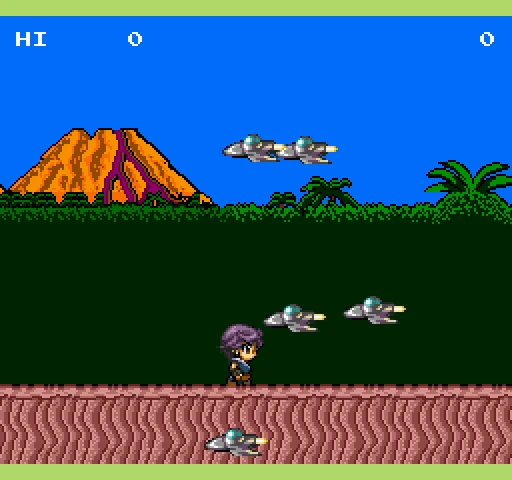 When a complete CHD or CUE+tracks rip boots on Beetle PCE Fast, both sprite layers and CD audio tracks stay tightly synchronized at 60 fps.
Pre-upload checklist for PC Engine CD / TurboGrafx-CD discs
Before dragging a disc folder into Rebit's uploader, run this 30-second sanity check:
- Never upload a lone
.iso. PC Engine CD discs store their music on separate Red Book audio tracks; Rebit refuses standalone.isofiles so you never end up playing a silent, half-broken game. - Select the
.cuesheet and every track together. Whether your rip uses.bin,.iso, or.wavtracks, select them in one batch so Rebit can compress the full disc to CHD right in your browser. - Skip
syscard3.pce. Super CD-ROM² System Card 3.00 is built into Rebit automatically—uploading a BIOS file alongside your game is unnecessary. - Use
.m3ufor multi-disc sets. Keep multi-disc RPGs as one tidy library entry so you can swap discs cleanly from the in-game menu.