If you are comparing PS1 CHD vs BIN/CUE in a browser emulator, CHD is almost always the best format to upload: it packs an entire PlayStation 1 disc (including CD audio tracks) into a single lossless compressed file that uploads faster and uses far less cloud storage. PBP is a close second for single-file convenience, CUE/BIN works when you already have raw dumps and upload every track together, and M3U is the cleanest way to run multi-disc RPGs without losing your save when the game asks for Disc 2.
On Rebit’s PS1 emulator online, PCSX-ReARMed supports all four formats directly in your browser and on Android/iOS. Here is how each format behaves in practice, why raw CUE/BIN uploads fail most often, and how to set up multi-disc games properly.
PS1 format comparison for browser play
| Format | Files per disc | Typical size (1 disc) | CD audio support | Multi-disc handling | Best use case |
|---|---|---|---|---|---|
| CHD | 1 file (.chd) |
~250–450 MB | Full lossless CDDA | Pair with .m3u playlist |
Best overall for browser uploads & 2GB free storage |
| PBP | 1 file (.pbp) |
~300–500 MB | Supported | Single multi-disc PBP or .m3u |
Good if you already have PSP-converted PS1 rips |
| CUE/BIN | 2 to 20+ files | ~550–700 MB | Requires .cue + all .bin tracks |
Pair with .m3u playlist |
Fast if you already have the files and don’t want to convert |
| M3U | Tiny text file + disc files | < 1 KB + discs | Inherited from CHD/CUE | Native in-game disc swap | Required for clean 2–4 disc RPGs (FFVII, MGS, Xenogears) |
1. Why CHD wins for browser PS1 emulation
Cartridge ROMs for GBA or SNES are only a few megabytes, so file format barely matters. PlayStation 1 discs are different: an uncompressed 650 MB CUE/BIN image takes much longer to upload, takes longer to load when you switch to a new device, and eats through cloud storage fast.
On Rebit’s free plan (2GB of cloud storage, expandable to 20GB with Pro), switching from raw CUE/BIN to CHD typically lets you fit nearly twice as many PS1 games in the same space:
- One file per disc: No missing track 2 or broken audio cues.
- Lossless compression: CHD does not strip music or FMVs; PCSX-ReARMed reads the exact disc data on the fly.
- Faster cross-device loading: Opening your library on a phone or laptop pulls a smaller file before your autosave resumes.
2. Why CUE/BIN uploads fail (and how to fix them)
Most "my PS1 game won’t boot" or "the game works but there is no background music" reports come from CUE/BIN uploads. Because PS1 discs store data on Track 1 and Red Book audio on Tracks 2+, a CUE/BIN rip splits into one .cue sheet plus one or more .bin files.
If your CUE/BIN game refuses to start or launches silently, check these three things:
- Upload the
.cueAND every.binfile together: Uploading only the.cue(which is just a 1 KB text index) or only Track 1 leaves the rest of the disc missing. - Check the filenames inside the
.cuefile: Open the.cuein any text editor. Look at everyFILE "..." BINARYline. If you renamed your.binfiles on your computer without updating the text inside the.cue, PCSX-ReARMed cannot find the tracks. - Check capitalization and paths: Remove any Windows drive paths (like
C:\Games\...) inside the.cueso only the bare filename remains, and match uppercase/lowercase letters exactly.
3. How to set up multi-disc PS1 games with M3U
If you upload Disc 1 and Disc 2 of an RPG as two separate games, they won’t share the same virtual memory card slot automatically when the game prompts "Please insert Disc 2." An .m3u playlist tells Rebit that all discs belong to one game entry.
Here is the exact setup:
- Put all discs for the game in the same folder on your computer (CHD files work cleanest, though CUE files also work).
- Create a plain text file named after the game with the
.m3uextension (for example,Final Fantasy VII.m3u). - List each disc filename on its own line in order, matching spelling and capitalization exactly:
Final Fantasy VII (Disc 1).chd
Final Fantasy VII (Disc 2).chd
Final Fantasy VII (Disc 3).chd
- Upload the
.m3ufile together with all listed disc files into Rebit as one set. - When the game asks for the next disc, open the in-game menu and swap discs without leaving the session.
4. Virtual memory cards vs save states on PS1
PlayStation 1 RPGs are long, and disc swaps rely on in-game memory card saves, not just quick save states.
- Autosaves & save states: Rebit autosaves automatically (every minute on the free plan, or every 10 seconds with Pro), and you can drop manual save states before tough bosses.
- In-game memory card saves: Always save at an in-game save point before a disc change, and export your memory card save from the game’s page in Rebit when you want a local backup. For a deeper checklist, see our PS1 RPG save safety guide.
5. Playing PS1 on mobile vs desktop
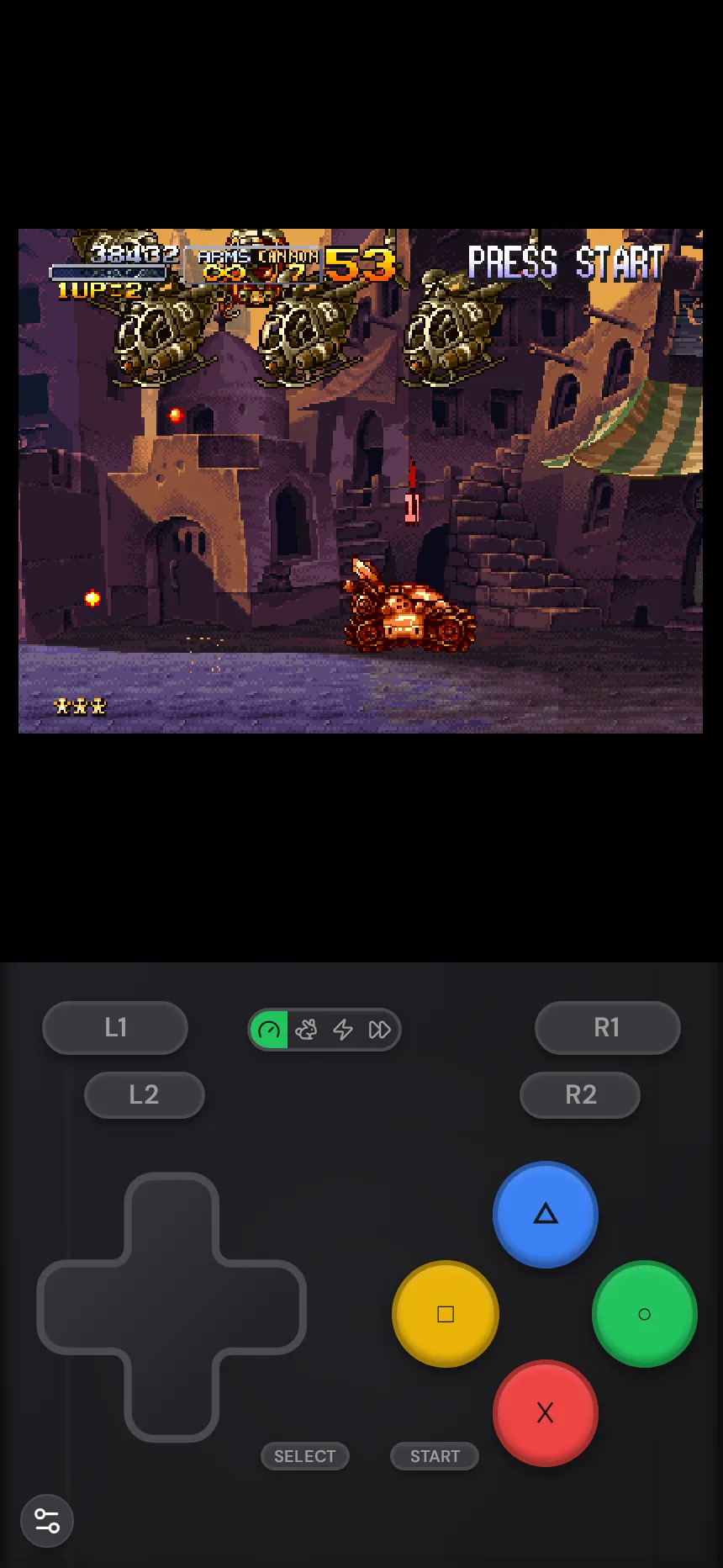
Whether you upload CHD or CUE/BIN, your library works identically across devices:
- Phone & tablet: Rebit’s on-screen PS1 layout includes every shoulder button (L1, L2, R1, R2), D-pad, and face buttons.
- Bluetooth & USB controllers: Pair an Xbox, PlayStation, or Switch-style controller in the browser or Rebit app for games that rely heavily on L2/R2 or analog movement.
- Big Picture mode: Use Big Picture on desktop to browse and launch your PS1 shelf from the couch with a gamepad.
Frequently asked questions
Does CHD reduce graphics or audio quality in PS1 games?
No. CHD uses lossless compression for CD-ROM data and audio tracks, so the game plays identically to the original CUE/BIN dump while taking up much less space.
Can I upload a single .bin file without a .cue?
Always include the .cue sheet (or convert to .chd). Without the .cue, multi-track games lose CD music and some titles fail to boot past the PlayStation logo.
How many PS1 games fit on Rebit’s free plan?
Rebit’s free plan includes 2GB of storage, which comfortably fits roughly 4–6 compressed CHD discs (or 2–3 uncompressed CUE/BIN discs). Pro increases storage to 20GB for larger multi-disc RPG libraries.
For more on uploading and saving PS1 titles, read our PS1 browser setup guide, or upload a disc image you own on the play PS1 games online page.