Sorting out Neo Geo Pocket Color ROM formats takes less than a minute once you know what the four extensions mean. SNK's beloved 1998–2000 handheld library shows up as .ngp, .ngc, .ngpc, or .npc—and Rebit's Neo Geo Pocket emulator accepts all four automatically on Beetle NeoPop with no BIOS upload required.
What .ngp, .ngc, .ngpc, and .npc mean
| Extension | Hardware era | Works on Rebit? |
|---|---|---|
.ngp |
Monochrome Neo Geo Pocket (1998) | Yes—loads cleanly in Beetle NeoPop |
.ngc |
Neo Geo Pocket Color (standard No-Intro extension) | Yes—most common format for color carts |
.ngpc / .npc |
Alternate Neo Geo Pocket Color naming | Yes—accepted directly without renaming |
Because the Neo Geo Pocket Color was backward-compatible with monochrome cartridges (and many late color games also ran in monochrome mode), Beetle NeoPop handles the entire catalog under one library entry. Bring your own legally owned cartridge dumps or community homebrew—Rebit supplies only the emulator.
Translating SNK's clicky thumbstick to modern controls
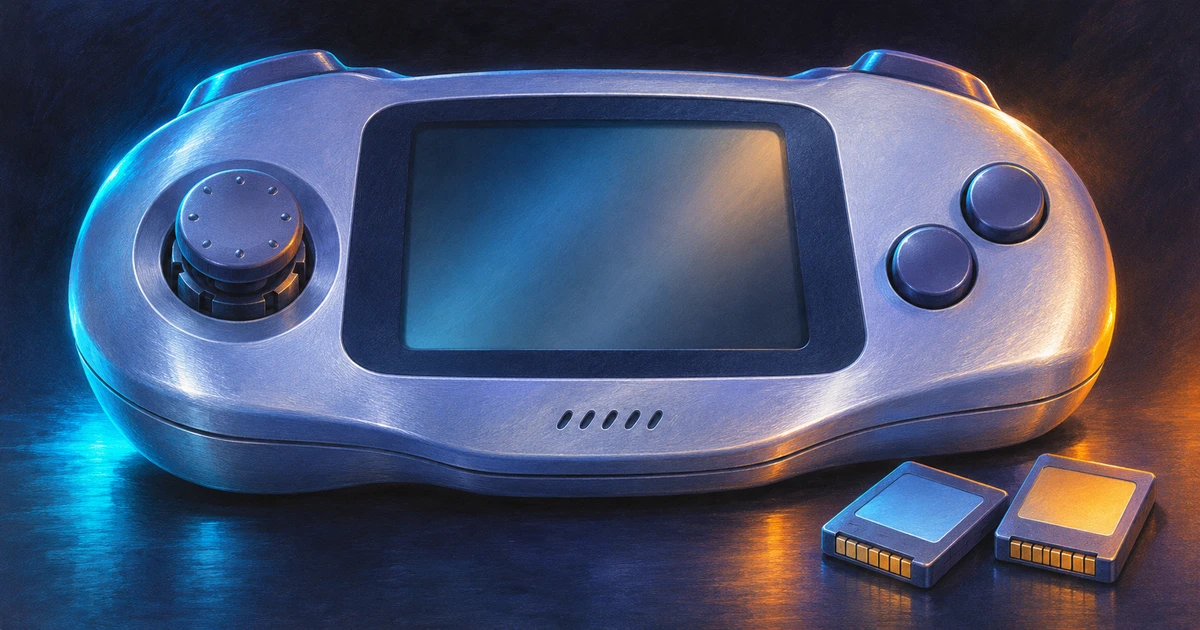
Hardware fans still rave about the Neo Geo Pocket Color's eight-way microswitch thumbstick. Even without physical microswitches, the handheld's minimalist control scheme—directional pad, A, B, and Option—feels remarkably responsive on both a phone touchscreen and a Bluetooth controller:
- Fighting games use tap vs. hold. Because SNK only had two action buttons (A and B), pocket fighters like SNK vs. Capcom: Match of the Millennium separate light attacks (quick tap) from heavy attacks (brief hold). Practice a light jab and a heavy punch while standing still before dialing in special moves.
- Option acts as Start/Pause. Rebit maps Option to Start on standard controllers so opening pause menus or switching modes in Card Fighters' Clash works right away.
Neo Geo Pocket vs. Neo Geo MVS arcade
Do not mix up handheld cartridges with SNK's arcade boards. If you have a FinalBurn Neo .zip set for Metal Slug or The King of Fighters '98, upload it on the Rebit Arcade player instead—not under Neo Geo Pocket.
With flash saves and save states synced via cloud saves, your unlocks and card decks travel seamlessly between browser and phone. Looking for what to play first? Read our guide to the best Neo Geo Pocket Color games.
Organizing Neo Geo Pocket Color ROM formats in your library
If you are backing up a mix of early monochrome Neo Geo Pocket releases and later Neo Geo Pocket Color cartridges, keeping .ngp for monochrome dumps and .ngc for color dumps keeps your shelf easy to scan—though Beetle NeoPop on Rebit boots .ngp, .ngc, .ngpc, and .npc without complaint.
What about system language settings? Many Neo Geo Pocket Color cartridges include both English and Japanese text on the exact same ROM chip, switching automatically based on the handheld's language setting. That makes imports like Metal Slug: 1st Mission, Sonic the Hedgehog Pocket Adventure, and Neo Turf Masters remarkably easy to enjoy.
Troubleshooting stuck title screens: If a cartridge loads cleanly and displays an intro loop, tap Option (mapped to Start) or A to enter the main menu, and click once inside the player canvas on desktop so keyboard or controller inputs reach Beetle NeoPop.
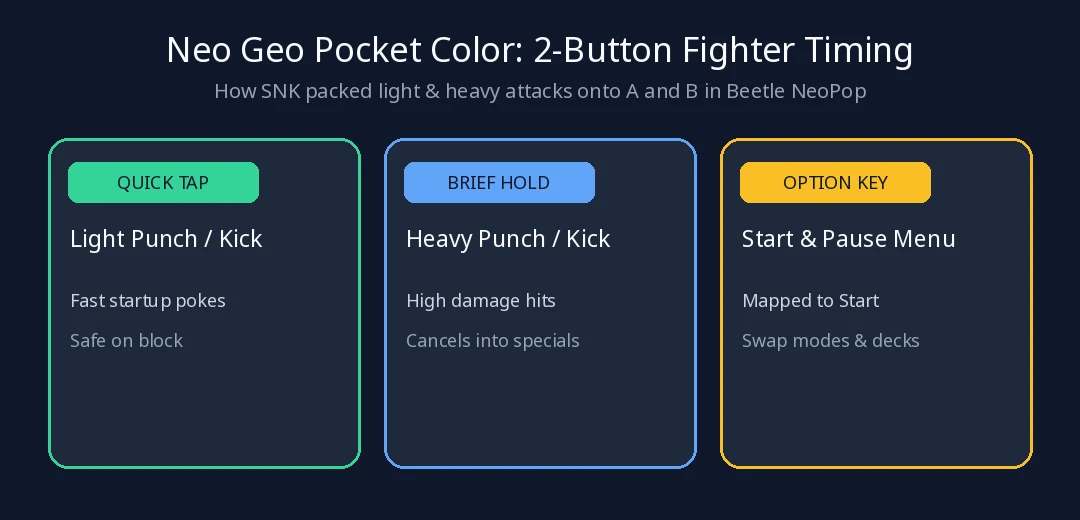 SNK's two-button Neo Geo Pocket Color layout separates light and heavy attacks by press duration—practice both standing still before dialing in combos.
Why monochrome .ngp and color .ngc carts behave differently
SNK launched the original monochrome Neo Geo Pocket in Japan in late 1998, then replaced it just months later with the Neo Geo Pocket Color. That quick hardware revision created three kinds of cartridges you will encounter when backing up your own collection:
- Monochrome-only (
.ngp): Built for the 1998 model; runs cleanly in crisp black-and-white palettes on Beetle NeoPop. - Dual-mode color carts (
.ngc): Early 1999 releases that boot in full color on Neo Geo Pocket Color hardware while still containing fallback monochrome graphics. - Color-exclusive carts (
.ngc/.ngpc): Later showcase titles like SNK vs. Capcom: Match of the Millennium and Metal Slug: 2nd Mission built exclusively for the color screen.
Because Beetle NeoPop emulates the Neo Geo Pocket Color hardware by default, every one of those cartridges boots at its highest visual fidelity automatically—no manual hardware-mode switches or BIOS files required.
Saving progress: flash memory vs. save states
Unlike Game Boy cartridges that relied on coin-cell batteries that eventually died, Neo Geo Pocket Color cartridges saved directly to onboard flash memory. Beetle NeoPop writes to that virtual flash memory automatically, and Rebit syncs it to your account via cloud saves. In card-collecting games like Card Fighters' Clash or unlock-heavy fighters like Match of the Millennium, always save through the game's normal menu when finishing a session—and use Rebit save states for quick retries before tough tournament bosses.
Quick pre-play checklist for NGPC on phones and browsers
- Upload
.ngc,.ngp,.ngpc, or.npcdirectly on Rebit's Neo Geo Pocket emulator—do not upload Neo Geo MVS arcade.zipsets here. - Test tap vs. hold on A and B in training mode before jumping into arcade ladder matches.
- Click once inside the browser canvas if a keyboard or USB controller does not register on the title screen, or pair a Bluetooth controller on mobile for arcade-stick precision.