Troubleshooting
Use this guide when something feels confusing, slow, or stuck on mobile.
Upload Problems
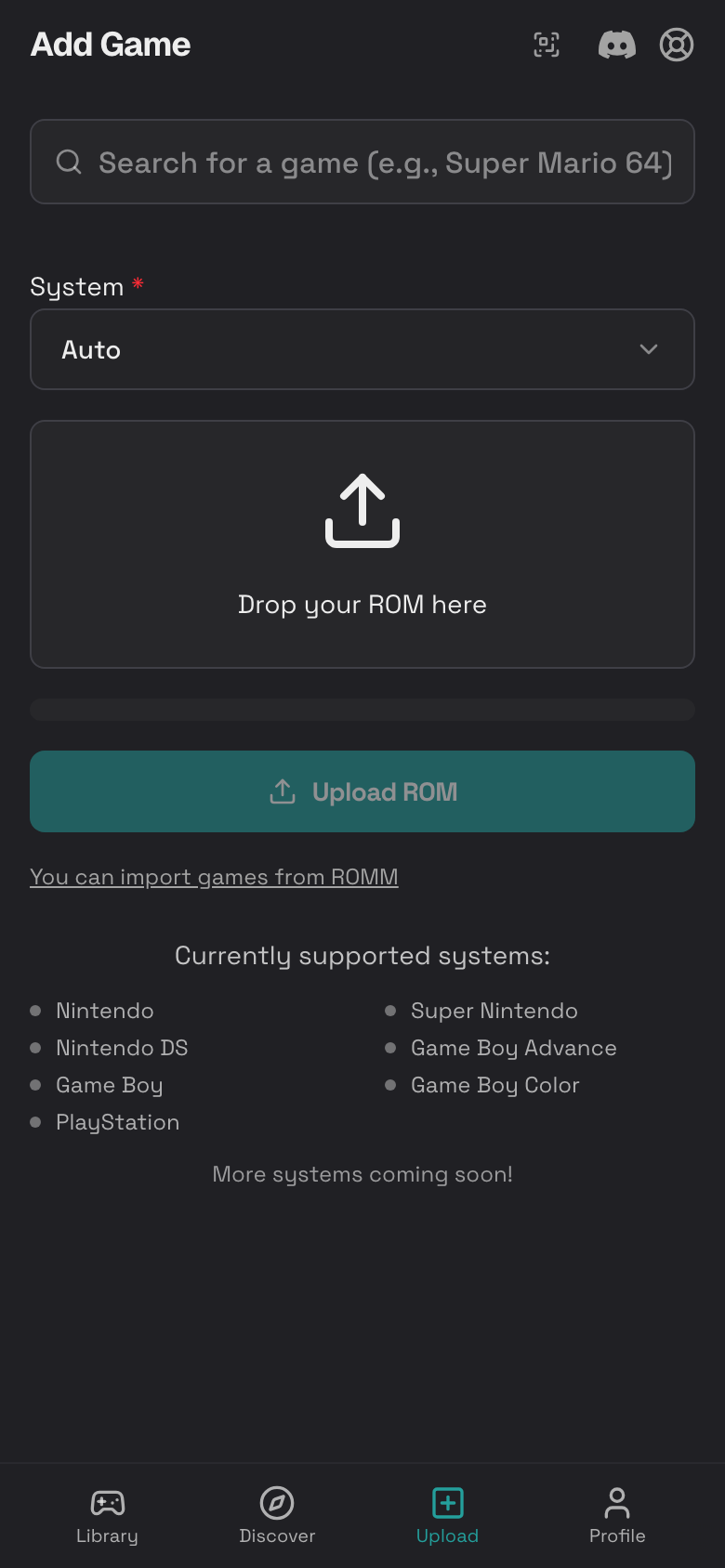
If a game will not upload:
- Make sure the file type is supported.
- Try Auto system detection.
- Make sure you have enough storage.
- Use Wi-Fi for large files.
- Keep the upload page open until it finishes.
- If the upload stops, tap cancel and try again.
- If a ZIP fails, upload the game file directly.
Emulator Loading Problems
If a game opens but does not start:
- Refresh the page and try Play Now again.
- Check that the game file matches a supported system.
- Try a different core in In-Game Settings.
- Clear the local ROM cache in Settings.
- Upload a clean copy of the game if the file may be damaged.
Slow or Choppy Gameplay
Try these steps:
- Close other browser tabs.
- Turn off battery saver mode on your phone.
- Rotate to landscape if the layout feels cramped.
- Open Shaders and choose Original.
- Lower Master Volume if your phone is struggling.
- If using netplay, turn on Performance Mode.
Touch Controls Feel Wrong
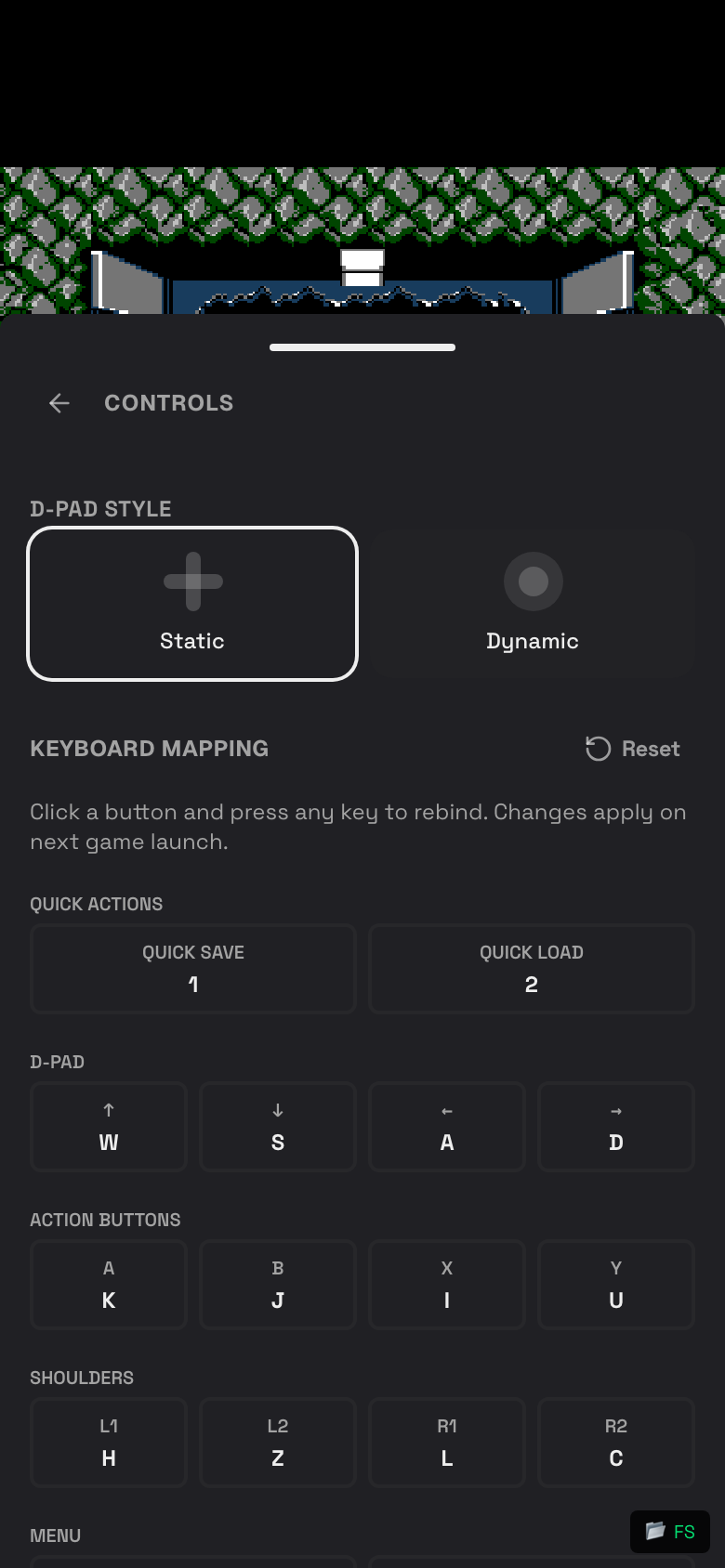
- Open the in-game menu.
- Tap Controls.
- Switch between Static and Dynamic D-pad style.
- Tap Hide Controls if you are using an external controller or remote phone.
- Rotate your phone and try again.
Save Problems
If a save is missing:
- Open the game.
- Tap the in-game menu.
- Tap Open Saves.
- Check Manual.
- Check Auto.
- Check In-game.
If you used the game's own save menu, tap Export In-Game Save after saving inside the game.
Screenshot Problems
If screenshots do not appear:
- Take the screenshot again from the in-game menu.
- Open the game details page.
- Scroll to Screenshots.
- Check storage usage if screenshots still do not save.
Cheat Problems
If a cheat does not work:
- Check that the code matches the game and region.
- Turn the cheat off and on again.
- Restart the game after enabling the cheat.
- Remove cheats that make the game unstable.
RetroAchievements Problems
If achievements do not show:
- Open Settings > Integrations.
- Make sure Enable RetroAchievements is on.
- Check your RetroAchievements username and account password.
- Tap Verify Credentials.
- Start a supported game.
- Try a clean ROM if the game is not recognized.
Netplay Problems
If netplay cannot connect:
- Tap Refresh in the room list.
- Confirm the Room ID is correct.
- Make sure both players are online.
- Use Internet mode if you are not on the same Wi-Fi.
- Use LAN only when both devices are on the same local network.
- Ask the host to start a fresh room.
Nintendo DS Cloud Room Problems
If a Nintendo DS cloud room does not start:
- Confirm every player has a Nintendo DS game in their own library.
- Make sure the host chose the correct number of players.
- Ask every player to join before waiting inside the game's multiplayer menu.
- Use the same game and ROM revision when possible.
- Save inside the game, then tap Export In-Game Save before leaving if progress changed.
- If the stream fails to connect, refresh the game tab and try again on stable Wi-Fi.
Remote Controller Problems
If the controller phone will not join:
- Make sure the main device is still running the game.
- Scan the QR code again.
- Enter the room code manually if scanning fails.
- Refresh the controller phone.
- Keep both devices on a stable network.
- Turn off VPN or private relay features if connection fails.
Storage Problems
If storage is full:
- Tap Profile.
- Tap Settings.
- Tap Storage.
- Check whether ROMs, saves, or screenshots use the most space.
- Delete games, saves, or screenshots you no longer need.
- Upgrade if you need more room and the option is available.
Install or PWA Problems
If install does not appear:
- Use Safari on iPhone or Chrome on Android.
- Refresh Rebit.
- Sign in again.
- Tap Profile and check the App section.
- On iPhone, use Safari's Share button and choose Add to Home Screen.
Pro Tips
- Save before changing cores.
- Use Save State before difficult game sections.
- Use the game's own save menu, then tap Export In-Game Save for games with battery saves.
- Keep a few auto saves, but delete old ones if storage gets tight.
- Use Original shader when performance matters.
- Share your public profile link with friends so they can follow you.
- Use Discover to find active players and popular games.
- For netplay, use Wi-Fi and keep both phones charged.
- For Nintendo DS cloud rooms, upload the game and save in your own library before joining.