If you want the best Pokémon emulator for iPhone in 2026—one that actually lets you trade-evolve Gengar and Alakazam online, play 4-player Pokémon Quetzal co-op with friends, and sync your .sav and .dsv progress automatically between your iPhone, iPad, and PC—Rebit is the top pick on iOS and Safari. Powered by mGBA (GBA/GB/GBC) and melonDS (Nintendo DS), Rebit adds online GBA Link Cable rollback, DS WFC trading, 4×–8× fast-forward, and automatic cloud saves. If you strictly play offline single-player and want custom Game Boy skins, Delta is a solid offline backup.
Let’s be honest: Pokémon is the #1 reason most people install an emulator on their iPhone. Turn-based battles play effortlessly one-handed in portrait mode, the 2D sprite eras (Gen 1 through Gen 5) look razor-sharp on modern OLED iPhones, and the ROM-hack community (Pokémon Unbound, Pokémon Quetzal, Radical Red, Emerald Seaglass, Pokémon Odyssey) has turned GBA and DS into an endless RPG machine.
Yet the moment you get past the first two gyms on a typical iPhone emulator, three classic Pokémon headaches hit you:
- Trade evolutions & friend battles are locked out because most iOS emulators don’t support online GBA Link Cable multiplayer.
- Grinding feels slow without smooth fast-forward and reliable RTC (real-time clock) support for day/night cycles and berry growth.
- One wrong ROM-hack update or phone wipe kills a 60-hour save file.
Here is how to set up the ultimate Pokémon emulator on iPhone for Gen 1–5 and ROM hacks—with online trading, fast-forward, RTC, and rock-solid cloud saves.
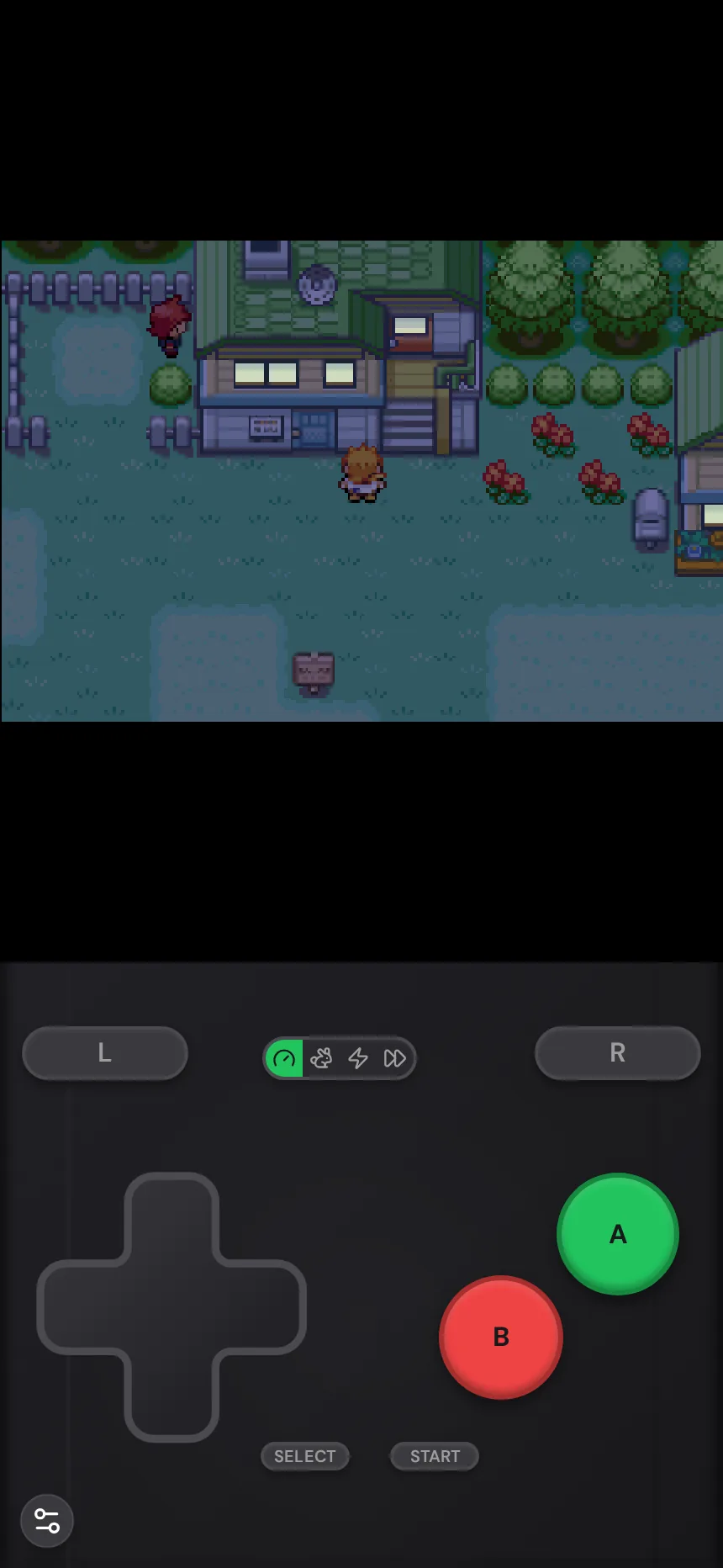
Quick comparison: best Pokémon emulators for iPhone
| Emulator | Gens Supported | GBA Online Trade & Battle | DS WFC Online | Cloud Sync (iPhone ↔ PC) | Fast-Forward & RTC |
|---|---|---|---|---|---|
| Rebit (mGBA + melonDS) | Gen 1–5 (GB, GBC, GBA, NDS) + ROM hacks | Yes (2–4P Link Cable Rollback) | Yes | Automatic cloud autosaves across iPhone, iPad, PC & Android | 4× free / 8× Pro + accurate RTC |
| Delta | Gen 1–5 (GB, GBC, GBA, NDS) | No | Yes | Google Drive / Dropbox (iOS-to-iOS only) | Fast-forward + RTC |
| Manic EMU | Gen 1–7 (GB–3DS) | No cross-platform GBA rollback | Limited | iCloud (Apple only) | Fast-forward (3DS heavy without JIT) |
| RetroArch (mGBA / melonDS) | Gen 1–5 | Complex manual setup | Complex | Manual folders only | Fast-forward + RTC |
Why mGBA + melonDS on Rebit is built for Pokémon players
Pokémon games are famously picky about emulator accuracy—especially real-time clocks, 128 KB Flash save chips, and Link Cable timing.
1. Accurate Flash 128K saves & Real-Time Clock (RTC)
Classic Gen 3 cartridges (Pokémon Ruby, Sapphire, Emerald, FireRed, LeafGreen) and modern decomp ROM hacks (Pokémon Unbound, Pokémon Quetzal, Emerald Seaglass) require 128 KB Flash save support and a working RTC so berries grow, tides change in Shoal Cave, and day/night events trigger properly. Because Rebit runs mGBA under the hood, Flash 128K and RTC work out of the box—no hunting for mysterious vba-over.ini fixes or hitting the dreaded "The 1M sub-circuit board is not installed" error.
2. Online GBA Link Cable (2–4 players on iPhone, PC & Android)
This is the feature that changes Pokémon on iPhone forever. On Rebit, you don’t need two physical Game Boys or a shady save editor to evolve Kadabra, Haunter, Machoke, Graveler, or Scyther.
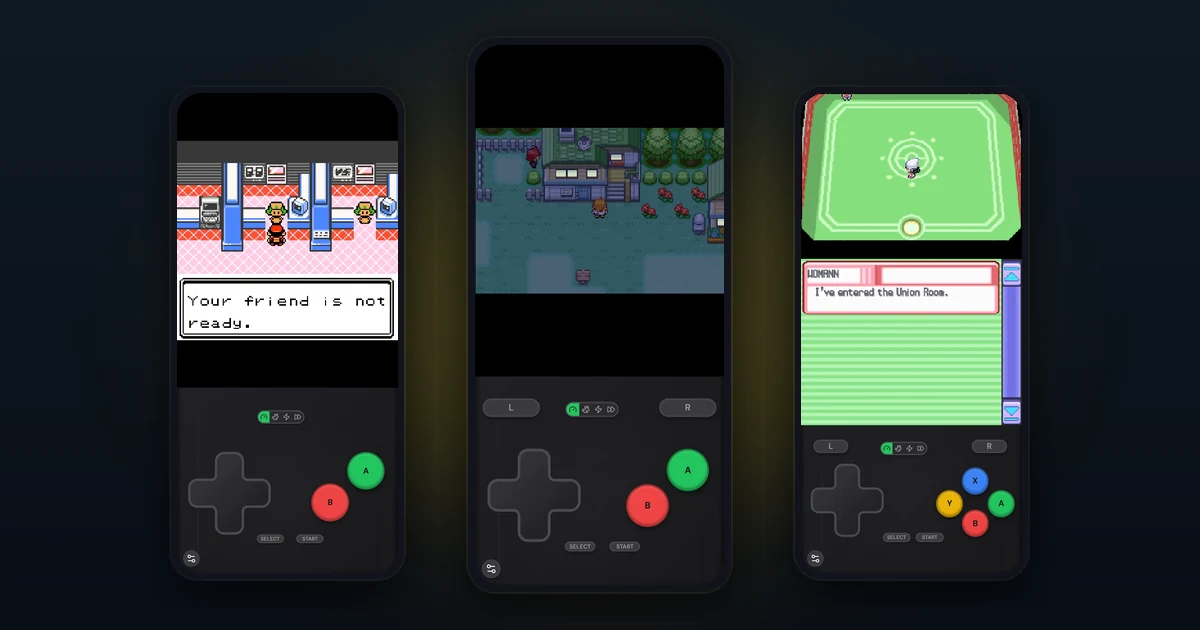
Open the in-game menu → Link Cable, create a private room, and share the room code with a friend (even if they’re on Windows, Mac, or Android). Walk upstairs to the Pokémon Center Trade Corner or Colosseum, and your GBA cartridges link over mGBA Link Cable rollback—with P2P free and Edge Link (Pro) if cellular CGNAT blocks direct connections.
Even better: 4-player co-op ROM hacks like Pokémon Quetzal work across iPhone and desktop in the same room! Check our Pokémon Quetzal online co-op guide and trade-evolving Pokémon without a second console walkthrough for step-by-step screenshots.
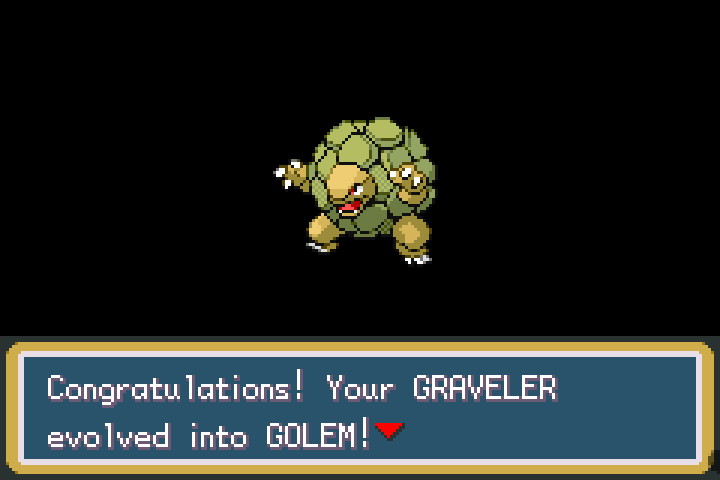
3. GameBoy & Game Boy Color classics on iPhone (Gen 1 & Gen 2)
If you’re also looking for a reliable GameBoy emulator for iPhone to replay Pokémon Red, Blue, Yellow, Gold, Silver, or Crystal (plus beloved Gen 2 hacks like Pokémon Polished Crystal and Prism), Rebit runs them on the same mGBA engine with zero BIOS setup. Real physical Gold/Silver/Crystal cartridges famously ate their CR2025 coin batteries and wiped childhood Johto saves—on Rebit, your .sav and RTC stay backed up in the cloud automatically, and LCD Grid shaders bring back that crisp pocket-screen feel on OLED displays.
4. Nintendo DS Pokémon (Gen 4 & 5) with WFC & touch controls
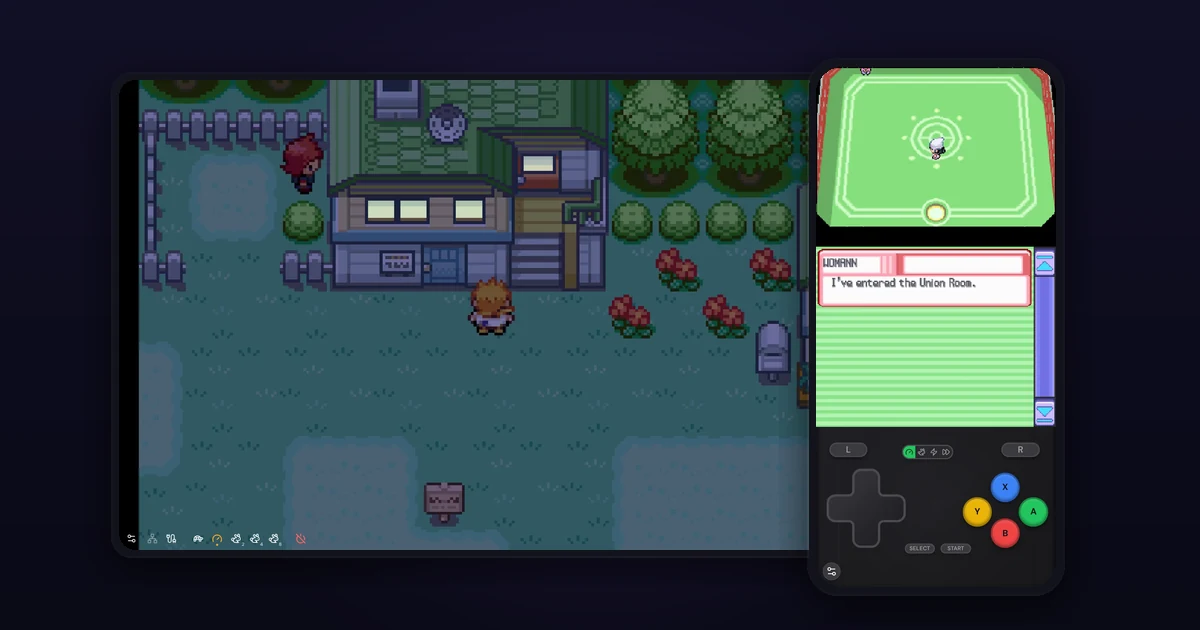
Playing Pokémon Platinum, HeartGold, SoulSilver, or Black 2 / White 2 on an iPhone feels incredible in portrait mode—the top screen sits cleanly above the bottom Pokétch/battle touchscreen so you can tap moves, use the bag, and draw on the Pokétch directly with your thumb.
Rebit runs melonDS with Nintendo WFC support for online Union Room trading and battles, plus an optional on-screen Blow mic button in Settings for DS games that use the microphone.
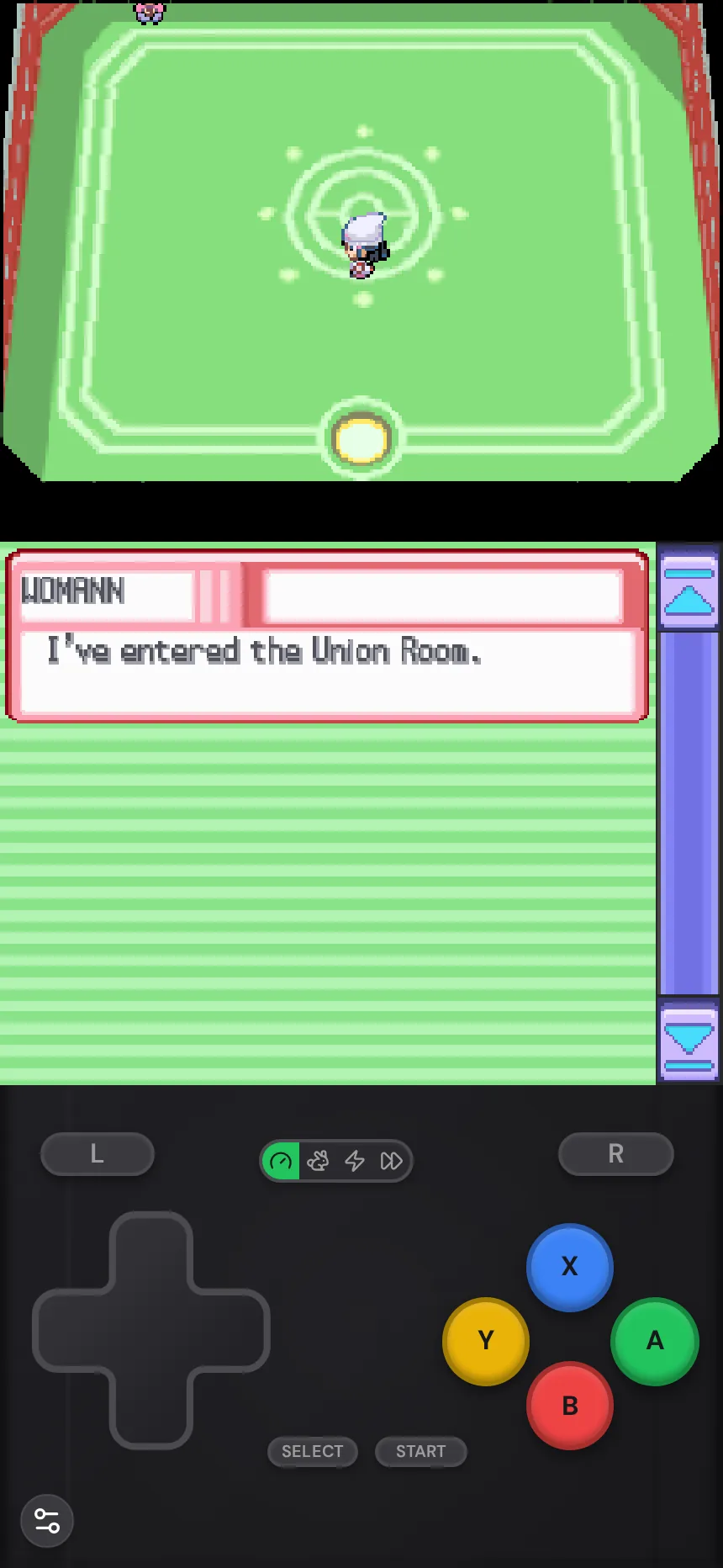
How to set up Pokémon on your iPhone in 2 minutes
- Install the Rebit iOS app from the Rebit Download page (or open app.rebit.cc in Safari—zero sideloading or AltStore required).
- Tap Add Game and select a
.gb,.gbc,.gba, or.ndsROM you own from your iPhone’s Files app (or upload from your computer—it appears on your iPhone immediately). - Tap Play. Rebit automatically assigns mGBA (Game Boy / GBC / GBA) or melonDS (DS), enables cloud autosaves, and gives you clean touch controls plus full Bluetooth/USB-C controller support.
- Pro tip for grinding: Toggle Fast-Forward (up to 4× free, 8× on Pro) to breeze through wild encounters, hatching eggs, and EV training on your commute.
Best Pokémon ROM hacks to play on iPhone (and how to protect your saves)
If you’ve already beaten Emerald and Platinum five times, the GBA ROM-hack scene is where iPhone emulation truly shines. All of these boot cleanly in Rebit’s mGBA core (always patch legally using a clean base ROM you own):
- Pokémon Quetzal: Full 1–4 player co-op Emerald overhaul with following Pokémon, modern mechanics, and shiny hunting—incredible over Rebit’s GBA Link Cable rooms.
- Pokémon Unbound: Widely considered the gold standard of custom-region GBA hacks—original Borrius region, mission log, difficulty modes, and Gen 1–8 roster.
- Pokémon Radical Red: Hardcore competitive FireRed overhaul with DexNav, boss AI, and quality-of-life upgrades.
- Pokémon Anime Version: Play through Ash’s Kanto journey episode by episode—check our Pokémon Anime Version FireRed hack review.
- Pokémon Odyssey: Story-driven Etrian Odyssey-inspired FireRed hack with stunning custom art and double battles.
Golden rule before updating a ROM hack on iPhone
Never rely solely on save states when a ROM hack drops a new version (like v0.8 → v0.9). Save states store raw RAM layouts that break across patch updates. Instead:
- Always save in-game inside a Pokémon Center before updating.
- Export your
.savbattery save from Rebit’s game page as a backup. - Attach that
.savto your newly patched.gbafile so your badges, Pokédex, and shiny box carry over cleanly.
Bringing your existing Delta Pokémon save to Rebit
Already deep into a run on Delta? Export your .sav (GBA/GBC) or .dsv (DS) in Delta via Long-press game → Manage Save File → Export Save File, upload your ROM to Rebit, and attach the save on the game’s page. You’ll keep every Pokémon and unlock online Link Cable trading + PC browser sync immediately.
Legal note on Pokémon ROMs
Rebit never hosts, bundles, or links to copyrighted Pokémon ROMs or BIOS files. Always dump cartridges you own or play free legal homebrew.
Frequently asked questions
What is the best free Pokémon emulator for iPhone?
Rebit is free to start (2 GB cloud storage, 4× fast-forward, P2P GBA Link Cable & DS WFC online multiplayer, and automatic iPhone ↔ PC cloud saves). For strictly offline single-player with custom skins, Delta is a great free alternative.
Can you trade Pokémon online on an iPhone emulator?
Yes. Rebit supports 2–4 player GBA Link Cable online rollback for Gen 3 games (Ruby, Sapphire, Emerald, FireRed, LeafGreen, and Pokémon Quetzal) plus Nintendo DS WFC for Gen 4 and Gen 5 (Diamond, Pearl, Platinum, HeartGold, SoulSilver, Black/White) across iPhone, iPad, PC, and Android.
Why won’t my Pokémon GBA ROM save on iPhone?
Older or misconfigured emulators default to 64 KB Flash instead of 128 KB Flash, causing the "1M sub-circuit board is not installed" error. Rebit uses mGBA, which detects 128 KB Flash and RTC automatically.
Can I continue my iPhone Pokémon save on my Mac or Windows PC?
Yes. Every game in Rebit autosaves to your cloud account—close the app on your iPhone, open app.rebit.cc on your computer, and resume right where you left off.
Ready to start your next Kanto, Hoenn, or Sinnoh run on iPhone? Grab Rebit on the Rebit Download page or launch app.rebit.cc in Safari and take your save everywhere. For all iOS emulator options, see our best emulator for iPhone & iPad in 2026 roundup.