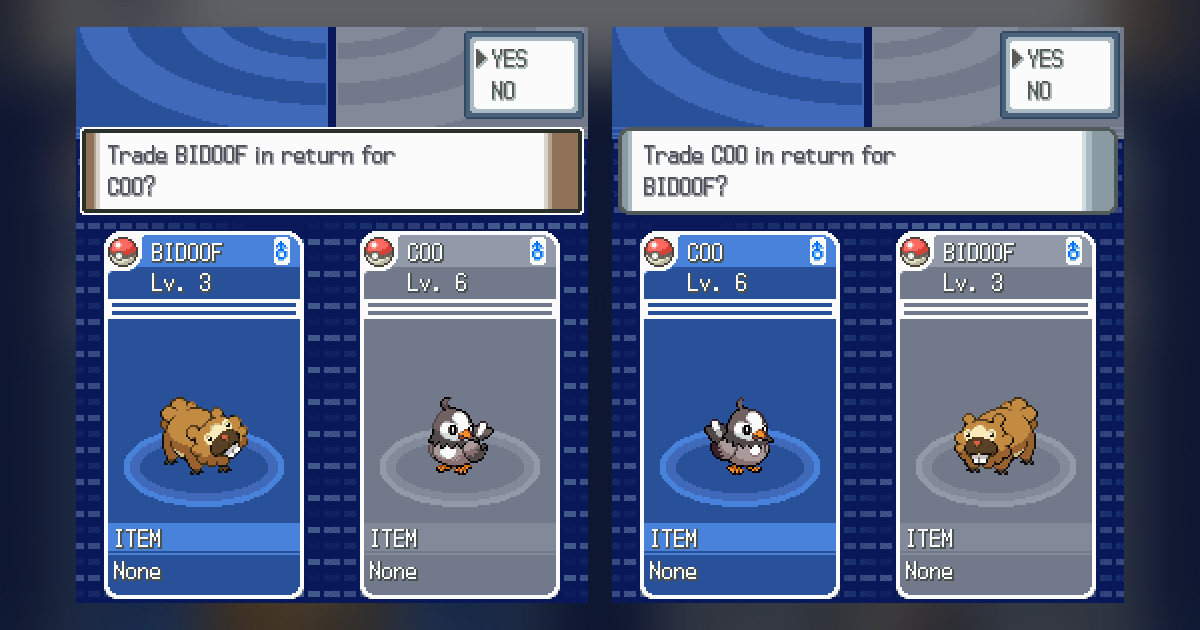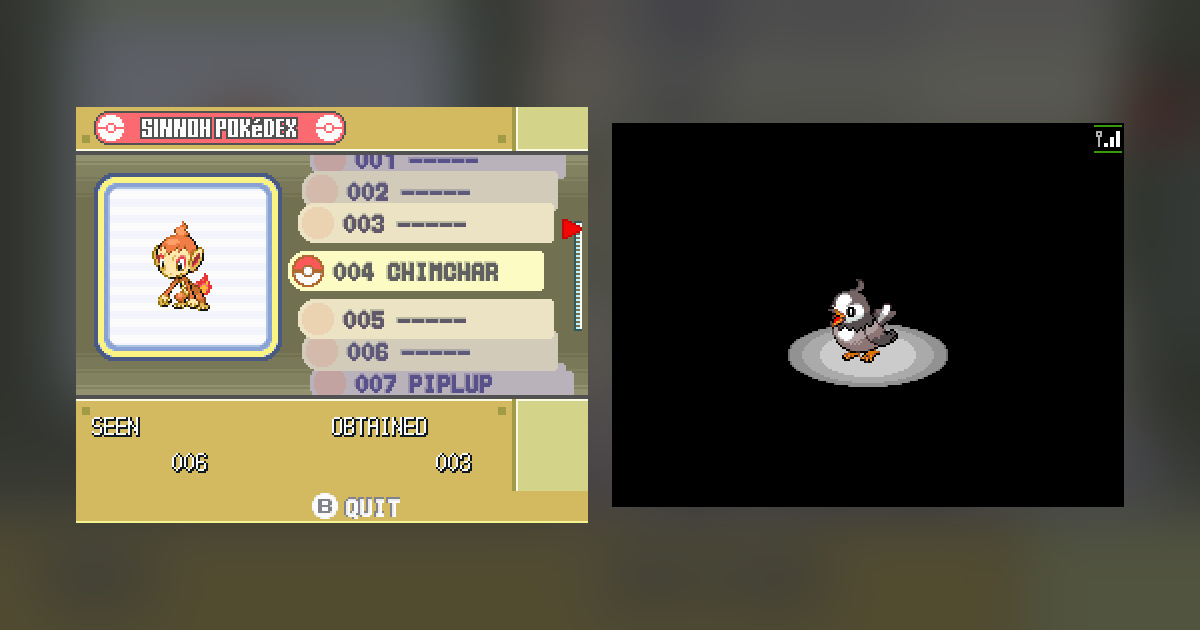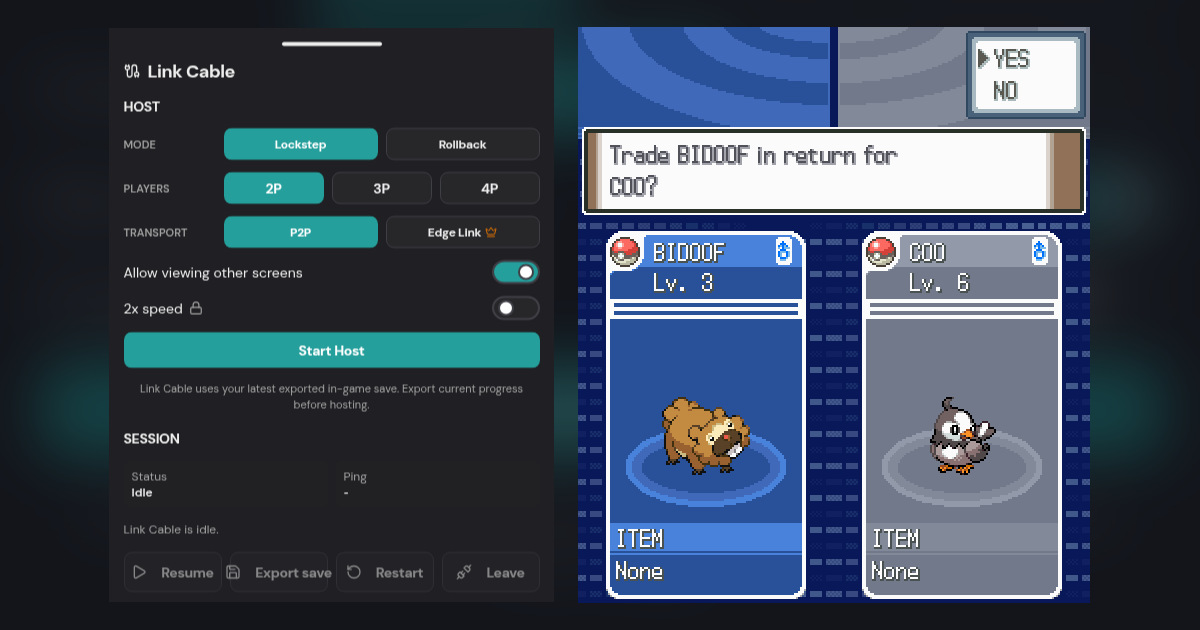
Quick answer: In the original GBA and DS Pokémon games, a trade evolution still needs a real trade. You can avoid buying a second physical console by connecting two compatible game sessions, trading to a friend or your own second account, and trading the evolved Pokémon back. Check held items first, then use GBA Link Cable or NDS Lockstep as appropriate.
Your Haunter has carried enough battles to deserve that Gengar grin. Another dozen levels will not trigger it: you need a trade, then a trade back to bring Gengar home. You can keep the adventure you already have and arrange the exchange with a friend, or control both trainers yourself.
We tested an ordinary Pearl–Platinum trade and both saved results. GBA Pokémon trades and trade evolutions still need a hands-on check; the evolution requirements below come from Serebii and Bulbapedia.
Can you get a trade evolution without trading?
For these original games, the listed Pokémon evolve when the trade condition is met. Rebit connects the games; it does not replace that condition with a level-up rule. A ROM hack may deliberately change evolution methods, but that is a property of the specific hack and release.
The tables below were checked against Serebii's generation-specific Pokédex entries and its Gen 4 evolution reference. They cover Gen 3's GBA games and Gen 4's DS games, not mechanics introduced in later Pokémon titles.
The trade evolutions available in Gen 3 and Gen 4
These four need a trade without an evolution item:
| Send | Receive after evolution | Rule reference |
|---|---|---|
| Kadabra | Alakazam | Gen 3 Kadabra |
| Machoke | Machamp | Gen 3 Machoke |
| Graveler | Golem | Gen 3 Graveler |
| Haunter | Gengar | Gen 3 Haunter |
The following held-item trades also exist in both generations. The item must be held by the Pokémon being sent, not merely sitting in your Bag.
| Send | Held item | Result |
|---|---|---|
| Poliwhirl | King's Rock | Politoed |
| Slowpoke | King's Rock | Slowking |
| Onix | Metal Coat | Steelix |
| Scyther | Metal Coat | Scizor |
| Seadra | Dragon Scale | Kingdra |
| Porygon | Up-Grade | Porygon2 |
| Clamperl | DeepSeaTooth | Huntail |
| Clamperl | DeepSeaScale | Gorebyss |
Gen 4 adds these five. They are not evolutions you can create inside an unmodified FireRed or Emerald game:
| Send in Gen 4 | Held item | Result |
|---|---|---|
| Rhydon | Protector | Rhyperior |
| Electabuzz | Electirizer | Electivire |
| Magmar | Magmarizer | Magmortar |
| Porygon2 | Dubious Disc | Porygon-Z |
| Dusclops | Reaper Cloth | Dusknoir |
Porygon is a good example of why the middle stage matters. A Porygon holding a Dubious Disc is not the Porygon2-plus-Dubious-Disc combination in that table. Plan the two evolutions separately and verify the stage and item before each exchange.
Haunter refuses to evolve: check the Everstone
An Everstone blocks Haunter's trade evolution. If you received Mindy's Haunter in Snowpoint City and expected a Gengar, its held Everstone is the reason for that disappointment. Remove it before arranging a new trade. Bulbapedia's Everstone reference documents the behavior, and the in-game trade list identifies that Haunter's item.
Kadabra has an exception: from Gen 4 onward, trading it still produces Alakazam despite an Everstone. Do not apply that exception to Haunter, or assume it applies to Kadabra in Gen 3. For a straightforward evolution attempt, check the held-item field and remove anything you do not intend to send.
DS: use the Union Room through Lockstep
Open your own adventure and have your friend open theirs. In our Pearl–Platinum exchange, each trainer kept a separate save and party. The illustrated trade walkthrough shows the menus; pay particular attention to the species and held item on the offer screen when you are arranging an evolution.
- Put the intended Pokémon in the party and give it the required item, if any. Agree with your partner that you want it back after evolution.
- Save inside each game. Use Rebit's Settings → Export In-Game Save and keep separate backups.
- The host chooses Netplay → Lockstep → Start Host. The guest joins that Room ID from the main Netplay tab and selects their compatible NDS version.
- Both trainers enter the Pokémon Center 2F Union Room. Approach the other trainer, select Trade, and accept on the other side.
- Select the Pokémon, inspect the offer screen, and confirm on both sides. Allow the exchange and any evolution to finish.
- After the evolution, trade the Pokémon back. Check the returned Pokémon, finish the trade session, save, and export both games before either player leaves.
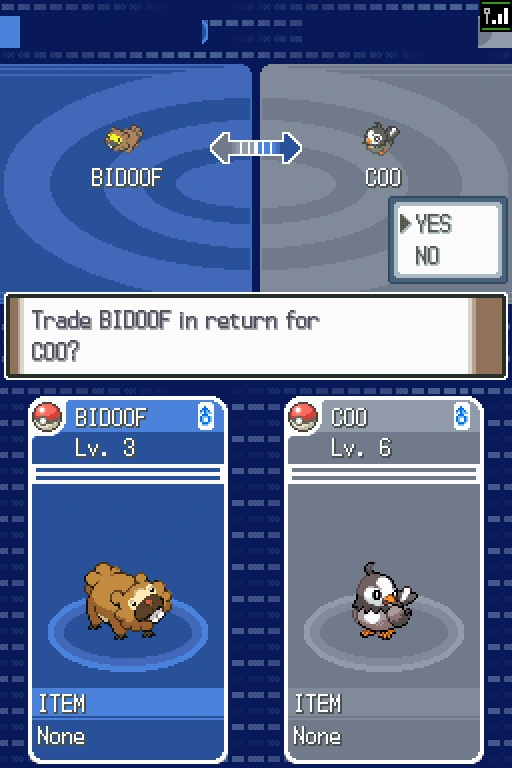
Rebit capture: the Bidoof–Starly trade confirmation, showing both Pokémon and their held-item fields.
Cross-version NDS play needs Lockstep. Rollback requires an identical ROM. The NDS room manual explains the modes.
GBA: choose Link Cable and check story restrictions
FireRed, LeafGreen, Ruby, Sapphire, and Emerald belong to Gen 3. Their game's trading prerequisites still apply even when Rebit can connect the GBA sessions. A connected room cannot repair Celio's Network Machine for your trainer.
For FireRed/LeafGreen with Ruby/Sapphire/Emerald, Serebii's compatibility guide identifies Celio's Ruby-and-Sapphire quest as the FireRed/LeafGreen requirement. On Emerald's side, Bulbapedia's connectivity description requires the Hall of Fame and National Pokédex before trading with FireRed/LeafGreen. Ruby/Sapphire and Emerald's earlier trades also have species/progression restrictions; check those before diagnosing the connection.
Use the game's Cable Club path with Rebit's Link Cable feature. Do not follow the DS Union Room instructions above, or select a GBA wireless-adapter mode because its room has a familiar name. Ruby and Sapphire do not support the GBA wireless adapter.
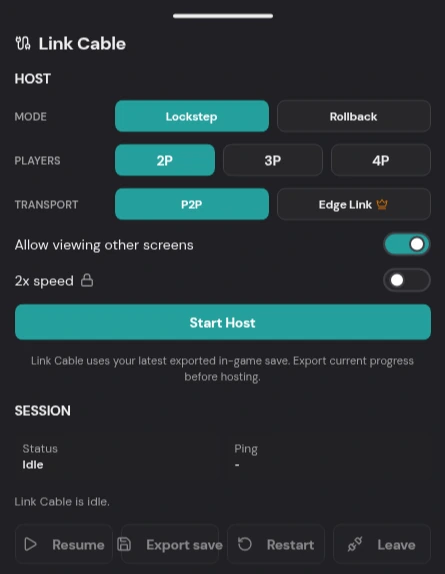
Rebit capture: the GBA Link Cable drawer opened with the Cinema 2D-wrap homebrew game.
The documented Rebit setup is:
- Each player launches their compatible GBA game, saves normally, and exports the in-game save.
- The host opens Link Cable, selects 2P, and starts with Lockstep and P2P. If direct connection fails, recreate using Edge Link where offered.
- Select Start Host and share the Room Code. The guest finds it in the main Netplay tab, chooses Join, and selects their compatible GBA entry.
- Once connected, both players use the game's cable trading facility. Complete the exchange and any evolution before finishing the session.
- After the game's save finishes, use Link Cable → Save and wait for Link Cable in-game save stored on each device.
The GBA Link Cable manual covers these controls in detail. Each player can choose their own compatible GBA game, so you do not need to replace your adventure with a copy of your friend's version.
Trading with yourself without confusing the two saves
Use two separate account sessions, each with its own game and save. Two devices are convenient; separate browser profiles also keep the sessions distinct. We used two accounts in two browser sessions on one computer, with both games visible so we could answer each trade prompt in turn.
Label the source backups by game and trainer before beginning. On each Continue screen, check which party you are controlling. The evolution happens on the receiving side, so keep both games open for the return trade. Your original trainer should receive the evolved Pokémon before you finish trading and save.
Keep both games visible and awake. Reopen them normally after saving to confirm the final parties. Loading an older solo save state afterward can put you back before the exchange and obscure which progress was actually preserved.
What about Quetzal and other ROM hacks?
A hack can change evolution methods, supported species, and multiplayer behavior. Read the notes for the exact release you play before arranging a trade. If it replaces a trade evolution with another method, use that documented method rather than treating the original-game table as authoritative.
The Quetzal co-op article explains its Rebit Link Cable setup. We have not yet tested Quetzal's trading; check the evolution notes for your release before trying the original-game methods above.
Use your own lawfully dumped base game and legitimate patches; Rebit does not supply ROMs. See the legal ROM hack guide. For DS setup use Nintendo DS browser play; the retro netplay overview helps identify other multiplayer types.