A DOS game can ask for Enter, F2, a typed save name, and Ctrl within a few minutes. A phone has none of those physical keys. Getting DOS games on Android and iPhone into a library is therefore only the first part of the job: the controls must get you through the game's actual prompts.
Quick answer: Rebit includes DOS-labeled touch buttons and a Keyboard overlay with PC keys. Test program selection, Enter, and a game action before a long session. In our Chromium phone-viewport test, the overlay opened and arrows moved the program highlight, but Enter did not launch Doom. We cannot claim successful touch-only play from that result. The desktop keyboard workflow did work and provides a practical fallback using the same library.
That limitation belongs at the top. These are real captures of Rebit running DOSBox Pure at a phone-sized viewport, checked on October 27, 2026. They are not screenshots from a physical Android phone, an iPhone, or their native apps. We did not measure phone performance, battery use, or native file-picker behavior. MS-DOS remains a beta system.
Before playing DOS games on Android and iPhone
Separate three questions: does the package load, does the correct program launch, and can you control it? A black screen, a DOSBox program selector, and a game waiting for a key are different situations. Re-uploading the game will not necessarily help with the last two.
Use a complete DOS folder packaged as one ZIP. The DOS file guide explains why a lone executable can be incomplete and why a Windows release is not interchangeable with the DOS version. Use game files you own or that are legally free; the example here is Doom shareware, not a game download supplied by Rebit.
If the same library entry already launches on desktop, retain it for the phone test. You then have a useful control case: the package is capable of starting, so you can concentrate on the destination's input and display behavior.
1. Recognize the DOSBox program menu
Open the game from the library. DOSBox Pure lists the programs it found inside the package. That list is not the phone's file picker and is not an upload error.
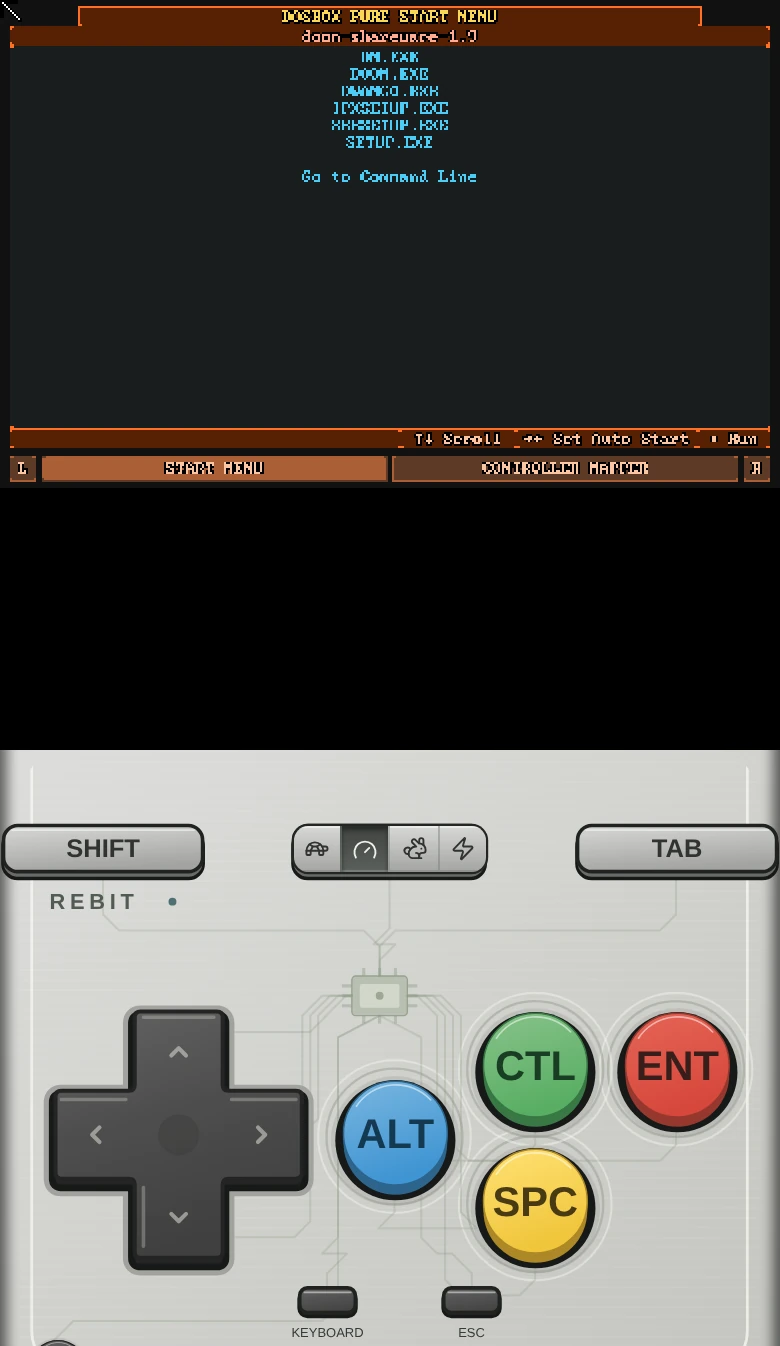
Rebit at a 390 × 844 CSS-pixel Chromium viewport. The DOS package has loaded, with game and utility programs listed above the touch controls.
In the Doom shareware package, choose DOOM.EXE. DM.EXE is a modem/network launcher, while SETUP.EXE is a separate utility. The desktop walkthrough shows the wrong-launcher screen so you can recognize that specific detour.
The shipped start tip says to select a program with the arrows and press Enter. It also explains that the right arrow sets an automatic start choice. Those are instructions for the DOSBox menu, not a guarantee that every browser and touch-input path will deliver each key correctly.
2. Read the touch labels as PC keys
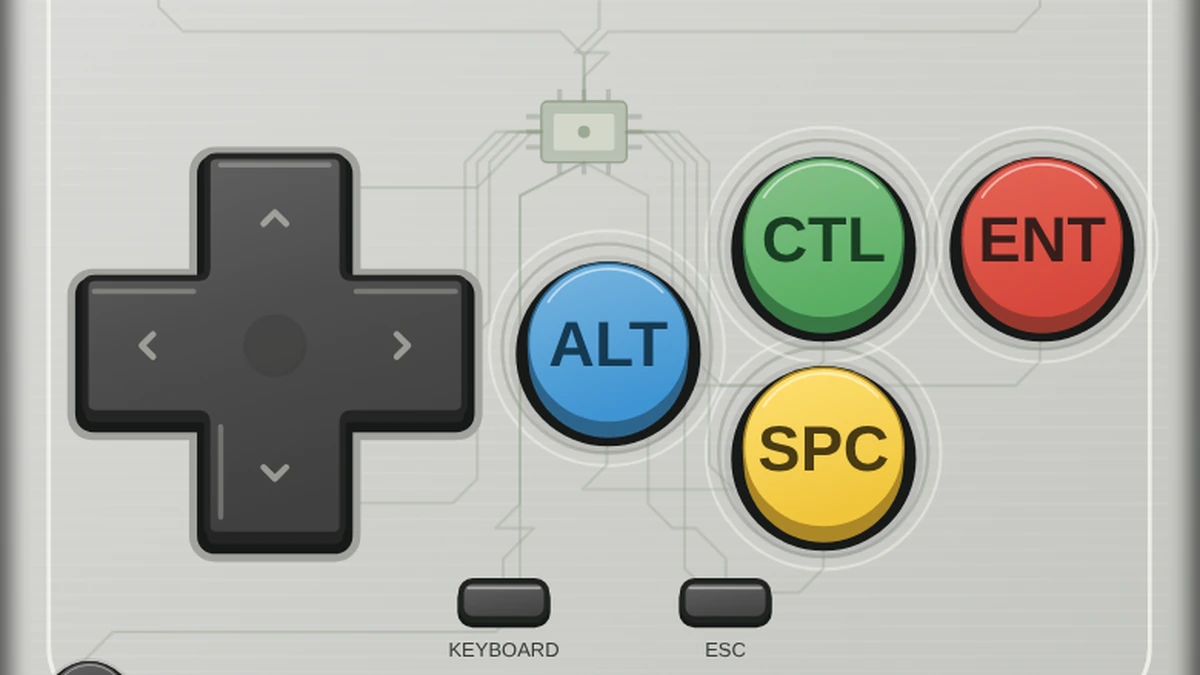
The Rebit Classic theme uses DOS labels so you do not have to remember which console button means Enter. Other controller layouts can still use familiar gamepad letters; the bridge translates those buttons into PC keys.
| Rebit Classic label | Gamepad button | Intended PC key |
|---|---|---|
| Direction pad | D-pad | Arrow keys |
| ENT | A | Enter |
| SPC | B | Space |
| CTL | X | Left Ctrl |
| ALT | Y | Left Alt |
| SHIFT | L | Left Shift |
| TAB | R | Tab |
| ESC | Start | Escape |
| KEYBOARD | Select | Open or close the PC keyboard overlay |
This table describes the current mapping in Rebit's code. It is not a claim that we completed a physical-gamepad or phone playthrough. The destination game decides what each PC key does, and a game with customized controls can behave differently from its original defaults.
For example, Enter often confirms a menu choice, but it is not a universal fire button. Knowing the key sent by the button lets you consult the game's own instructions instead of trying every control at random.
3. Open the keyboard for keys the touch deck lacks
Press Keyboard to show the PC-key overlay. It contains letters, numbers, arrows, Escape, F1–F10, Enter, Backspace, Space, Tab, and modifier keys. This is Rebit's keyboard inside the play screen; it is separate from the operating system keyboard that appears in an ordinary text field.
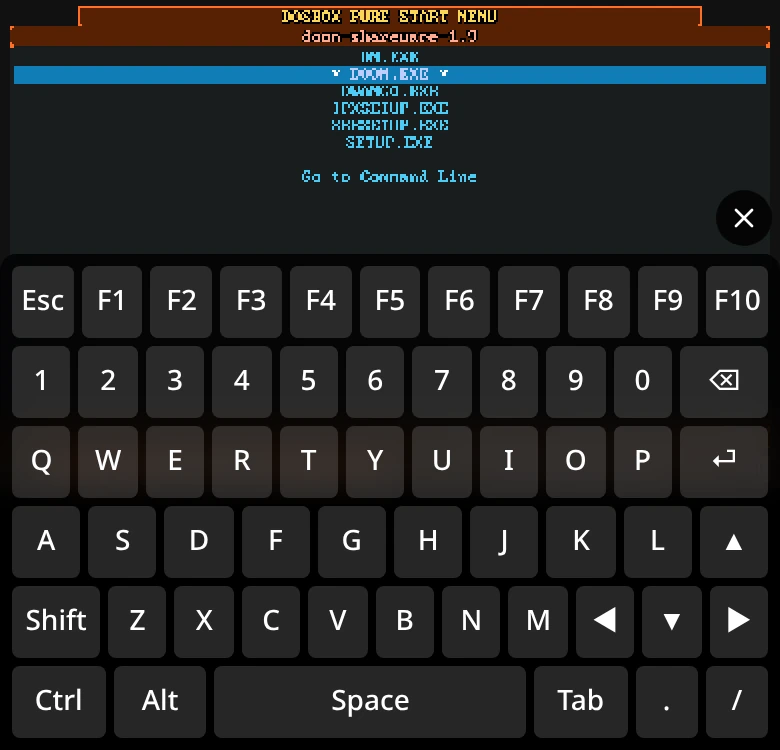
The actual PC-key overlay. The highlighted program is DOOM.EXE; this capture shows selection, not a successful launch.
The modifier behavior is designed for one-handed entry: Shift, Ctrl, and Alt can latch for the next key, then release. Closing the overlay also releases held keys. That is useful design for shortcuts and names, but a complete verification still requires the game to receive the intended input.
In a working session, test a harmless prompt first: move a menu highlight, confirm it, and return to the previous screen. For a game save name, verify the text on the game screen before accepting it. A highlighted key or a pressed-button animation only proves the interface received a touch; it does not prove the DOS program received the right keystroke.
4. Check the result, not just the animation
Here is what our actual phone-viewport run established:
| Check | Observed result |
|---|---|
| Load the complete Doom ZIP | DOSBox Pure's program list appeared |
| Open Keyboard | PC-key overlay appeared |
| Send down-arrow input | Program highlight moved |
| Launch the highlighted program with Enter/ENT | The start menu remained; no successful launch was established |
| Claim an Android or iPhone gameplay result | Not established by this Chromium viewport test |
We also checked a fresh library entry without saves and a Chromium context using an Android user agent. Those checks did not establish a successful touch-only launch. They help avoid blaming an existing save for a result that also occurred without one. They do not identify the precise cause or establish how a physical device behaves.
If your screen behaves the same way, retain the package and the existing saves. Repeated uploads create more things to distinguish without fixing the input path. Switch to the desktop workflow below to verify the game itself and protect any progress already made.
5. Use the verified desktop fallback
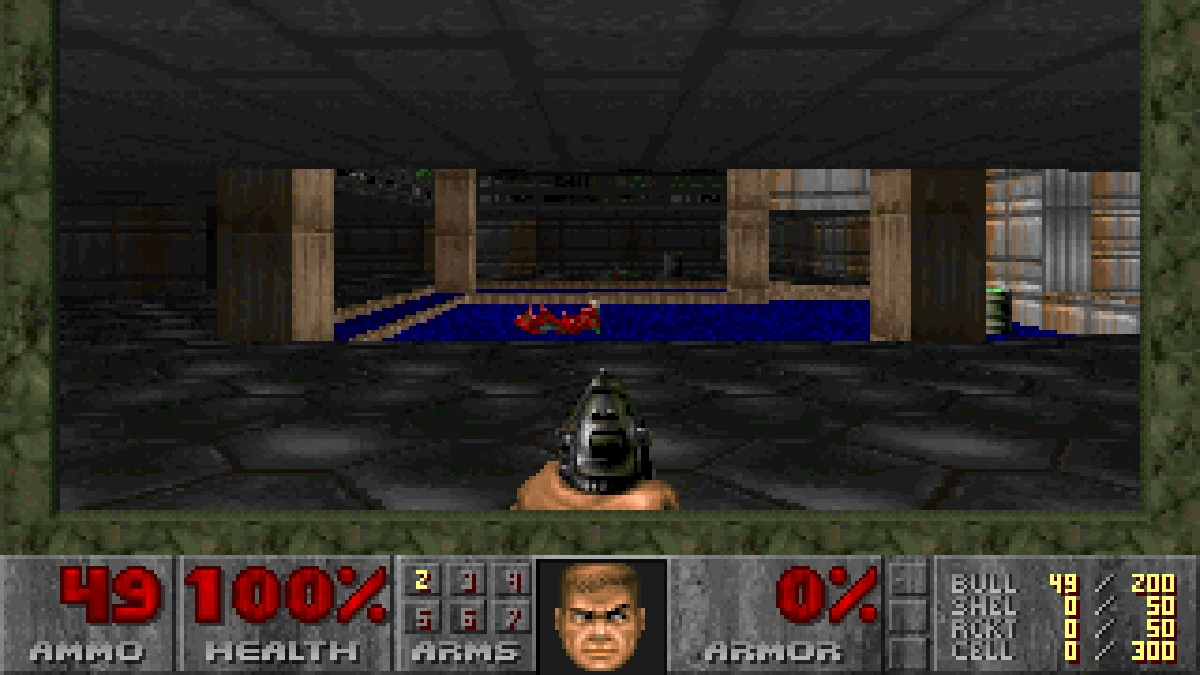
Sign in to the same account on a desktop browser and open the existing game entry. Focus the game canvas, select DOOM.EXE with the physical arrow keys, and press Enter. In our desktop test, this launched Doom shareware and reached the Hangar level.
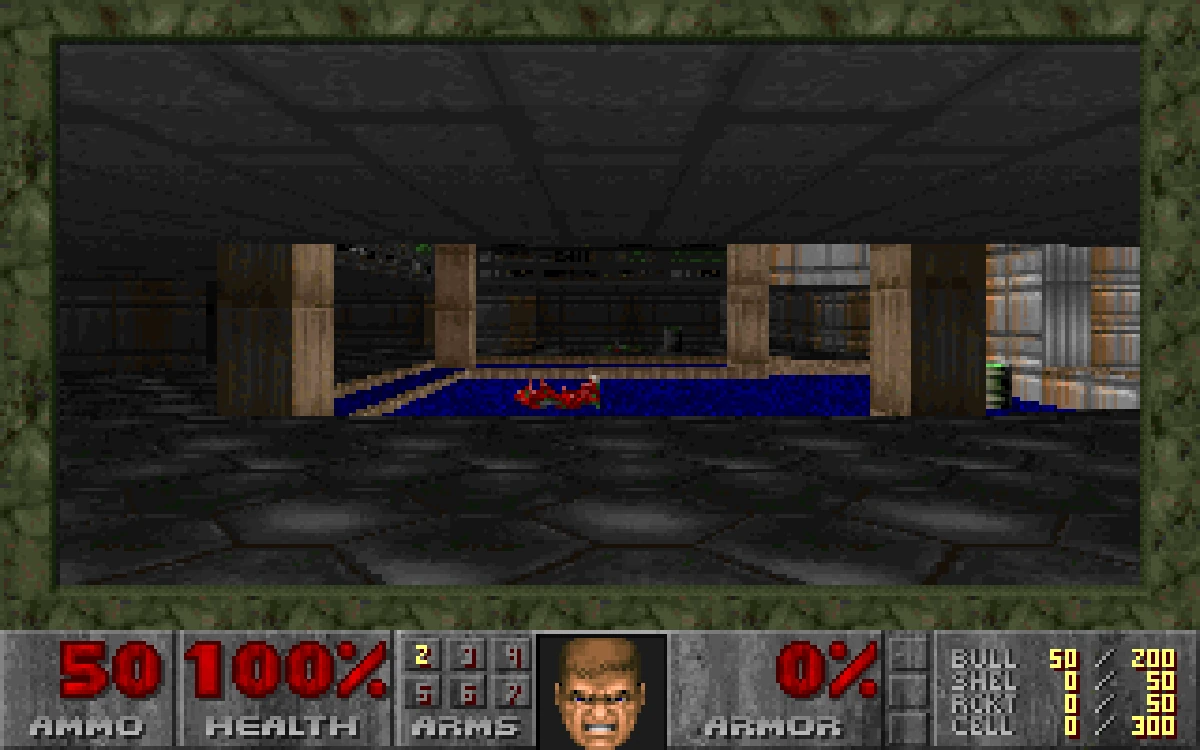
The desktop result used as the control case for the phone investigation: the same installed game package reaches gameplay.
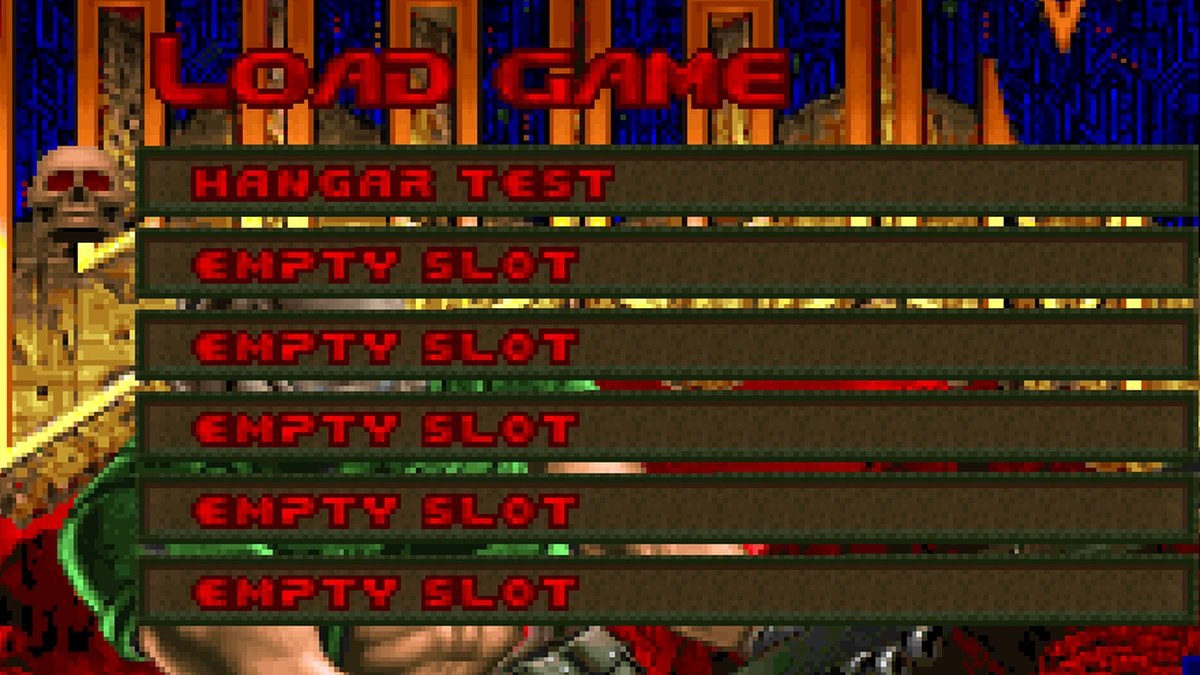
Test movement and the game's menu. For Doom, use F2 to create an in-game save, then Rebit's Save State and Export In-Game Save actions. Verify the saved entries and download the in-game export. The DOS saves guide walks through checking the game's saved file as well as the emulator position.
This gives you a usable session and a recoverable checkpoint while keeping the phone investigation separate. When trying the destination again, confirm both input and restoration before making it your only active session. A save listed in your account does not prove that every destination can control the game.
Mouse input needs its own test
Rebit lets the DOS game screen receive pointer input. That should not be confused with a documented phone trackpad, a right-click button, or a guarantee that dragging a finger reproduces a desktop mouse in every game.
DOS titles can ask for different mouse behaviors. A menu pointer, a shooter turning relative to movement, and a drag operation are different tests. Our phone run did not establish successful in-game mouse control, so this guide does not prescribe a two-finger right-click gesture or claim that touch solves a mouse-driven adventure.
Use the Playing Games and In-Game Settings references for the available controls and presentation options. If the game depends on precise mouse interaction, verify that specific action in the actual session before relying on it. The presence of a touchscreen alone is insufficient evidence.
Troubleshooting FAQ
Why does the phone's normal keyboard not appear over the game?
The emulator canvas is not a text-entry field. Use Rebit's Keyboard control for the PC-key overlay. If your installed client lacks it, compare the current client with the interface shown here before assuming the game package needs changing.
Does a gamepad remove the need for a keyboard?
The mapped buttons cover a small set of PC keys, and Select toggles the keyboard overlay in the current bridge. A game can still ask for numbers, letters, or function keys. We verified the mapping in source, not a physical-controller session on Android or iOS.
Should I change the game's files because Enter does nothing?
First check whether the same package launches on desktop. If it does, you have isolated a control or runtime difference instead of a missing executable. Keep the successful package and use the desktop path rather than deleting your progress.
Can these screenshots tell me how fast it runs on my phone?
No. They document the interface and observed input behavior in Chromium's phone viewport. They do not measure a physical phone or establish native-app compatibility. A short launch, input, and save test on your actual device is the useful next check.