The most misleading DOS game files are often the ones that look simplest. A lone .exe looks runnable. A ZIP looks complete. An .iso looks like a whole disc. None of those extensions tells you whether you have the DOS game, a Windows installer, or one piece of a larger package.
Quick answer: For a normal installed DOS game, upload one ZIP containing the complete folder and choose MS-DOS. Rebit can recognize a DOS executable and wrap it in a package, but that does not supply missing data files. Put supported DOS disc images inside a ZIP for the DOS package path. A Windows program cannot be converted by renaming it.
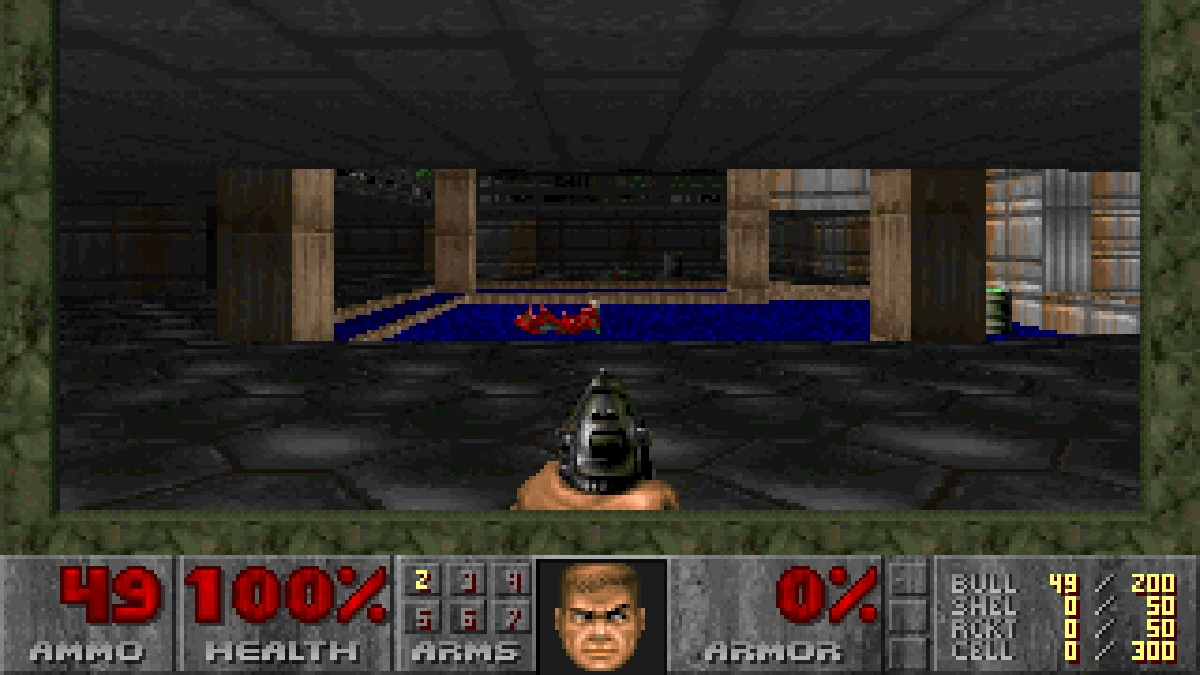
We checked the upload implementation and its DOS detection tests, then uploaded and ran Doom 1.9 shareware through the real client. Disc-image acceptance below is based on the upload code; it is not a claim that we played a CD or multi-disc game. Use game files you own or that are legally free.
DOS game files: choose by contents before extension
| What you have | What to do | What acceptance does not prove |
|---|---|---|
| A working DOS game folder | ZIP the complete folder and select MS-DOS | That every title is compatible |
| A ZIP containing a DOS program and its data | Upload that ZIP alone | That the first listed executable is the game |
A single detected DOS .exe |
Auto can wrap it as a one-file DOS package | That the program is self-contained |
A .dosz DOSBox Pure package |
Select MS-DOS and use the package | That renaming arbitrary data makes a valid package |
A Windows .exe or Windows-only ZIP |
Find the actual DOS edition you may legally use | A Windows installer is not a DOS release |
| DOS CD or floppy images | Keep the image set together inside a ZIP; select MS-DOS | That installation or disc swapping has been tested |
A bare .wad, README, or collection of assets |
Locate the matching DOS program and full folder | Game data alone is not the executable |
The practical question is: what program will DOSBox run, and where will that program find its files? Answering that before upload eliminates much of the trial and error.
1. Inspect the folder you are about to compress
Open the folder in your file manager. Look for the game's executable and the data that came with it. Preserve subdirectories and filenames. If you already have a working installation on another computer, package that installation rather than selecting a few files whose names look important.
Our Doom example contains DOOM.EXE and DOOM1.WAD together. The executable runs the program; the WAD supplies game data. There are also setup and multiplayer utilities. We kept all original installed files, which made the package easier to inspect and avoided guessing which supporting files could be discarded.
A download ZIP can instead be an installation kit. The original Doom 1.9 shareware archive we used contains INSTALL.BAT, DEICE.EXE, and split installation data. That archive is not the same thing as the installed folder shown in these captures. If the only runnable choices you see are installers, complete the legitimate installation before creating your play package.
Do not put a ZIP inside another ZIP and expect Rebit to unpack every layer into an installed game. Its DOS path preserves the outer package. For a straightforward result, the archive should contain the game files and directories you want DOSBox to see.
2. Select MS-DOS and upload one package
Open Upload, select System > MS-DOS, choose the ZIP, then press Upload ROM. Keep Rebit open until the upload finishes.
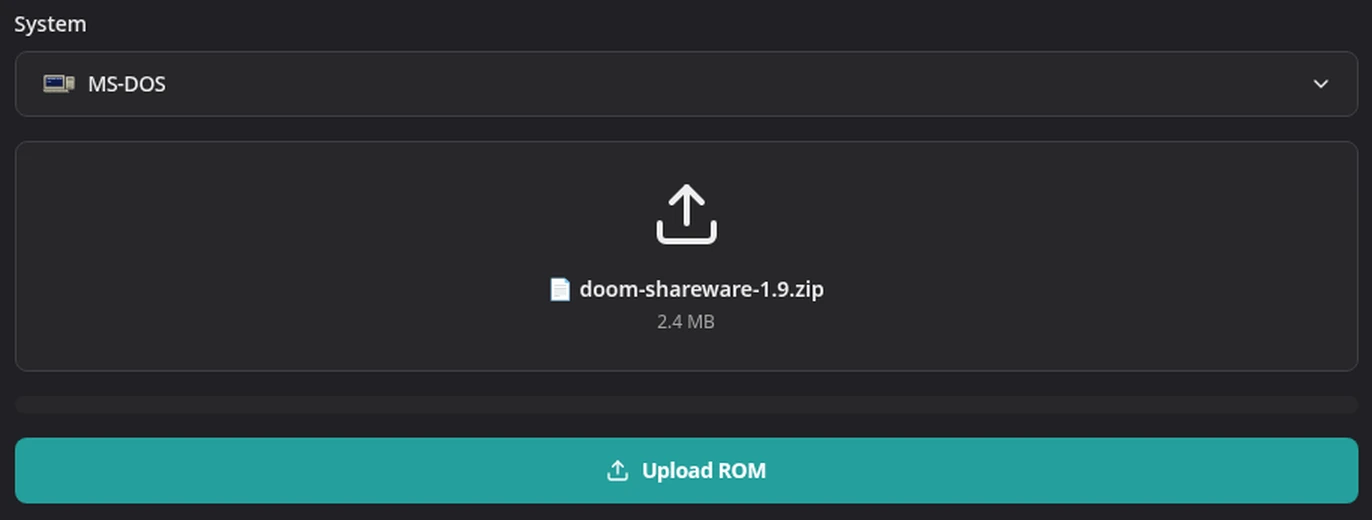
The package is selected as one file. Loose companion files are not added beside the ZIP.
MS-DOS ZIPs are handled differently from ordinary console ROM archives. Rebit keeps the ZIP intact so DOSBox Pure can use it as the game's virtual filesystem. For a cartridge archive, the uploader instead looks for a supported ROM to extract.
Auto can recognize a DOS package when it finds a DOS program and no conflicting console ROM. The detector recognizes .com and .bat entries and inspects .exe headers. A mixed archive with a console ROM and a utility is therefore a different case from a clean DOS game folder. Keep one game's files together and choose the intended system explicitly when there is ambiguity.
If you mix a ZIP with loose files, the uploader asks you to upload the ZIP by itself or choose an extracted media set. For DOS, return to one complete package. See Upload Your First Game for the general flow.
3. Understand what a single EXE upload can do
Rebit now distinguishes detected DOS, Windows, and PlayStation executables instead of treating .exe as one universal format. A detected DOS executable can be wrapped into a one-file ZIP. Under Auto, that becomes an MS-DOS library entry.
This helps with a genuinely self-contained DOS program. It does not recreate the rest of an installed game. A standalone DOOM.EXE upload can pass identification while still lacking DOOM1.WAD. If the program then reports missing data, return to the original folder and upload a complete ZIP.
The distinction also explains why choosing MS-DOS cannot make a Windows program work. Windows executables can begin with a DOS-looking stub, but their headers identify a Windows program. Rebit rejects detected Windows software with an explicit message. For a PlayStation executable, the proper choice is PlayStation or Auto, not DOS.
For .com or .bat programs, use the complete ZIP workflow rather than assuming the single-EXE conversion applies to every DOS extension. A batch file may also refer to programs or directories elsewhere in the package; keep those dependencies intact.
4. Treat CD images as package contents
The DOS package inspector recognizes image entries including .iso, .cue, .ins, .img, .ima, and .vhd. A ZIP containing a recognized image can therefore pass the explicit MS-DOS package check even when there is no loose executable at the top level.
That is narrower than “upload any ISO.” Rebit's MS-DOS system formats are .zip and .dosz. A bare ISO has another meaning in the wider uploader, including PlayStation detection. For the DOS workflow, keep the image inside the DOS package and select MS-DOS.
For a CUE-based image, keep the files referenced by the CUE with it and preserve their names. The descriptor is not a substitute for the track data. An image may also contain an installer rather than an installed game; acceptance cannot answer whether that installation will complete.
We did not verify a DOS multi-disc playthrough or disc-swap workflow. Rebit's documented disk-set controls also serve other computer systems, so their existence is not proof of DOS multi-disc support. If your immediate goal is a reliable first session, establish the browser and save workflow with a ready-to-run folder ZIP before attempting a CD installation.
5. Use the program menu to diagnose “nothing happens”
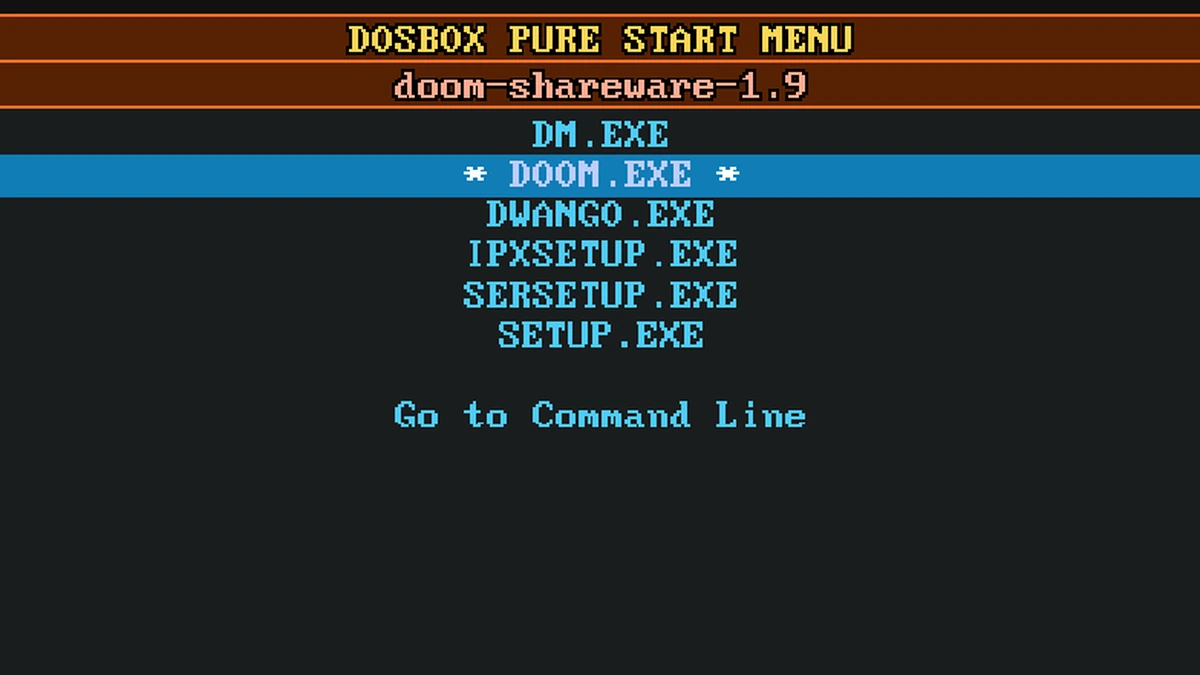
An uploaded game that opens to DOSBox Pure's program list has reached the emulator. The next decision is inside the package.
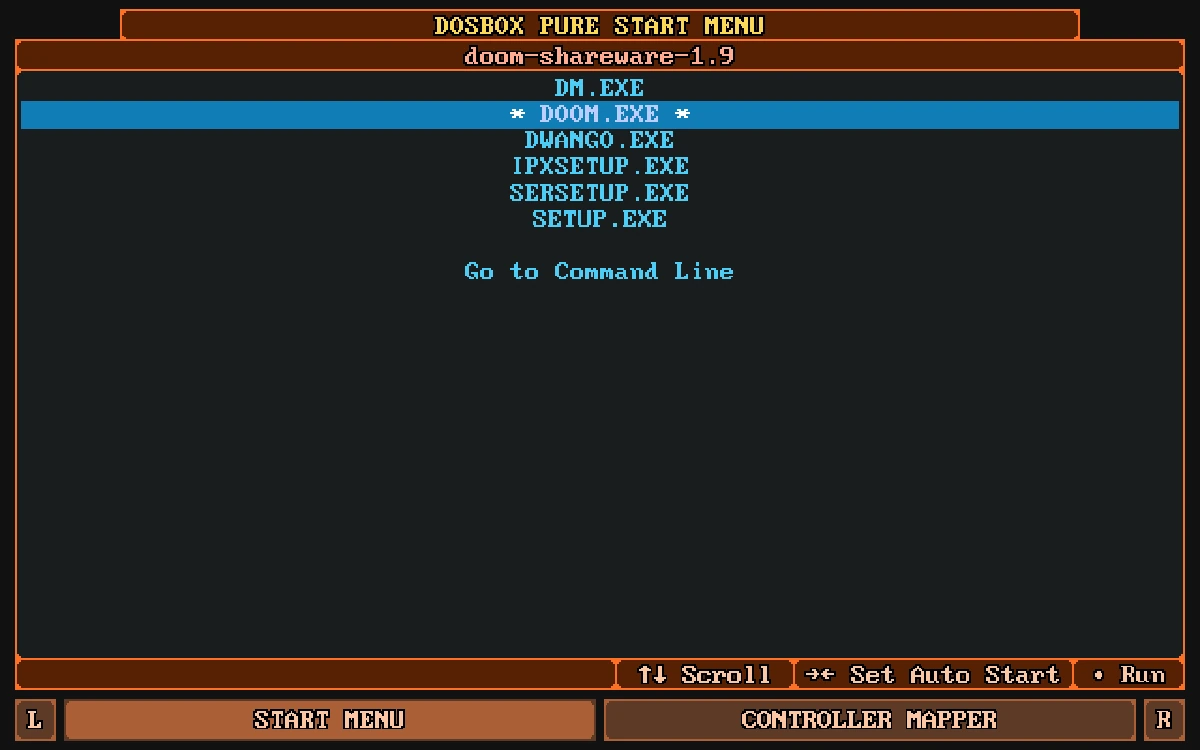
The list exposes the programs in the package, including the game, setup utility, and multiplayer launchers.
Highlight DOOM.EXE for this example and press Enter. If you choose DM.EXE, you get DeathManager instead:
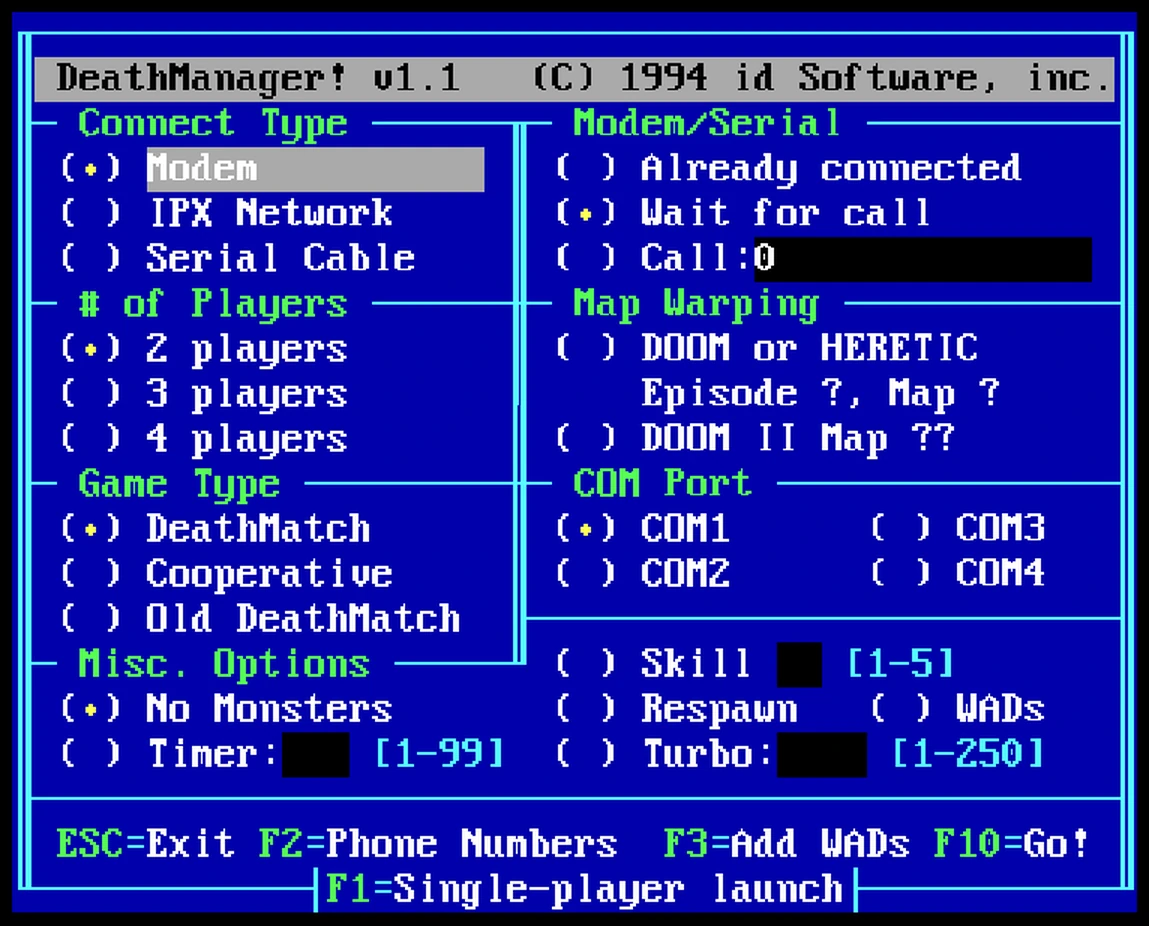
This is a real utility shipped with Doom shareware. Reaching it means the wrong program was selected, not that Rebit failed to boot DOS.
Exit DeathManager with Esc, then press any key when DOSBox asks you to return to the start menu. Highlight the game's executable and press Enter. The browser walkthrough continues from there through gameplay and saving.
Troubleshooting FAQ
“No MS-DOS program was found in the ZIP.” What should I change?
Inspect the contents, not just the archive name. A ZIP of documentation or game assets lacks the program to run. Return to your legally obtained installation and package its executable with its data. Recognized disk-image packages are a separate accepted case; the message is not a reason to rename random files to .exe.
Rebit says the ZIP holds another console's game. Can I force it?
Choose the system the error identifies or use Auto for that console ROM. An archive containing a .gba or .nes file does not become a DOS game when compressed. If you accidentally included another game's files, build a clean package containing only the intended DOS game.
Will renaming .zip to .dosz fix a broken game?
No. .dosz is an accepted DOSBox Pure package extension, but changing a filename does not repair the archive, install its contents, or provide missing resources. Use a valid package and check that its actual program launches.
The upload works, but my old save is missing. Is the ZIP wrong?
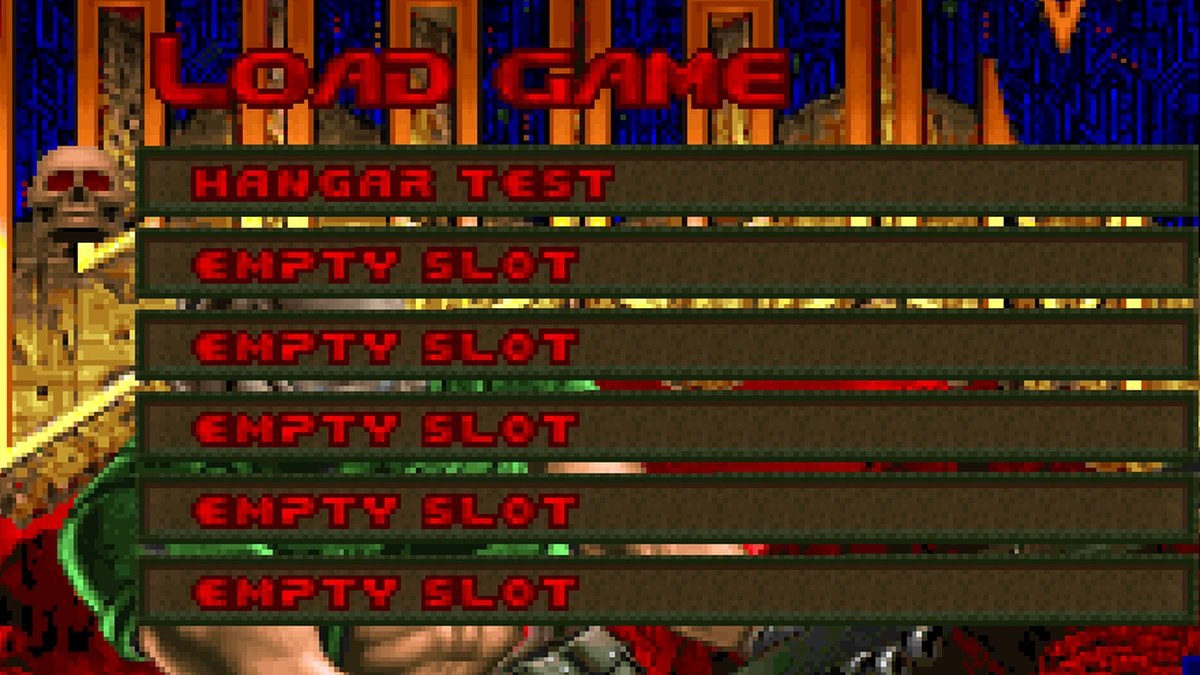
Not necessarily. Original game files and Rebit's saved drive changes are separate. Open the same library entry and inspect its saves before uploading duplicate copies. Follow the DOS backup and restore guide to check the game save and the emulator state independently.
Where should I go after a successful launch?
Verify one in-game save and one Rebit state before committing to a campaign. Then consult the game's own documentation for its controls. Our MS-DOS design retrospective can help you choose what to revisit, but it is not a list of files supplied by Rebit or a guarantee that every release works.