Quick answer: To trade Pokémon from Pearl to Platinum online, each player needs their own game and in-game save in Rebit. Save and export first, host Netplay → Lockstep, and have the other player join with their compatible version. Then use the Pokémon Center 2F Union Room to make the trade. Save, export, and check both parties afterward.
Your Haunter has earned that evolution. Your Platinum team has room for the Misdreavus your friend caught in Pearl. You can bring those two adventures together in the Union Room, make the exchange, and carry on with the save you already love. You do not need to start again or buy a second DS.
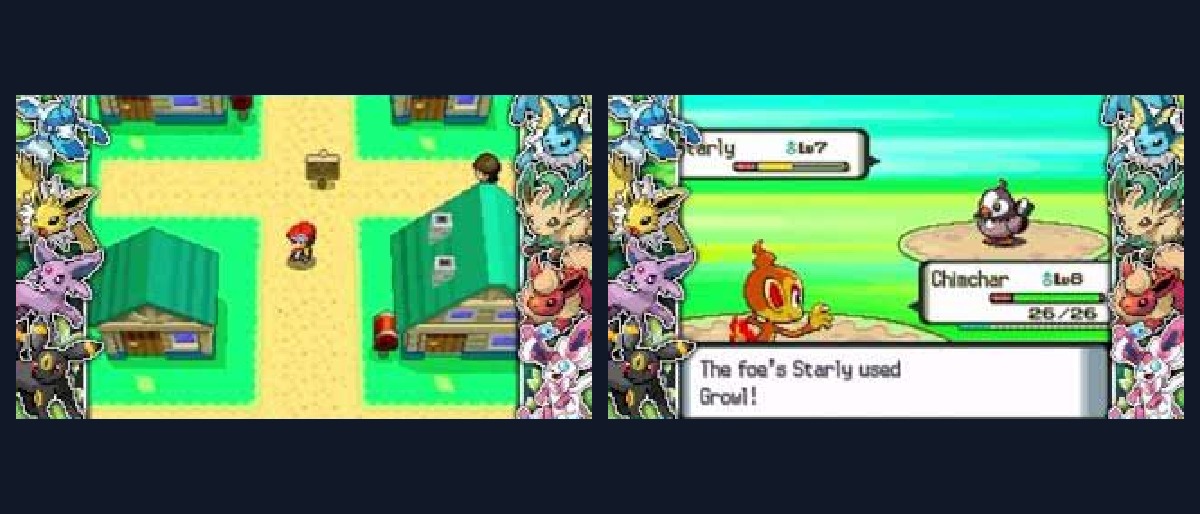
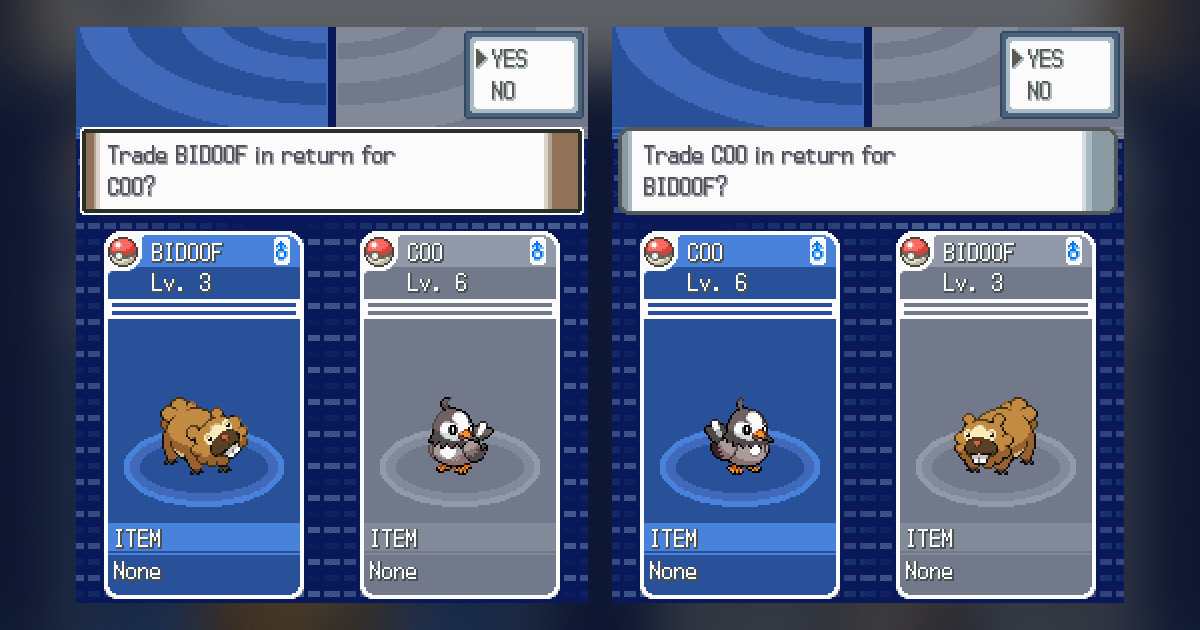
We connected Platinum and Pearl in two browsers on October 27, 2026. A level 3 Bidoof went to Pearl; a level 6 Starly nicknamed COO came home to Platinum. Reopening both games and finding the new arrivals still in their parties was the satisfying part: the exchange had become part of each adventure.
We tested Pearl–Platinum trading; Diamond and trade evolutions were not part of that session. The evolution rules below link to the Pokémon references.
Trade Pokémon from Pearl to Platinum online with separate saves
NDS Lockstep rooms let each player use their own compatible game. You can run Platinum while your friend runs Pearl, each with your own party and progress. That is what you want for a trade: two trainers bringing different Pokémon to the same room.
Choose Lockstep for this workflow. Rollback requires an exact ROM match. Download Play supplies the host's cartridge to a guest and is a different feature, unsuitable for this two-cartridge Pokémon exchange. The current Nintendo DS room manual explains the mode requirements.
Use game files dumped from cartridges you own, where local law permits, and keep your original backups. Rebit does not supply copyrighted ROMs. Our guide to playing Pokémon ROM hacks legally explains the distinction between your own base-game backup and a distributable patch; this walkthrough uses the original DS games.
1. Load the right progress and protect it
If your adventure is in another emulator, open the matching game's details in Rebit, choose Manage saves, switch to In-game, and use Upload Save File. We brought our Pearl and Platinum .sav files across this way. Choose the cartridge save, rather than an emulator save state, and keep the original file as your backup.
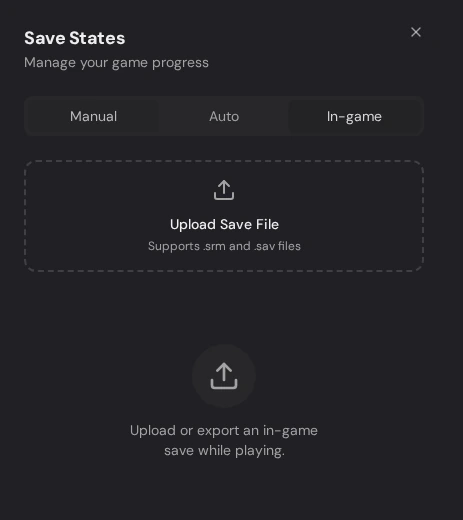
Rebit capture: the In-game tab accepts the save file for the selected game.
Launch normally and select Continue. Check the trainer's location and party before joining a room. Our saves opened at Jubilife City's Pokémon Center with two Pokémon apiece. If you see New Game or the wrong team, resolve that now; do not overwrite your working source save.
Save through Pokémon's own menu and wait for the saving message to finish.
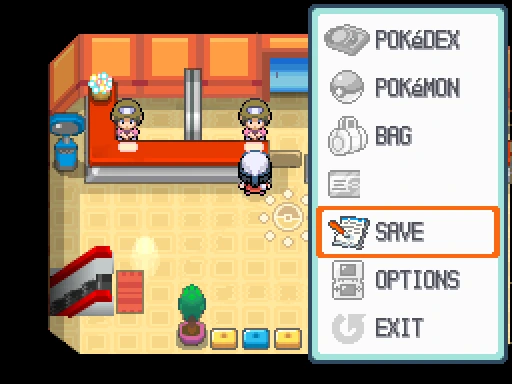
Rebit capture: Save selected in Platinum; the trainer name has been removed.
Next, open Rebit's Settings menu and choose Export In-Game Save. If it asks you to save in the game first, do that, then confirm Continue. Wait for the export confirmation. This stores the in-game save in your account; keep a separate downloaded backup for an important adventure. A quick save state is not a substitute for this step.
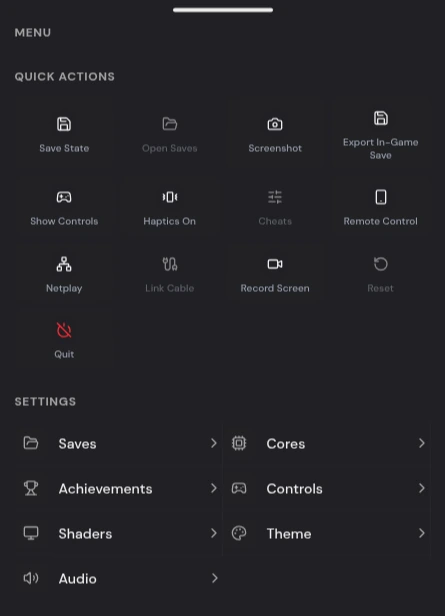
Rebit capture: Export In-Game Save and Netplay are separate actions in the game menu.
2. Host Lockstep and let your friend choose Pearl
The host opens Netplay, selects Lockstep, and presses Start Host. Share the current Room ID privately with the other player.
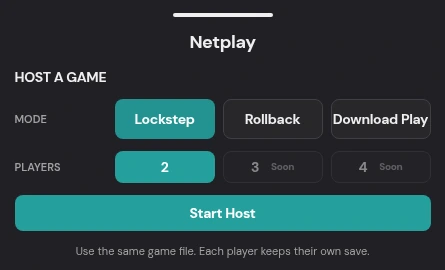
Rebit capture: the NDS host menu with Lockstep selected and Start Host below.
The guest opens the main Netplay tab, finds that room, and selects Join. They choose their own Pearl entry in Choose an NDS game.
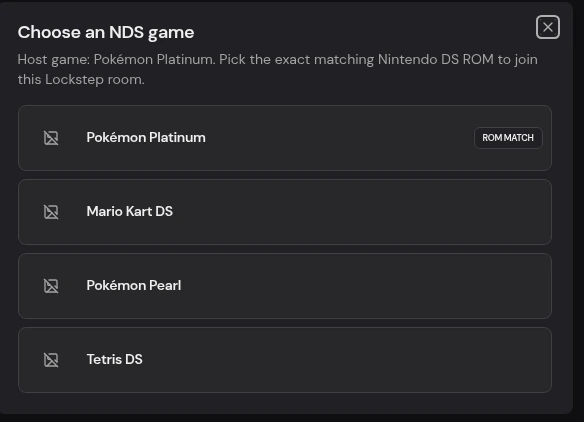
Rebit capture: Platinum is the host game, while Pearl remains selectable. The ROM MATCH badge appears beside the identical Platinum entry.
If the dialog mentions an exact match, ignore it — pick your own Pearl entry.
Once connected, look for NDS LOCKSTEP, Running, and P2P in the drawer. You can now close the drawer and continue inside Pokémon.
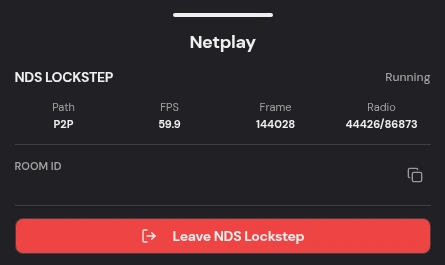
Rebit capture: the active Lockstep room after the trade; its private Room ID has been removed.
3. Meet upstairs, inside the game
Continue each adventure and go to a Pokémon Center's second floor. Talk to the middle attendant, whose greeting identifies the Pokémon Wireless Club Union Room. Accept entry, the wireless communication prompt, and the game's save confirmations. Let each save finish before advancing.
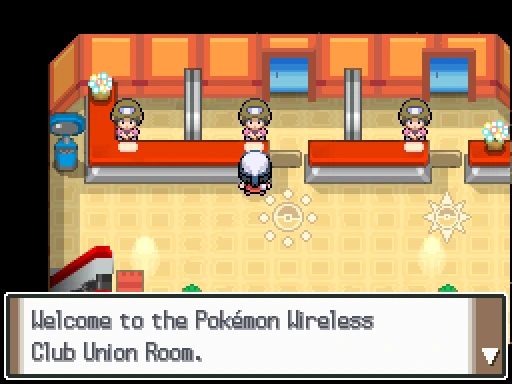
Rebit capture: Platinum's upstairs attendant identifies the Pokémon Wireless Club Union Room.
Both trainers must enter. A connected Rebit room alone does not place either trainer inside Pokémon's room. Give the second trainer time to appear before approaching them.
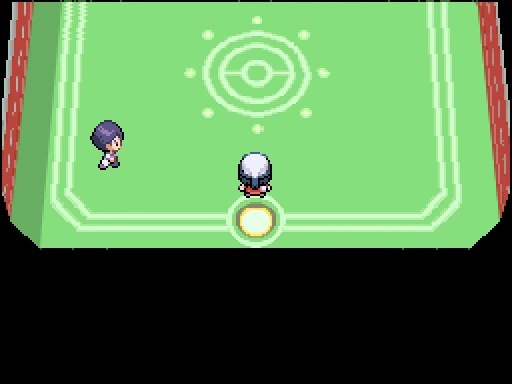
Rebit capture: Platinum sees the trainer from Pearl in the Union Room; the lower chat screen is cropped out for privacy.
4. Choose Trade, then check both offers
Approach the other trainer and press A. Wait for the interaction menu and select TRADE. The default first choice is GREET, which starts a different interaction. We took that detour during setup; you do not need to exchange Trainer Cases first.
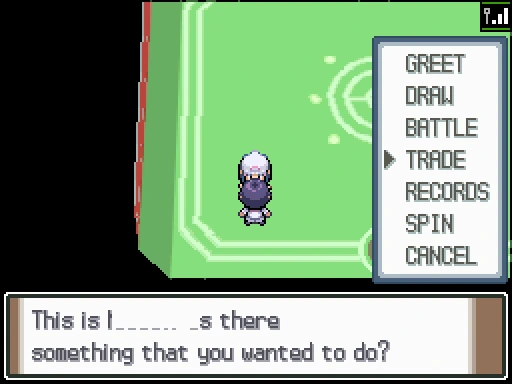
Rebit capture: TRADE selected in Platinum's interaction menu, with the other trainer's name removed.
The other player accepts the offer. Each chooses a Pokémon from their own side, then selects TRADE from its action menu. SUMMARY lets you inspect the Pokémon first.
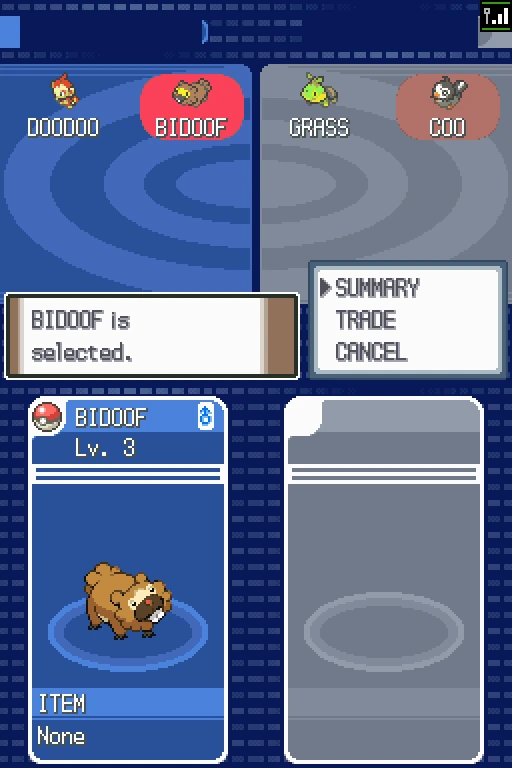
Rebit capture: Platinum offers its level 3 Bidoof; both trainers' names are removed.
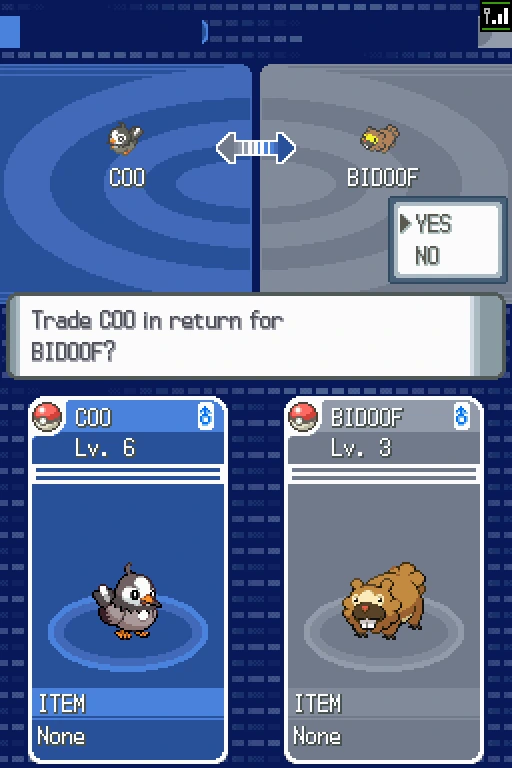
Rebit capture: Pearl's confirmation compares COO, the level 6 Starly, with the incoming Bidoof.
Read the species, nickname, level, and held item on the confirmation screen. Both players choose YES. Keep both browsers visible through the animation, communication messages, and any evolution. Do not close a tab because your side has already shown the incoming Pokémon.
5. Keep your new Pokémon in your save
Finish trading using Quit and its confirmation on both sides. Close the trainer interaction, leave the Union Room, and save normally. Export each player's in-game save before either player leaves the Rebit room. Wait for the success notification on both devices, then use the room's normal Leave action.
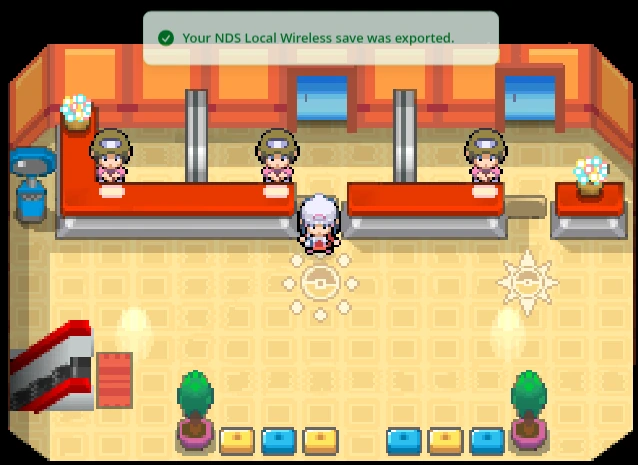
Rebit capture: the success notification after Platinum's post-trade in-game save export.
Reopen each game normally through Continue, without loading an old state, and check your new Pokémon in the party. There was COO beside Chimchar in Platinum, while Bidoof had joined Pearl's team. Once both of you see your new arrivals, you are ready to carry on playing.
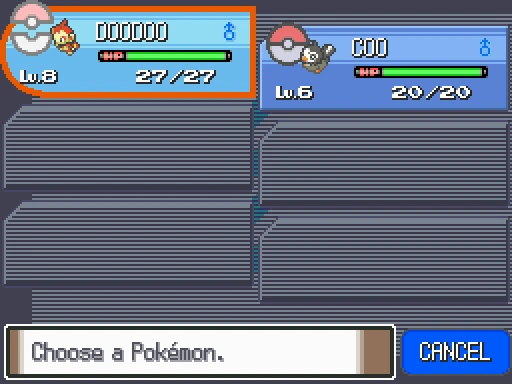
Rebit capture: Platinum's reloaded party contains the traded Starly, still nicknamed COO.
Which Pokémon make the trip worthwhile?
If you are arranging an exchange, give your friend a species name before you both head upstairs. These ten targets come from Serebii's Diamond/Pearl exclusive list and Platinum's missing-species list.
| Target | Source or requirement |
|---|---|
| Murkrow | Diamond; absent from wild Platinum |
| Honchkrow | Evolve Murkrow with a Dusk Stone |
| Misdreavus | Pearl; absent from wild Platinum |
| Mismagius | Evolve Misdreavus with a Dusk Stone |
| Stunky | Diamond; absent from wild Platinum |
| Skuntank | Stunky's evolved form |
| Glameow | Pearl; absent from wild Platinum |
| Purugly | Glameow's evolved form |
| Cranidos | Diamond's Skull Fossil; Platinum's fossil depends on Trainer ID |
| Shieldon | Pearl's Armor Fossil; Platinum's fossil depends on Trainer ID |
For evolutions, Haunter, Kadabra, Machoke, and Graveler evolve through trading. Onix and Scyther need a held Metal Coat; Porygon2 needs a Dubious Disc. Check the held-item evolution rules before connecting. A Murkrow trade alone will not produce Honchkrow: that one needs its stone.
If something gets stuck
Both browsers say Running, but there is no other trainer
Check that both games have entered the Union Room and completed their save dialogs. We lost sight of the other trainer after declining a greeting interaction; creating a fresh Lockstep room from our exported saves brought them back. Look for your friend's trainer on the room floor before pressing A to start the trade.
The trade freezes or somebody disconnects
Do not repeatedly overwrite backups or load a private state into the linked session. Preserve the existing files, leave the stalled session, and inspect both games' normal Continue saves. A fresh room may need another attempt. If one side completed the exchange, check both parties before retrying; do not assume both saves stopped at the same moment.
Can I trade with myself or use a phone?
Yes to trading with yourself: we used two separate accounts in two browser sessions on one computer. Give each side its own library entry and save, and check which trainer you are controlling before confirming each offer. We have no recent phone test.
For general setup, start with Nintendo DS browser play and retro netplay. FireRed or Emerald players need the separate GBA Link Cable workflow; the DS Union Room instructions above are for the original DS games.