Pokemon GBA ROM Hack Save Safety Checklist for 2026
Completed Pokemon-style GBA ROM hacks can be huge: new regions, difficulty modes, post-game quests, challenge runs, achievement systems, and long RPG saves that may last dozens of hours. That makes the first ten minutes more important than the first boss.
Before you start a serious run in a browser, prove that your save setup works.
This guide is for players using their own legally owned Game Boy Advance files or self-patched files they are allowed to use. Rebit does not provide Pokemon games, copyrighted game files, patches, source links, BIOS files, or instructions for obtaining copyrighted game files. You are responsible for the laws and rights that apply to your files, and Rebit is not affiliated with Pokemon, Nintendo, or any ROM-hack project.
Quick answer
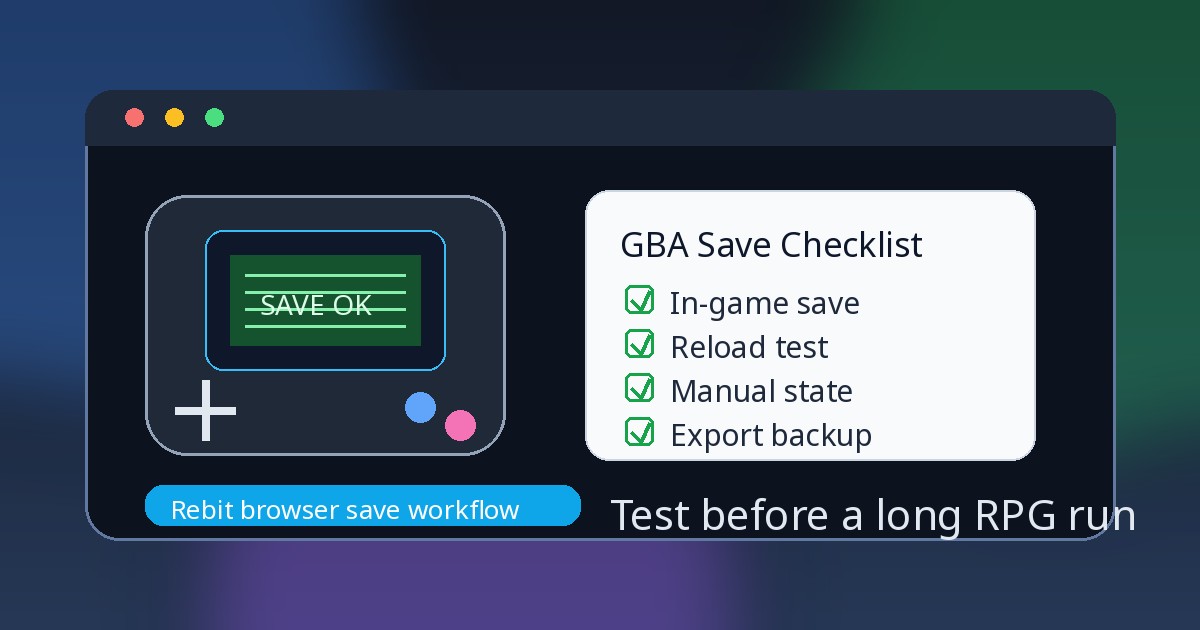
If you are starting a Pokemon GBA ROM hack in 2026, use this order:
- Start with a legally owned
.gbafile or a self-patched file you are allowed to use, then keep the original and current patched version backed up. - Reach the first normal save point and save inside the game before trusting save states.
- Quit, reload, and confirm the game's own Continue or Load screen sees the save.
- Create a manual save state only after the in-game save works.
- Leave autosave on as an extra safety net, not as your only progress layer.
- Export the in-game save before patch updates, browser/device changes, Link Cable tests, or long challenge runs.
For the broader browser setup path, start with play GBA games online and the upload ROM and play online guide.
Why completed ROM hacks still need save checks
"Completed" is a helpful signal, but it does not remove save risk. A hack can have a finished story and still depend on a specific version, base revision, emulator behavior, save memory layout, or update path. A browser can launch the game correctly and still need a save test before you trust it for a full campaign.
Pokemon-style GBA hacks are especially sensitive because progress is layered. Your party, badges, story flags, items, Pokédex-style data, challenge settings, and post-game unlocks may all depend on the game's own in-game save. Manual save states and autosaves are useful, but they are not the same thing.
The goal is not to make every hack universally safe. No browser, emulator core, patch version, save file, or device can guarantee that. The goal is to build a small routine that catches obvious problems before they become 20-hour problems.
The three save layers to understand
1. In-game save
The in-game save is the progress the game itself writes through its own menu, save point, or normal save routine. In emulator workflows, this may show up as save memory, SRAM-style data, .sav, or .srm, depending on the tool and game.
For Pokemon GBA ROM hacks, treat this as the foundation. If the game can load your progress through its own Continue or Load screen after a reload, you have a safer base for exports, imports, device moves, and future patch-version tests.
In Rebit, this appears in the In-game save layer. The saves, screenshots, and cheats docs explain how to open saves, review Manual, Auto, and In-game tabs, upload compatible .srm or .sav files, and export in-game saves after saving inside the game.
2. Manual save state
A manual save state captures an exact emulator moment. It is great before a boss, rival fight, puzzle, trade, route split, nuzlocke decision, or long dungeon. It is also less portable than an in-game save because it can depend on the emulator core, game file, patch version, timing, and state format.
Use manual states as checkpoints, not as the only copy of a campaign.
3. Autosave
Autosave can protect you from a closed tab, interruption, or forgotten manual state. It can also preserve the wrong moment: a bad menu choice, a failed load, a soft-lock, or a mistake immediately after it happens.
Keep autosave enabled if it fits your play style, but do not treat autosave as proof that the hack's own save system is healthy. The proof is still: save inside the game, reload, and confirm the game sees it.
The 10-minute first-session checklist
Run this before committing to a long Pokemon GBA ROM-hack save.
- Confirm you are using a legally owned file or self-patched file you are allowed to use.
- Write down the hack name, version, and any compatibility note you rely on.
- Keep the original file and current working patched file backed up outside the browser.
- Launch the game in your browser setup.
- Check that the title screen, controls, audio, and opening menus behave normally.
- Reach the first normal in-game save point as soon as possible.
- Save inside the game.
- Quit, reset, or reload the game once.
- Use the game's own Continue or Load screen to confirm the save exists.
- Create one manual save state after the in-game save is confirmed.
- If using Rebit, open Open Saves and make sure the save layers make sense for this game.
- Export or download the in-game save if the run matters.
If any step fails, stop and diagnose before playing further. It is much easier to restart a ten-minute test than to recover a long file built on the wrong save assumption.
A safer Rebit workflow for Pokemon GBA hacks
Rebit is useful when you want to keep supported GBA files in a browser library and make save tools easier to find. Use it as an organized workflow, not as a promise that every hack, patch, device, browser, or multiplayer scenario will work the same way.
A low-risk Rebit routine looks like this:
- Start from your own legally owned GBA file or self-patched file you are allowed to use.
- Upload the supported file to your private Rebit library.
- Launch the game and test controls before serious progress.
- Save inside the game as soon as the game allows it.
- Reload once and confirm the in-game save appears.
- Create a manual Save State.
- Keep autosave as a backup layer.
- Use Export In-Game Save after saving inside the game and before risky changes.
- Keep local copies of important exported saves.
If your main goal is continuity between devices, the cloud saves for retro games page explains the Rebit angle. If you want a deeper save-layer explanation, pair this article with save states vs in-game saves.
Before a patch or version update
ROM-hack updates are exciting, but they are also one of the easiest ways to damage a run if you treat every version as interchangeable. Even a small update can change scripts, maps, event flags, difficulty options, or save expectations.
Before changing versions:
- Keep the old known-good patched file.
- Save inside the game on the current working version.
- Export or copy the current in-game save.
- Keep your manual save state as a secondary checkpoint, not the migration plan.
- Test the new version with a copy of the save first.
- Reload through the game's own menu before continuing your main run.
- Make a fresh manual state only after the updated version loads and saves normally.
Do not change the patch version, browser, device, filename, and save file all at once. Change one thing, test, then move on.
Before a long challenge run
Some modern GBA hacks are designed around repeat runs, difficulty modifiers, nuzlocke-style rules, boss gauntlets, roguelike routes, or multi-hour challenge attempts. Those sessions need a stronger checkpoint plan than casual play.
Before a long run:
- Save inside the game at a safe point.
- Export the in-game save before the attempt.
- Create a manual state at the start of the attempt.
- Avoid overwriting your only good manual state during risky sections.
- Keep autosave enabled only as a backup layer.
- After the run, save in-game again and export the updated in-game save.
For a long RPG campaign rather than a single challenge attempt, the GBA RPG save checklist gives a fuller routine you can reuse.
Before Link Cable trades or battles
Pokemon-style trades and battles can be higher stakes because more than one player may depend on the result. Rebit's GBA Link Cable feature is for compatible Game Boy Advance games, but it is still a place where same-game compatibility, in-game saves, and short tests matter.
Before a Link Cable session:
- Every player should use a GBA game file they are allowed to use.
- Use the same game and revision when possible.
- Each player should save inside the game before the room starts.
- Confirm each player's current party, items, or progress appears from the in-game load screen.
- Run a short two-player test before important trades, battles, or larger rooms.
- If something desyncs or looks wrong, restart and test before saving over important progress.
- After the session, use the game save routine and export or copy important in-game saves.
Keep the GBA Link Cable docs open for the exact Rebit flow and current beta cautions.
What not to do
Avoid these save-safety traps:
- Do not rely on one browser tab as your only copy of progress.
- Do not assume an autosave is the same as the game's own in-game save.
- Do not create one save state before testing the normal Continue screen and call the run safe.
- Do not update a hack version on top of your only working file and save.
- Do not delete the old setup until the new setup loads, saves, closes, and reopens correctly.
- Do not assume save states from one emulator, core, patch version, or device will load everywhere.
- Do not mix acquisition questions with save-safety work. Keep your files legal, private, and backed up.
FAQ
Can I play Pokemon GBA ROM hacks in a browser?
You can play supported GBA files in a browser workflow such as Rebit when you provide your own legally owned file or self-patched file you are allowed to use. Rebit does not provide copyrighted game files, patches, source links, or copyrighted games. Start with one file, test controls, save in-game, reload, create a manual state, and export the in-game save before relying on it for a long run.
Are save states enough for a Pokemon ROM hack?
No. Save states are helpful checkpoints, but the game's own in-game save should be the foundation for long progress. Save inside the game, reload once, confirm the Continue screen sees the save, then create manual states as extra protection.
Should autosave be on or off?
Autosave is useful as a backup, so many players should leave it on. Just remember that autosave can preserve a bad moment as easily as a good one. Keep normal in-game saves and manual checkpoints for important progress.
What should I export before changing devices or browsers?
Export the in-game save after saving inside the game. Keep manual states as extra checkpoints, but do not assume a state file is portable across every emulator core, patch version, browser, or device. The guide to move emulator saves between devices gives a broader migration checklist.
Can I use cheats with a ROM hack?
Use cheats carefully. Some cheats can make a game unstable, especially in hacks with changed mechanics or scripts. If you experiment, save in-game, export that save, create a manual checkpoint, and test on a copy of progress you can afford to roll back.
Final recommendation
Before you start a completed Pokemon GBA ROM hack in 2026, spend ten minutes proving the save stack: in-game save, reload, manual state, autosave, export, and backup. That small routine protects the part of the game you actually care about: the hours you are about to invest.
If you want a browser-first place to organize supported GBA files you legally own, try Rebit with one game first. Upload it, launch it, test the save layers, and keep exported in-game saves before any risky update, device move, Link Cable session, or long challenge run.