Quick answer: To play DS games online with friends, open a game in Rebit, choose Netplay → Lockstep → Start Host, and have the guest join that room from the main Netplay tab. Then select local multiplayer inside the game. Current NDS rooms have two players. Nintendo WFC is a separate route for a game's original online menu.
Your friend can be miles away and still walk into your Pokémon Union Room. You can swap a team member, save, then meet on a Mario Kart DS starting grid. Those little handheld multiplayer rituals are still a lovely way to spend an evening together, especially when you can bring your existing save along.
The part to get right is the menu. Mario Kart DS has both Multiplayer and Nintendo WFC; Pokémon has an upstairs Union Room; Download Play starts the guest differently again. Rebit carries local wireless over the internet, and you use the game's own menus to arrange the race or trade. Pick the same route as your friend and you can spend the evening playing instead of staring at an empty lobby.
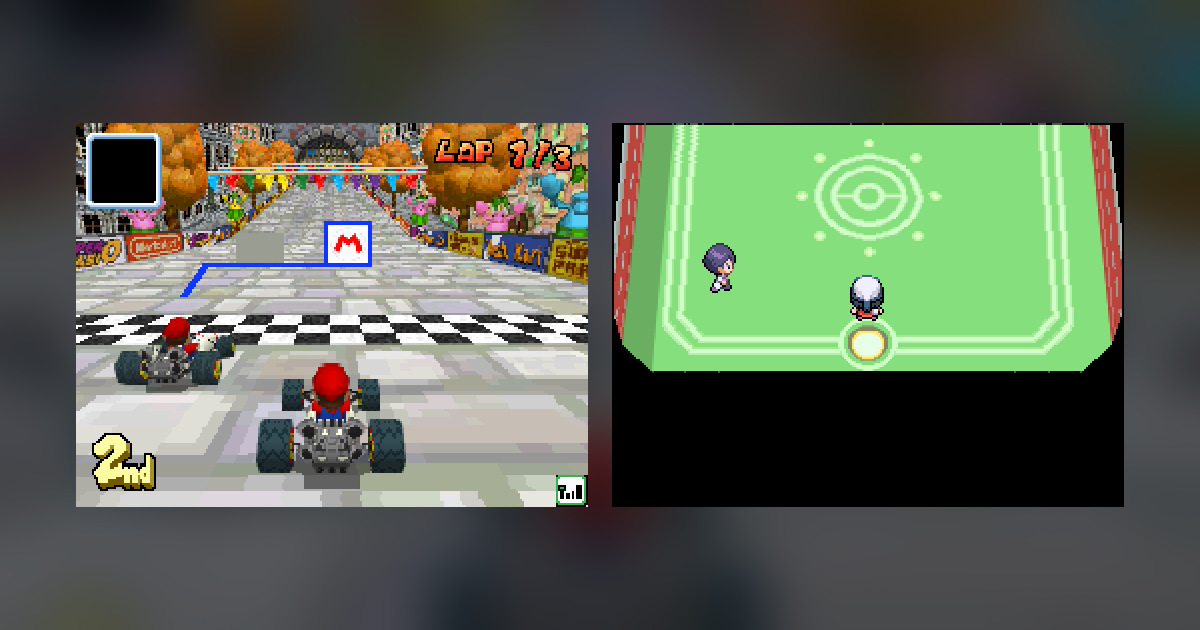
Rebit captures on the cover: a Mario Kart DS Nintendo WFC race and the Platinum–Pearl Union Room.
Pick the connection that matches the game's menu
| Rebit choice | What it connects | Game-file requirement | Best starting point here |
|---|---|---|---|
| Lockstep | Two local wireless DS sessions | Each player brings a compatible NDS game; current rooms allow different ROMs | Platinum with Pearl, or Mario Kart DS local multiplayer |
| Rollback | Local wireless with input prediction and correction | Exact same ROM, including region and revision | An alternative on supported devices |
| Download Play | A host cartridge and a guest using DS Download Play | The host supplies the cartridge; the guest's selected NDS library entry need not match | Games with a Download Play feature |
| Nintendo WFC | A game's original online mode through a community service | Each player runs their own supported game | Mario Kart DS Regional and Friends races |
The Download Play distinction is easy to miss. The current client lets its guest choose a different NDS library entry, but that does not mean the guest boots that cartridge for cross-version trading. For two separate Pokémon adventures, choose Lockstep. For Mario Kart's WFC menu, enable WFC instead of creating a Local Wireless room.
Rebit's Local Wireless rooms have two players. The Nintendo DS room manual covers the modes and their controls.
How to play DS games online with friends in a Lockstep room
Prepare each player's game and save
Each person signs in, adds their own game, and checks that it launches normally. If you already have progress, import the matching in-game save, continue the adventure, and inspect a recognizable detail such as the party or last location. A save state from another emulator is not the same file.
Save inside the game, then use Settings → Export In-Game Save. Do this before hosting or joining so the room starts with your latest cartridge progress. If you normally resume through a quick save state, take this extra minute to save through the game's own menu too. You want the party you just prepared to be the one that arrives upstairs.
Bring files dumped from cartridges you own, where permitted. Rebit does not supply copyrighted game downloads, and friends should prepare their own lawful files. The Pokémon ROM hack legality guide explains the own-cartridge and patch distinction if your library includes modified games.
Host once; join that same room
The host launches the game, opens Netplay, chooses Lockstep, and selects Start Host. Share the current Room ID. Guests use the main Netplay tab, find that room, choose Join, and select their compatible game.
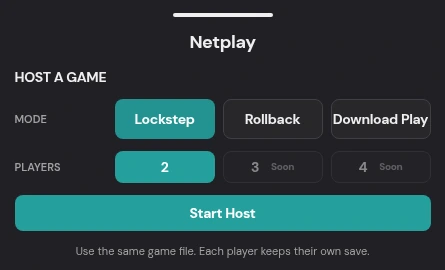
Rebit capture: the three NDS room modes and Start Host. Two player seats are available.
Do not both press Start Host. That creates two unrelated rooms. The guest follows the host's chosen mode automatically; changing mode means leaving and making a fresh room.
Our Platinum–Pearl walkthrough shows the complete join dialog and trade. In current cross-ROM Lockstep, the ROM MATCH badge identifies an identical game file, but another compatible version can still be selected. Rollback retains the exact-match requirement.
Wait for Running, then use the game's multiplayer menu
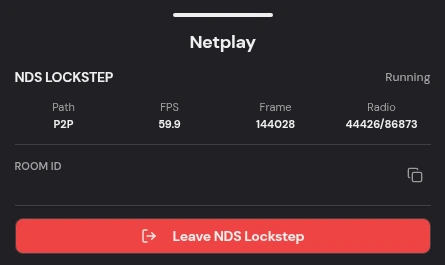
Rebit capture: a two-player Lockstep room showing Running and P2P, with its Room ID removed.
Running means the Rebit connection is ready. Now close the drawer on both devices and enter the same multiplayer activity inside the game. Tell your friend when you reach the in-game lobby so neither of you is waiting on the wrong screen.
For our Pokémon session, both trainers loaded their own saves, went upstairs in Jubilife's Pokémon Center, and entered the Union Room through the middle attendant. Only then did the second trainer appear. Approaching that trainer and selecting Trade opened the exchange.
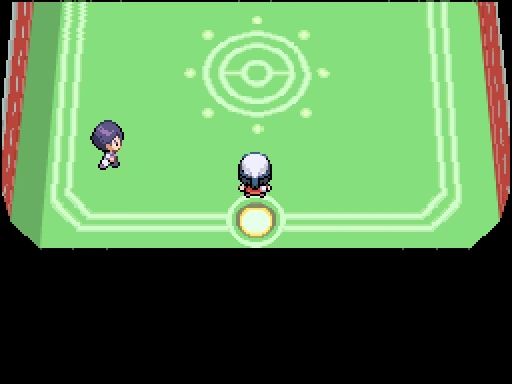
Rebit capture: Platinum can see Pearl's trainer inside the game's Union Room.
For Mario Kart DS local play, use Multiplayer, let one player create the in-game group, and have the other join it. The host's Cut Off control closes recruitment so the group can move toward race setup. Waiting for more players in that lobby is different from waiting for Rebit to connect.
Games we've played this way
Pokémon Platinum with Pearl: we traded Bidoof for Starly in the Union Room, saved both adventures, and found the new Pokémon in their parties after reopening. Bring the version your friend is missing and agree on the exchange before connecting. Decide whether you are keeping the Pokémon or trading it back, especially if you are helping with an evolution.
Mario Kart DS: we played local multiplayer through Lockstep and raced through Nintendo WFC on October 26. Regional and Friends both reached real races. For a local session, share a Rebit Room ID and use Multiplayer. For WFC, use the game's online menu and exchange friend codes. Choose together before either of you starts searching.
We have not yet tested Tetris DS VS, New Super Mario Bros., HGSS, Rollback, or a complete Download Play match for this guide.
Where Download Play fits
Download Play is for games designed to send a multiplayer program from the host cartridge to another DS. Its guest starts through the DS Download Play flow rather than continuing an independent cartridge adventure. Consequently, the guest does not have an ordinary save for the host's game to export afterward.
The host chooses Download Play in the Rebit mode picker. The guest can select an NDS library entry to open the session, then follows the game's Download Play instructions. That entry does not become a second independently running cartridge. If your aim is to bring your own Pokémon party and save into a friend's room, choose Lockstep instead.
Nintendo WFC is the separate online route
For Mario Kart DS, open Rebit's Settings, turn Nintendo WFC on, then use Nintendo WFC in Mario Kart's main menu. Choose Regional to search for opponents, or register each other's codes and choose Friends together. The original Nintendo service is closed; Rebit connects through a community service.
A WFC friend code is not a Rebit Room ID. Share the former when arranging MKDS Friends matchmaking; share the latter when joining a Rebit local wireless room. Neither number belongs in a public screenshot.
Fix the first stage that failed
| Symptom | Useful next check |
|---|---|
| No room appears | Confirm the host's current Room ID and refresh Netplay |
| No eligible game | Check that the entry is NDS and that the mode permits that file |
| Exact-match error | For Rollback, compare region/revision; use a new Lockstep room for cross-version Pokémon |
| Rebit says Running, but no partner appears | Complete both games' own host/join or Union Room steps |
| The room pauses | Keep both games visible, both devices awake, and check the other player's connection |
| Discovery stops after an in-game interaction | Leave the stalled session and retry a fresh room from the preserved in-game saves |
Current NDS Local Wireless uses P2P. Do not spend the evening looking for the GBA drawer's Edge Link selector in an NDS room; the GBA Link Cable manual describes a different system.
When stopping, finish the in-game activity, save normally, and export both players' saves before either leaves. Wait for both export confirmations, then leave the room and reopen through Continue. Check your party or the progress you wanted to keep. That final minute is well spent when your friend's Pokémon is now part of your team.
For first-time uploads and solo controls, use the DS browser guide and Nintendo DS play page. The broader retro netplay guide helps distinguish shared-controller multiplayer from the separate handheld sessions used here.