If Rebit shows No matching ROM found when you join a Lockstep or Rollback room, check the game release in each player's library: the region and revision must match. Giving two different files the same name does not make them the same game. Changing the connection from P2P to Edge Link will not resolve a game-file mismatch either.
First confirm the room type. Stream, handheld Link Cable, and Nintendo DS Download Play do not all use the same game-selection rule. The steps below help you separate a missing library entry from a connection problem before you change the wrong setting.
Find the first step that failed
“My friend cannot join” can describe several different situations. Ask what appears on their screen, then follow that branch:
| What your friend sees | First check |
|---|---|
| No room in the list | Open Netplay, refresh the list, and compare the Room ID with the host's current room |
| The room exists, but only Watch is available | Check whether the player slots are full; watching does not take a player seat |
| No matching ROM found | Compare the required game release with the guest's library entry |
| A Link Cable room has no eligible game | Check the room's system family and the game's link compatibility |
| The game was selected, but P2P stays connecting | The next check is the connection; recreate with Edge Link when available |
| The room connects, but the game cannot find a partner | Check the game's own multiplayer menu and compatibility |
This order matters. If you have reached a game-selection error, you have already found a room. Repeatedly refreshing the room list does not address the file that the session requires.
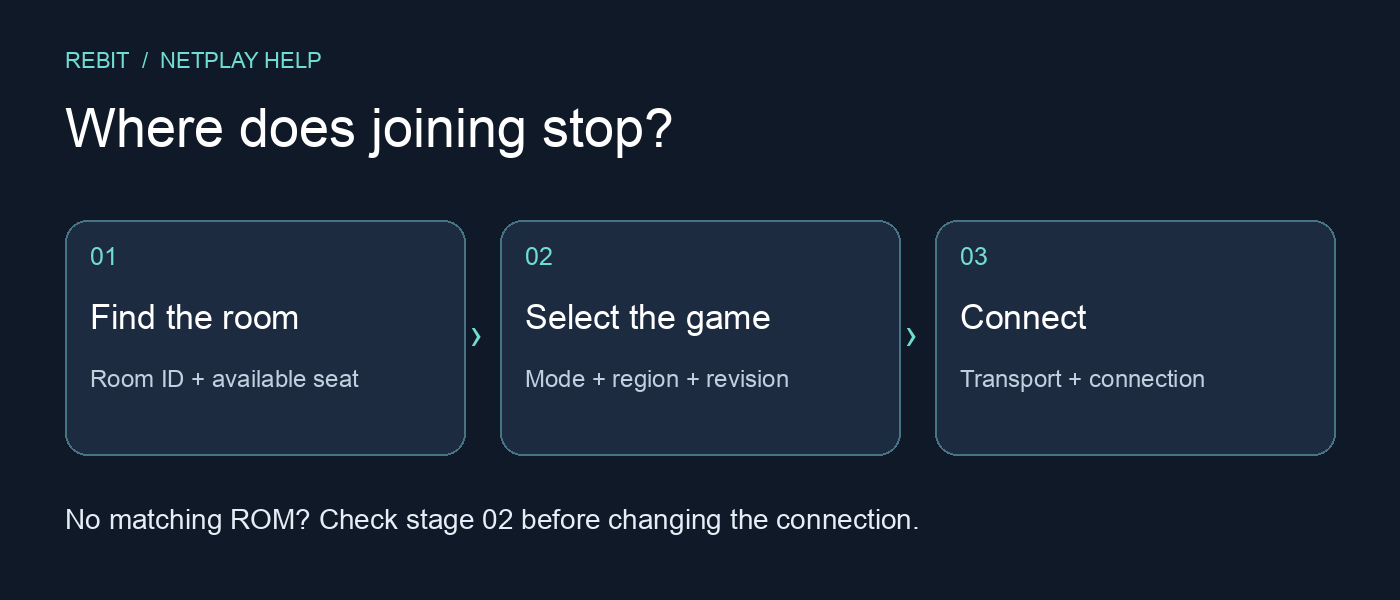
A diagnostic map, not a gameplay screenshot. Stop at the first unsuccessful stage.
Check the requirement for this room
The current Netplay manual distinguishes a streamed game from synchronized copies running on the players' devices.
| Room type | What the guest needs |
|---|---|
| Regular Netplay: Lockstep or Rollback | The exact matching ROM in their library, including region and revision |
| Regular Netplay: Stream | The host's stream supplies the game view; the guest does not run a separate copy |
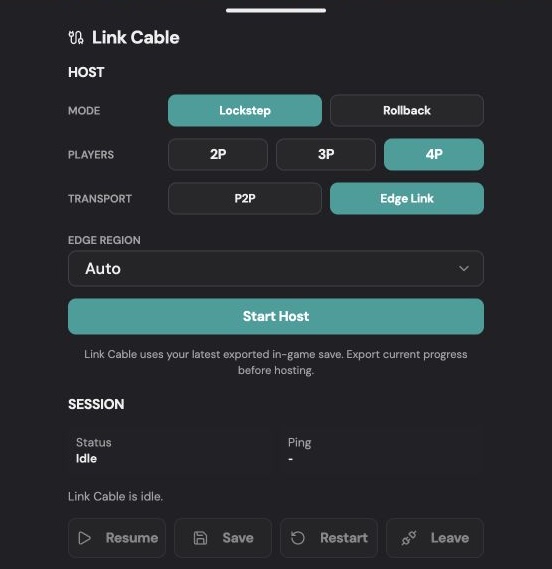
| GB, GBC, or GBA Link Cable | A game from the room's compatible system family that supports the intended link interaction |
| Nintendo DS: Lockstep or Rollback | The exact matching Nintendo DS ROM |
| Nintendo DS: Download Play | An NDS library entry to open the session; it does not need to match the host's cartridge |
For Link Cable, identical files are not a universal rule. Some games intentionally connect to a different compatible title, such as paired Pokémon versions. A GB/GBC game still cannot join a GBA room. Follow the Link Cable requirements for that session rather than applying the ordinary Netplay error literally to every handheld game.
For DS Download Play, the host supplies the cartridge through that feature. The guest's library entry is part of opening the session, not a promise that every DS game supports Download Play. Both players must follow the host game's appropriate multiplayer flow. The Nintendo DS guide explains this distinction; the older DS Cloud hosting option is currently offline.
Compare releases without replacing your whole library
For a room that requires an exact match:
- Ask the host for the game title, region, revision, and any hack or translation release they are using. A filename such as
latest.gbadoes not identify a release reliably. - Check your own game against that information. The same title screen or cover art does not establish that the files match.
- Add the matching release you are entitled to use to your library, if it is missing. Keep the existing entry and its saves until you have checked the replacement; a different game build may handle progress differently.
- Return to the host's room and retry Join, selecting the appropriate library entry when prompted.
Rebit does not provide copyrighted ROM downloads. Use your own legally obtained files; a mismatch is not a reason to exchange copyrighted game files in a support thread.
If the error remains, record the exact message and the two release descriptions. Avoid claiming that the games are identical solely because you renamed them. A useful report says what was compared and what is still unknown.
Change the connection only after game selection succeeds
P2P and Edge Link describe how the session connects. They do not change which game is eligible. If selection succeeds but P2P cannot connect, the documented next comparison is a new room with Edge Link where offered. Guests follow the host's mode and transport; changing them requires a new room.
The current ordinary Netplay host menu does not use the older Internet/LAN selector. If a guide tells you to look for it there, use the current mode and transport labels instead. Remote Controller has a separate LAN setting for its own purpose.
Once the room connects, test a short multiplayer action in the game itself. A successful room join is one milestone; a working trade, race, or co-op round is the next.
When arranging your next session to play retro games online with friends, include the room type and game release with the invite. That gives your friend the information needed to prepare before clicking Join.
Requirements checked against Rebit's public Netplay, Link Cable, and Nintendo DS manuals on October 9, 2026. This guide explains the documented join flow; it does not certify compatibility for an individual game or device.