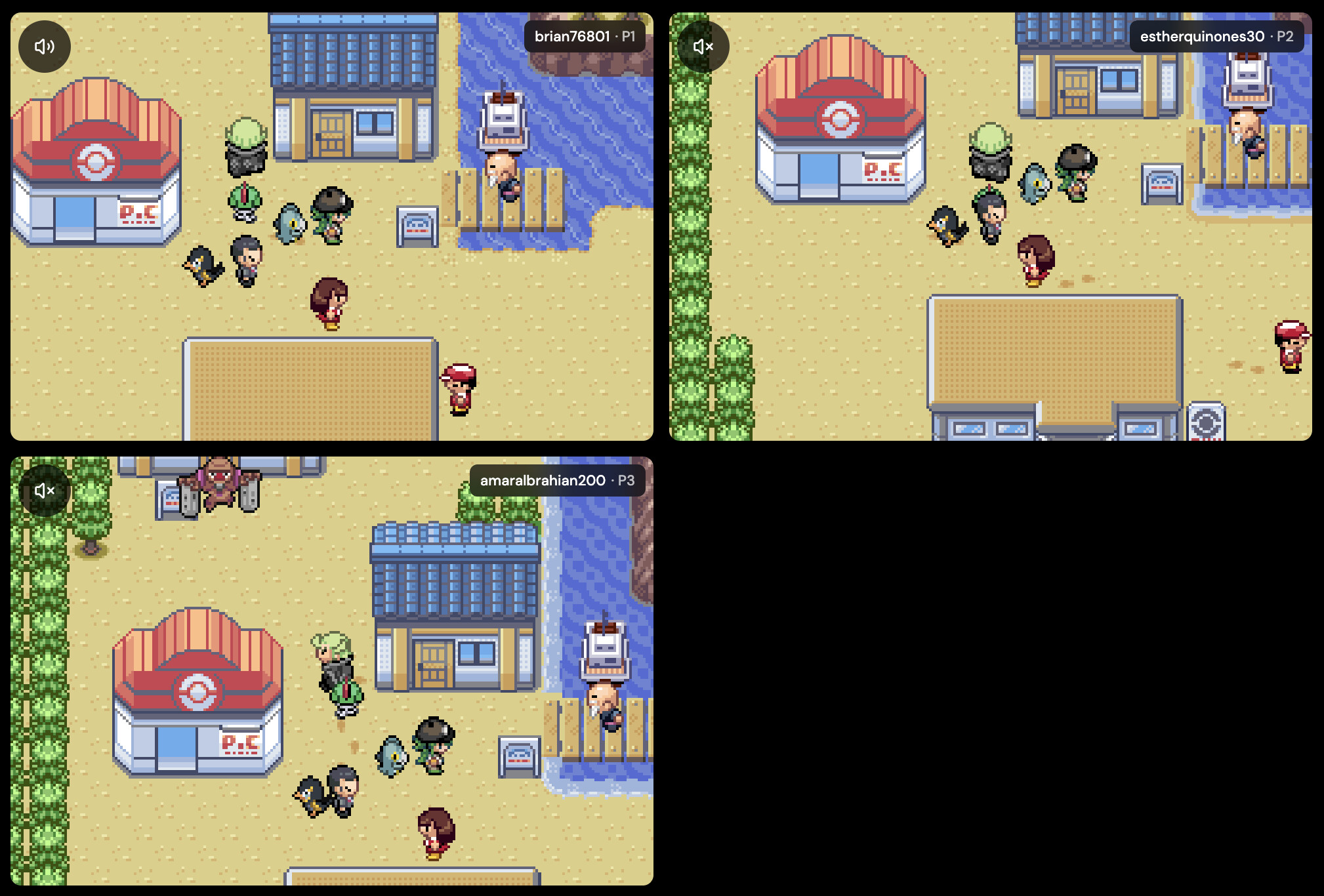
Pokemon Emerald and FireRed Multiplayer Online: Trade and Battle With Friends
Pokemon Emerald, FireRed, LeafGreen, Ruby, and Sapphire were built for the GBA Link Cable: you met a friend in the Pokemon Center, plugged in a cable, and traded or battled. Rebit brings that cable online. Each player runs their own game on their own device, and a private Link Cable room connects the games so the original Cable Club works as it did on real hardware.
The short version: each player adds their own copy of the game to Rebit and saves in-game. The host opens Link Cable from the in-game menu and starts a room. Friends join it from the Netplay tab. Then everyone walks upstairs in a Pokemon Center and uses the Cable Club.
We tested every step in this guide in a real two-player Pokemon FireRed room on Rebit: a trade that evolved Graveler into Golem, and a link battle in the Colosseum. The screenshots below come from that session.
Rebit does not provide Pokemon games, ROM files, or patches. Use game backups you are legally allowed to use.
Quick answers
- Can you trade in Pokemon Emerald or FireRed online? Yes. Rebit's GBA Link Cable rooms connect two games, and the in-game Trade Center works over the room.
- Can you battle online? Yes. Use the Colosseum in the same Cable Club for single and double battles. Four-player rooms are available for the game's multi battle.
- Is it free? Yes. Link Cable rooms over a direct P2P connection are free. Edge Link, which routes the room through Rebit's network for distant friends or strict Wi-Fi, is part of Rebit Pro.
- Does it work on phones? Yes. Use the Rebit app on Android or iPhone, or a browser.
- Can Emerald trade with FireRed or LeafGreen? Yes, after both games meet their story requirements. See the cross-version section below.
- Do I need an emulator or a real cable? No. Rebit runs the games and replaces the cable.
What each player needs
- a Rebit account
- their own legally obtained GBA copy of the game
- an in-game save that loads correctly, saved and exported before the session
- a stable connection, ideally Wi-Fi
Each player brings their own save. The Pokemon you trade come from your save and arrive in your friend's save, just like two real cartridges.
Set up the room
- Every player launches their game, loads their save, and saves once through the in-game menu.
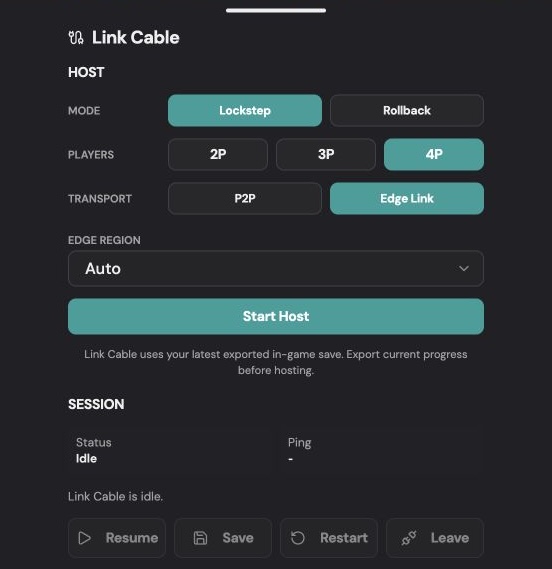
- The host opens the in-game Rebit menu and selects Link Cable.
- Choose 2P for trading or a two-player battle. Choose 4P only for a four-player multi battle.
- Start with Lockstep and P2P.
- Tap Start Host and send the Room Code to your friend in a private chat.
- Your friend opens Rebit's Netplay tab, finds the room with that code, taps Join, and picks their game.
- Wait until Rebit shows both players connected.
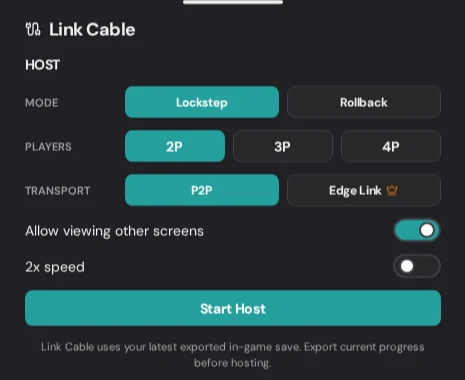
Your friend finds the room in the Netplay tab by its number, the game name, and the Link Cable badge:

The host is Player 1, and guests take the next seats in the order they join. Read the GBA Link Cable guide for every option in the host panel.
P2P or Edge Link?
Try P2P first: it connects players directly and is free. If the room stays on Connecting, a player is on mobile data or school or hotel Wi-Fi, or you live far apart, recreate the room with Edge Link, which routes it through Rebit's network.
Lockstep or Rollback?
Use Lockstep for trades. It keeps both games in step, which is what you want while Pokemon are changing hands. Rollback can make battles feel more responsive on supported devices, but it may show brief corrections. Switch back to Lockstep if anything looks off.
Trade Pokemon online
Once Rebit shows both players connected, the rest happens inside the game, exactly as with a real cable.
1. Go to the link counter upstairs
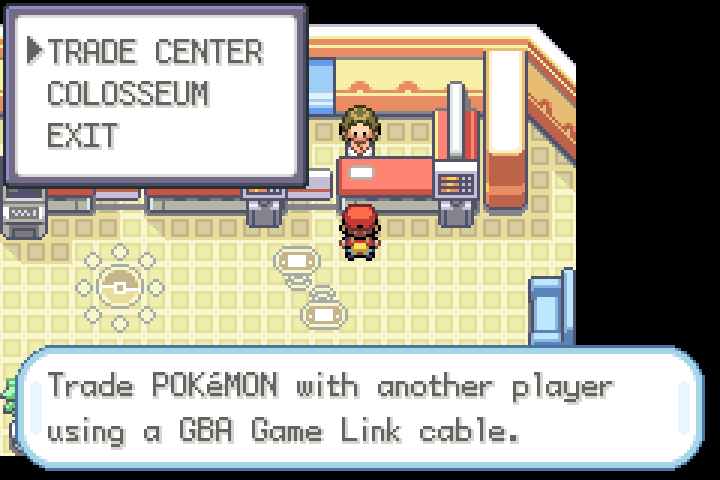
Walk into any Pokemon Center and take the stairs to 2F. In FireRed and LeafGreen there are three attendants upstairs: a guide on the left who explains the floor on your first visit, the Union Room in the middle, and the Direct Corner on the right. The Direct Corner is the Link Cable counter, so talk to that attendant. In Ruby, Sapphire, and Emerald, look for the attendant who offers the Trade Center.
The attendant offers Trade Center and Colosseum. Choose Trade Center.
2. Save and link up
The game asks you to save before entering; answer Yes both times. Then the two screens differ:
- Player 1 (the host) sees "When all players are ready... A Button: Confirm".
- Player 2 sees "Awaiting linkup...".
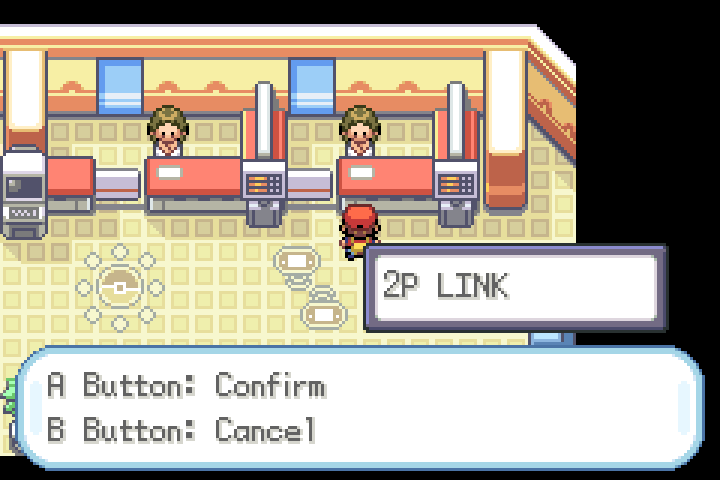
When both players are at the counter, Player 1 presses A. The game shows 2P LINK, which means FireRed has found the second player through Rebit's room. Player 1 confirms, and both trainers walk into the Trade Center together.
3. Sit at the table and pick Pokemon
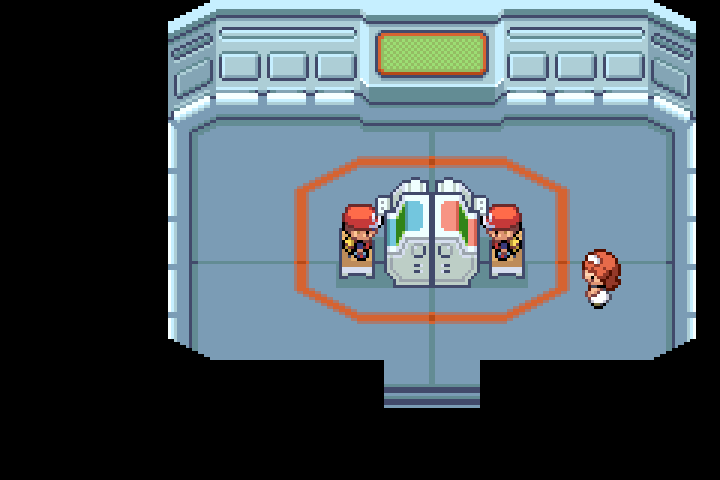
Each player walks to a chair at the trade machine, faces the machine, and presses A. The first to sit sees "Please wait." until the other player sits down. Then both players see both parties side by side.
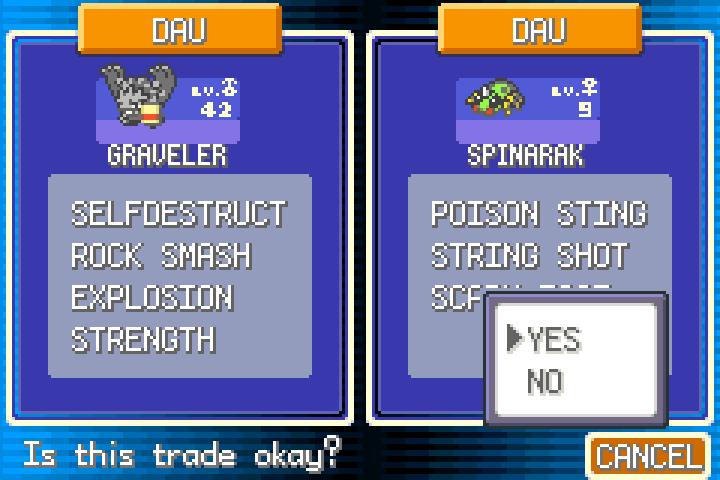
Choose the Pokemon you want to send, then Trade. The game shows both offers and asks "Is this trade okay?". Check what your friend is offering and choose Yes.
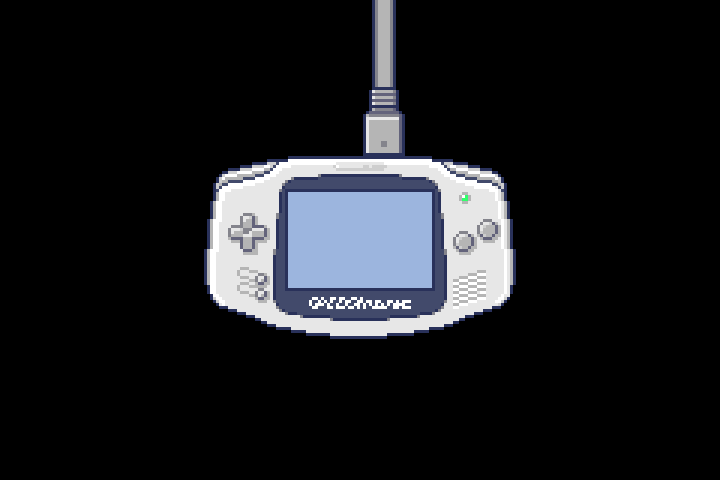
The classic trade animation plays, with the Pokemon travelling down the Link Cable between two Game Boy Advance systems.
4. Trade evolutions work
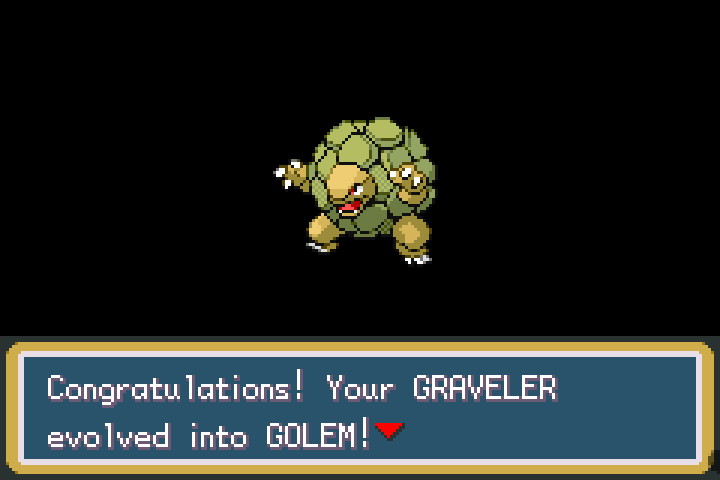
Trade-evolution Pokemon such as Kadabra, Machoke, Graveler, and Haunter evolve when they arrive, as on real hardware. In our test, the Graveler evolved into Golem the moment it reached the other game. Check held items first: an Everstone stops the evolution.
5. Leave the Trade Center
After the trade, the game saves on its own ("Saving... Don't turn off the power") and returns to the party screen, ready for another trade. To stop, select Cancel in the bottom-right corner: move to your friend's side of the screen and press down to reach it, then confirm. Walk out of the room; the game warns that the link ends when you leave.
The Cable Club opens early in the story. If the attendant will not let you in, keep playing until the game unlocks linking.
Battle a friend online
- Talk to the same link attendant upstairs and choose Colosseum.
- Pick the battle mode: Single Battle or Double Battle for two players, or Multi Battle for two-on-two in a 4P room.
- Save when asked and link up as for a trade: Player 1 confirms, and both trainers enter the Colosseum.
- Stand on your marker, green on the left for Player 1 and orange on the right for Player 2, face the center, and press A.
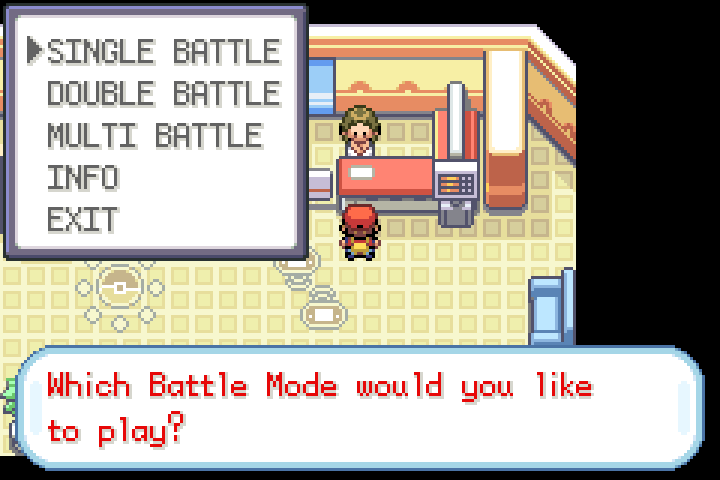
The battle starts with both trainers' parties, and each player picks their own moves.
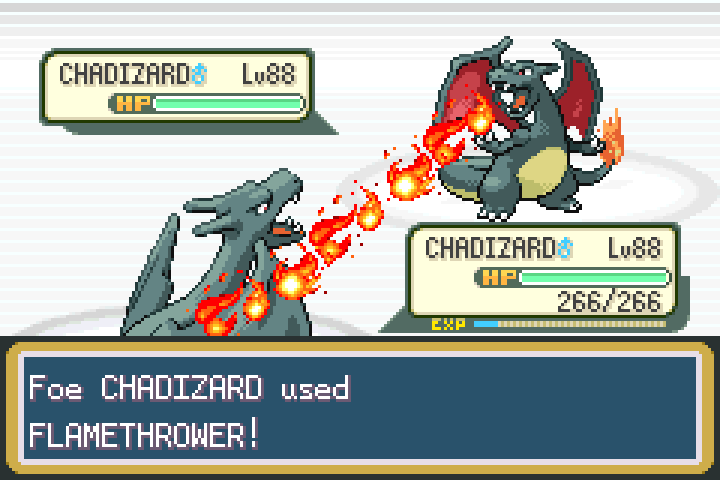
Link battles do not change your trainer's progress, so they are a safe first test of a new room. Battle once before you trade anything valuable.
Which games can link together?
| Your game | Can link with | Notes |
|---|---|---|
| Emerald | Emerald, Ruby, Sapphire | Same region, the easiest pairing |
| Ruby or Sapphire | Ruby, Sapphire, Emerald | Version exclusives make trading worthwhile |
| FireRed or LeafGreen | FireRed, LeafGreen | Trade version exclusives with a friend |
| FireRed or LeafGreen | Ruby, Sapphire, Emerald | Both games must meet story requirements first |
Each player uses their own game. A room with Emerald on one side and FireRed on the other is fine: the connection works like a real cable between two different cartridges.
Trade between Emerald, Ruby, Sapphire, and FireRed/LeafGreen
The Kanto and Hoenn games link only after both players reach a point in their stories. According to Serebii's compatibility guide, FireRed and LeafGreen need Celio's Network Machine quest, which involves recovering the Ruby and the Sapphire. On Emerald's side, Bulbapedia lists entering the Hall of Fame and obtaining the National Pokedex before trading with FireRed or LeafGreen.
If the game says your friend's game cannot connect yet, the Rebit room is fine: finish those steps in the story first.
Cable Club, not the Union Room
FireRed, LeafGreen, and Emerald also have a Union Room and wireless features that used the GBA Wireless Adapter. Rebit's room replaces the Link Cable, so use the Cable Club attendants for trading and battling. Ruby and Sapphire never supported the Wireless Adapter.
Protect your save
The game saves itself after every trade, but that save only lives inside the linked session. It reaches your Rebit library only when you export it. Finish every session like this:
- Let any trade or battle finish completely.
- Save normally inside the game.
- Open Link Cable in Rebit and tap Export save.
- Wait for the save confirmation on every device before anyone leaves.
If a player leaves without exporting, their trades from that session are lost, and Rebit starts their next room from the last save they exported. Regular quick save and quick load are disabled during a linked session, because loading one player's state would pull that game away from the other. For a save you care about, keep a backup before your first trade.
Fix common problems
The room stays on Connecting
Recreate the room with Edge Link. Strict Wi-Fi and mobile data often block direct P2P connections.
The attendant says the link failed or the other player is not ready
Make sure both players talked to the link attendant and chose the same option, and that Rebit shows both seats connected. Player 2 should see "Awaiting linkup..." before Player 1 confirms. If it still fails, back out, wait a few seconds, and talk to the attendant again.
The other game cannot trade with mine
Check the table above. FireRed or LeafGreen and the Hoenn games need their story requirements before they trade with each other.
A player started with no progress
That player joined without an exported in-game save, or their last session ended without Export save. Leave the room, load the right save, save in-game, export it, and create a new room.
Pressing B does not leave the trade screen
Select Cancel in the bottom-right corner instead: move to your friend's side of the screen, press down until Cancel is highlighted, and confirm.
The game froze during a trade
Do not close the page. Wait for the room to recover. If it cannot, recreate the room and check both saves before trading again. This is why a test battle comes first.
For more help, read the GBA Link Cable guide or the retro netplay lag checklist.
More Pokemon multiplayer on Rebit
- Pokemon Quetzal multiplayer online: up to four trainers exploring together.
- Trade Pokemon Diamond, Pearl, and Platinum online: the DS generation.
- Play GBA games online: everything Rebit does for Game Boy Advance.
Start trading
Add your game, save in-game, and send a friend the Room Code. A quick test battle, then your first trade: open Rebit and bring the Link Cable back.