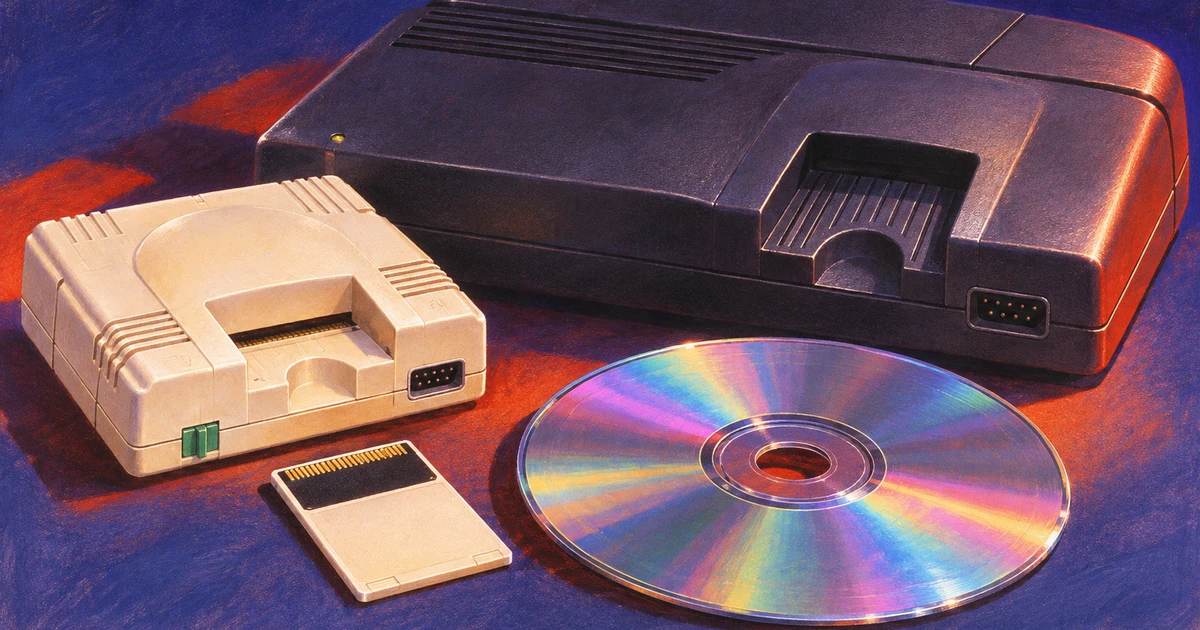
The short answer to PC Engine vs TurboGrafx 16: the PC Engine is the Japanese system; the TurboGrafx-16 is its North American counterpart. If you remember a tiny white console and your friend remembers a rather long black one, neither of you is misremembering. You're talking about the same family. But that doesn't mean you can put any Japanese card into an unmodified American machine, or run a CD game by giving it a cartridge filename.
For the browser, the useful question isn't “Which console name is on the box?” It's “Was this particular release a card or a disc?” If you already have a backup of your own HuCard, head to Rebit's PC Engine and TurboGrafx-16 player. If you're staring at three files called R-Type and wondering which one belongs there, here's how to tell.
PC Engine vs TurboGrafx 16: what actually changed?
NEC and Hudson's PC Engine launched in Japan in 1987. The North American machine followed in 1989 under the TurboGrafx-16 name. Put their controllers side by side and the family resemblance is easier to spot than it is on a shelf of boxed consoles: a directional pad, buttons I and II, Select and Run. If an English-language guide tells you to press Start and your screen says “Push Run Button,” you don't need a different edition of the game. Run is the button you're looking for.
The software libraries overlap, but they aren't identical. Some Japanese games never received an American release. Others changed names, artwork, text or packaging. PC Genjin and Bonk's Adventure are a useful pair to remember when browsing old manuals: look up the Japanese title and you'll find the little caveman you know from the American box. Don't assume two differently titled files are duplicates and delete one. A different regional release can be exactly the one whose passwords, language or manual you want to keep.
| What you're holding | Japanese name you'll see | North American name you'll see | What it means for play |
|---|---|---|---|
| Base console | PC Engine | TurboGrafx-16 | Same platform family; not blanket physical import compatibility |
| Game card | HuCard | TurboChip game card | Look for a cartridge backup, usually .pce |
| Optical game | CD-ROM² or Super CD-ROM² | TurboGrafx-CD or Super CD-ROM² | Disc software, not a HuCard image |
| Controller start button | Run | Run | Use the mapped Run input at the title screen |
A HuCard is the game, not a memory card
It's easy to make the wrong analogy if you grew up on PlayStation. A HuCard looks much more like something that should hold your save than something that should hold an entire arcade game. The strip of contacts on one end is the giveaway. On an ordinary game card the program itself is on the card. A .pce backup is an image of that cartridge data. It isn't an account, a save slot, an installer or an instruction for a browser to fetch the game.
Take Blazing Lazers. The American TurboChip goes into the console, and you're off chasing weapon pickups with a gloriously busy field of enemy fire ahead of you. For the browser equivalent, you choose your cartridge backup. You don't hunt down a separate disc soundtrack or a System Card first. If a tutorial asks you to find a CUE sheet before you can play your Blazing Lazers HuCard, you've wandered into instructions for another kind of media.
There's a small trap here for collectors: a System Card also looks like a HuCard. It provides system software used by certain CD setups; it isn't the game disc. Backing up that card doesn't back up the RPG in the jewel case next to it. If the only file you have is labeled System Card and you're trying to play an adventure, identify the original game medium before changing any emulator settings.
Same console family doesn't mean region-free cartridges
On the physical systems, the card interfaces differ in how data pins are wired. That's why an unmodified US TurboGrafx-16 isn't a universal player for loose Japanese HuCards, even though the cards look so similar. A collector deciding whether to buy an import has a hardware question: what exact machine and adapter or modification will they use? Someone opening an existing digital backup has a different question: does the emulator support the system and that software? The latter isn't plugging Japanese contacts into an American slot.
This matters when advice from a collector's forum turns up in an emulator search. Don't start modifying a backup because a post says a physical import needs a converter. First keep a clean original, identify the release, and try the unmodified game with the correct system selected. If you also have a fan translation, keep it as a separate copy. Patch instructions often specify the exact regional release or revision; a patch intended for the Japanese release is not interchangeable with a patch for the US release just because both say .pce.
How to tell a cartridge file from a disc set
Start by showing full filename extensions. A folder named PC Engine tells you about its owner's filing system, not about what's inside. An archive named after a game tells you even less. Look one level deeper before importing anything.
- A single game ending in
.pce: a candidate for the HuCard player. Check its name against the card or the record you made when backing it up. The extension is a useful hint, not an authenticity test. - A
.cuefile beside one or more.binfiles: think optical disc. The CUE describes tracks and points to files by name. Don't throw away the tiny CUE just because its neighbors are much bigger. Keep the whole set together for a CD-capable setup. - A
.chdassociated with a PC Engine CD release: keep it with your disc library. Compression changes how the disc is stored, not whether the original software expected a disc drive. - A
.zipwith unknown contents: extract a working copy and inspect it. If there's one.pce, use that file. If there's a disc set, stop there. Renaming the archive to.pceleaves every byte inside it unchanged.
A particularly good example is R-Type. In Japan the original PC Engine card release was split across R-Type I and R-Type II. The North American TurboGrafx-16 got the game on one card. Meanwhile, R-Type Complete CD really is a CD release. Searching the game title alone produces three different answers to “what file should I have?” and all three can be correct. Identify the release first; the expected file follows from it.
Which backup should I keep if there are several?
Keep the original, untouched backup somewhere separate from the copy you play. In your working library, a human-readable name such as Game Title (Japan) (HuCard) is more useful than GAME_FINAL_2. Preserve the extension and record the source edition. If you keep patched versions, put the patch name and version in their filenames rather than relying on the order your file manager happens to show today.
The payoff comes when a friend quotes a password from an English manual or you return to an RPG after months away. You can launch the same release instead of trying three nearly identical entries and wondering whether your progress is gone. Treat saves and passwords as belonging to the release you actually played until you've verified otherwise. A title translation, a different region and a different medium are three separate changes; don't use all three changes at once to troubleshoot a missing continue option.
From identified HuCard to the title screen
Open the PC Engine browser player and add the .pce file you own to your Rebit library. If choosing the system yourself, use PC Engine / TurboGrafx-16. Start the game, give the title screen focus and use Run when prompted. One small but useful check is to get past the attract loop: many arcade ports look wonderfully alive while waiting for input. Seeing a ship moving doesn't prove your controller is operating it. Move it yourself or change a menu selection before you settle in.
If the title boots but the controls seem wrong, leave the game file alone for the moment. Can you change a menu choice with the directional pad? Does Run start play? Do I and II perform different actions? A game that reaches its menu and responds to those tests doesn't need a different region dump because your preferred jump button is on the other side. Adjust the input mapping rather than rebuilding your library. Rebit also has a general guide to uploading your own game files if the snag happens before launch.
Three questions worth asking before buying or importing
Does “Duo” on the console mean every game for it is a CD? No. A Duo combines card and disc hardware. Knowing which machine someone used to play a game does not identify the original medium. Ask to see the card or disc itself, or look for the format mark on that particular release. The same principle applies to a library someone organized under the name of the machine rather than the media.
Does a Japanese release automatically give me an English menu? No. Platform compatibility and language are independent. An import shooter may be easy to navigate because the action needs little text; a story-heavy RPG is another proposition. Before replacing a familiar American release with an import, think about which parts of the game you actually need to read. A password prompt or equipment screen can matter more than the title screen.
What about SuperGrafx? Don't confuse the names. TurboGrafx-16 is the North American branding discussed here; SuperGrafx is a different, enhanced Japanese machine with dedicated software. A seller shortening either name to “Grafx” doesn't make the games interchangeable. For Rebit's web player, stick with standard PC Engine or TurboGrafx-16 HuCard software. If your real goal is an evening with a second controller rather than cataloging your collection, the two-player TurboGrafx guide sorts card games by what player two actually does.