Pokémon Lazarus is the latest fan-made ROM hack from developer Nemo (they/them), set in the brand-new Ilios Region inspired by Greece. Built on the Pokémon Emerald engine but styled with nostalgic Game Boy Color aesthetics, Lazarus blends a curated Pokédex spanning Generations 1–9 with quality-of-life features, difficulty options, and an impressive array of side content. Community response has been electric — and if you’re ready to dive in, this guide covers what Lazarus offers, how to install it legally, troubleshooting common issues, and beginner gameplay tips, with comparisons to other popular ROM hacks.
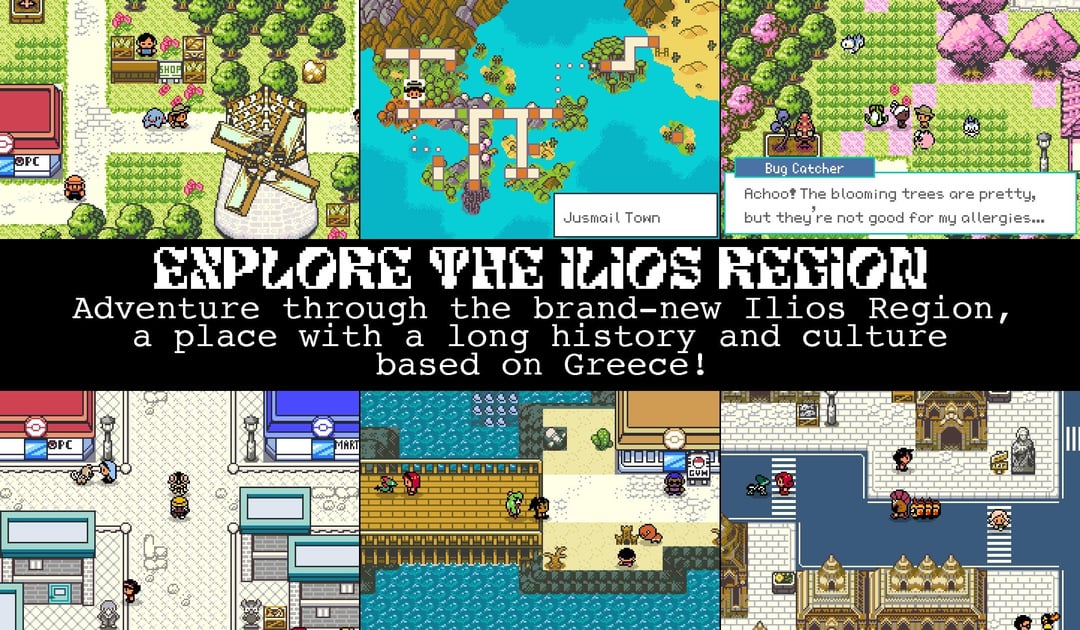
Key Features and Unique Mechanics
- Ilios Region: A new map inspired by Greek history and geography, with rich worldbuilding and diverse location themes.
- GBC-inspired visuals: Retro-styled battle and overworld graphics that evoke the charm of Gen 2 while running on the Emerald engine.
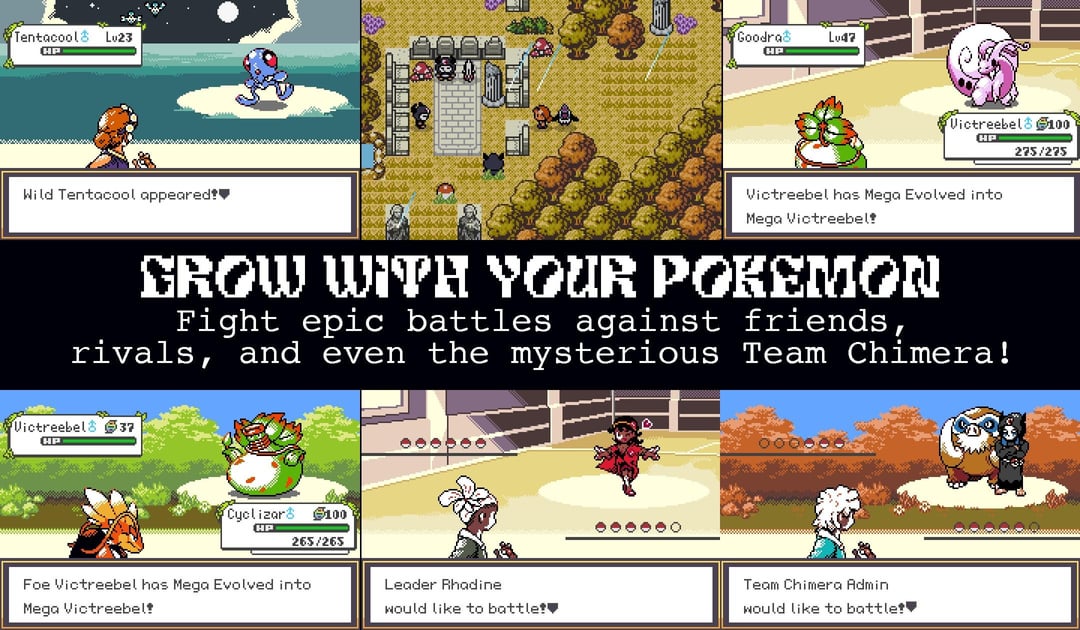
- 400+ Pokémon across Gen 1–9: A carefully selected, rebalanced dex where many historically weaker Pokémon receive tweaks to become team-worthy.
- Mega Evolution: Available for many favorites, giving late-game teams more strategic depth.
- Day/Night system: An in-game clock that affects wild encounters and battle backdrops.
- Overworld encounters: Pokémon appear in the overworld alongside grass encounters, making routes feel more alive.
- Difficulty modes: Challenge seekers can opt into tougher settings without regrinding essentials.
- Side content galore: Pinball minigame, underground mining, ship cabin customization, fishing reminiscent of Stardew-like loops, and 60+ sidequests.
- Cosmetics: Over a dozen outfits to collect and show off.
- Soundtrack: Classic GBC-era tracks and custom music to match the vibe.
These highlights are confirmed by the official release posts and documentation shared by the creator.
Downloading and Installing (Legal, Step-by-Step)
Lazarus is distributed as a BPS patch. You must patch a legally obtained, clean Pokémon Emerald ROM image that you own. Do not share or download copyrighted ROM files.
- Get the patch and docs from the creator’s Ko‑fi:
- Lazarus v1.0: https://ko-fi.com/s/9ae89c2476
- Developer profile (general info + Discord): https://ko-fi.com/nemo622
- Prepare a clean Pokémon Emerald ROM dump (GBA). Legally dump your own cartridge using appropriate hardware/software.
- Apply the patch:
- Web patcher (Rom Patcher JS): https://www.marcrobledo.com/RomPatcher.js/
- Select your clean Emerald ROM in the first slot, the Lazarus
.bpsfile in the second, then click “Apply patch”. Save the output as a new.gbafile (e.g.,pokemon_lazarus_1.0.gba).
- Choose an emulator:
- Desktop: mGBA (official site): https://mgba.io
- Mobile: reputable GBA emulators are widely available on iOS/Android; choose trusted apps from official stores and avoid adware clones.
- Load the patched ROM in your emulator and start playing.
Compatibility and Requirements
- Base game: Pokémon Emerald (GBA) clean ROM image.
- Patch format: BPS.
- Platform: Runs on standard GBA emulators (desktop and mobile). mGBA is recommended for reliability.
- Saves: Emulator save states work, but prefer in-game saves for stability across updates.
Troubleshooting Common Installation Issues
- “Patched ROM won’t boot”: Ensure your base ROM is clean (matching expected checksums). Re-dump your cartridge if necessary; try reapplying the patch.
- “Black screen or crashes”: Switch emulator cores/settings; mGBA is generally the safest. Update to the latest emulator version.
- “Graphics glitching”: Verify you’re using the patched Lazarus ROM, not the original Emerald ROM. Disable speed hacks or filters in your emulator.
- “Save file not found”: Confirm save type settings follow the emulator’s defaults for GBA; avoid mixing save states and in-game saves when updating builds.
- “Audio crackling”: Reduce fast-forward, turn off shader-heavy filters, and use native sample rates.
Gameplay Tips for Beginners
- Respect day/night: Some encounters change with time; revisit routes at different hours for variety.
- Build balanced teams: With rebalanced stats and expanded learnsets, many overlooked Pokémon shine — try new cores beyond the usual meta.
- Explore sidequests early: Side content provides useful items, money, and unique experiences; it’s designed to complement the main story.
- Check outfits and cosmetics: They’re fun to collect and add personalization to your journey.
- Use mega evolution thoughtfully: Reserve mega slots for key matchups and late-game gym challenges.
- Experiment with difficulty modes: If you’re comfortable, bump difficulty for tighter battles; otherwise, enjoy the default progression.
Notable Changes vs. Vanilla Pokémon
- Visual identity: Retro GBC-style presentation on Emerald’s engine, blending nostalgia with modern quality-of-life tweaks.
- Dex curation: 400+ cross-gen Pokémon selected and tuned to minimize “dead weight” choices.
- Systems depth: Mega evolution, overworld encounters, and extensive side content aren’t present in vanilla Emerald.
- Challenge control: Difficulty modes give players agency over experience without grinding walls.
Comparison with Other Popular ROM Hacks
Compared with Nemo’s earlier Pokémon Emerald Seaglass, Lazarus leans harder into Gen 2-style visual nostalgia while expanding minigames, cosmetics, and sidequests. Versus broader community favorites (e.g., difficulty-centric hacks), Lazarus aims for accessibility with curated balance changes rather than raw difficulty spikes, offering a richer world to explore with modernized systems instead of total overhaul mechanics.
Play it safely in a browser library
If Lazarus is your first patched GBA hack, start with the clean workflow in how to play Pokemon ROM hacks online legally, then use Rebit's GBA browser play guide for save-testing habits before a long run. If you are still choosing what to patch next, the best Pokemon ROM hacks to play in browser guide is the broader first-pick checklist.
Sources and Attribution
- Official release announcement (Reddit): https://www.reddit.com/r/PokemonROMhacks/comments/1ownlm3/pok%C3%A9mon_lazarus_is_out_now/
- Release details and feature summary (Reddit): https://www.reddit.com/r/PokemonROMhacks/comments/1op8omg/pok%C3%A9mon_lazarus_releases_on_november_14th/
- Creator’s Ko‑fi (patch + docs): https://ko-fi.com/s/9ae89c2476 and https://ko-fi.com/nemo622
- Emulator: https://mgba.io
- Patching tool: https://www.marcrobledo.com/RomPatcher.js/
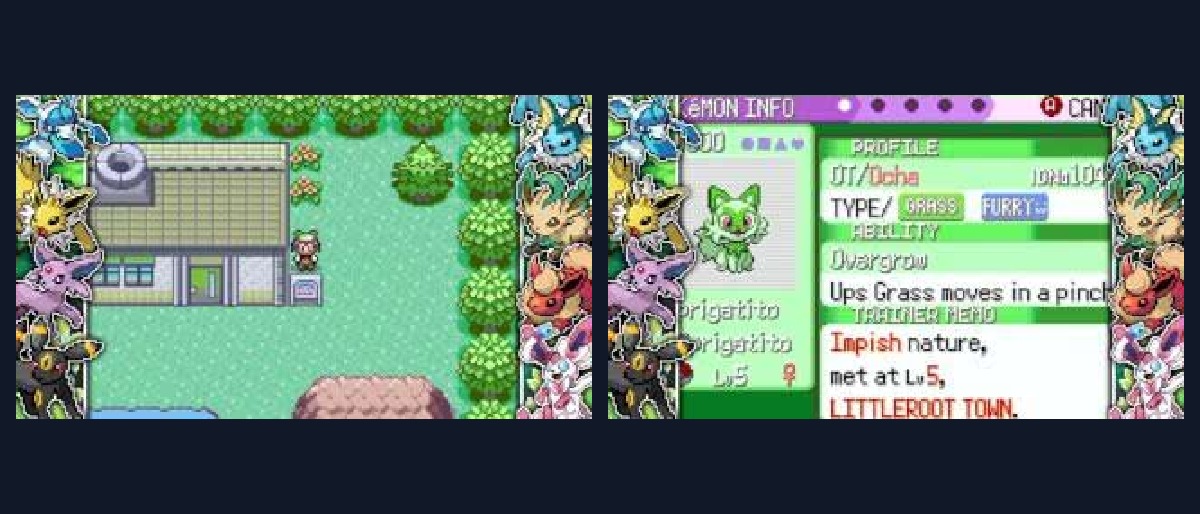
- Screenshots used above are from the official Reddit release thread (credited to the creator/community). If you are the rights holder and prefer removal or alternative attribution, contact us.
Legal Disclaimer
This guide covers patching a ROM you legally own with a BPS file provided by the creator. We do not host, link to, or encourage downloading copyrighted ROM images. Do not ask for, share, or use pre‑patched ROMs. Use this information under fair use for documentation and commentary. Always respect the creator’s terms and community rules.