Every time somebody says "play retro games in browser," there are two possible meanings hiding under the sentence.
The first one is tourist energy: click a ROM, hear a boot sound, smile for eight minutes, leave.
The second one is the one that actually matters: can I build a real habit around this? Can I start Super Metroid on lunch break, continue Pokemon Crystal later, host a quick Mario Kart 64 room at night, and not spend half my life managing folders, save files, controller profiles, and random emulator quirks?
That second version is the real test.
As someone who has spent years bouncing between original hardware, flash carts, CRTs, handhelds, FPGA boxes, and every major emulator front-end you can think of, I can tell you this: browser retro gaming is not automatically better just because it is convenient. It becomes better when the workflow is coherent.
That is the distinction people miss.
What "Play Retro Games in Browser" Should Actually Mean
If a browser setup is going to be more than a novelty, it needs to solve at least five real problems:
-
Fast launch You should be able to get from "I want to play" to actual gameplay without a mini IT ritual.
-
Reliable input If the controls feel mushy, the convenience bonus evaporates instantly. Nobody wants to play Mega Man 2 through molasses.
-
Save continuity The minute your progress feels disposable, browser play turns into demo mode.
-
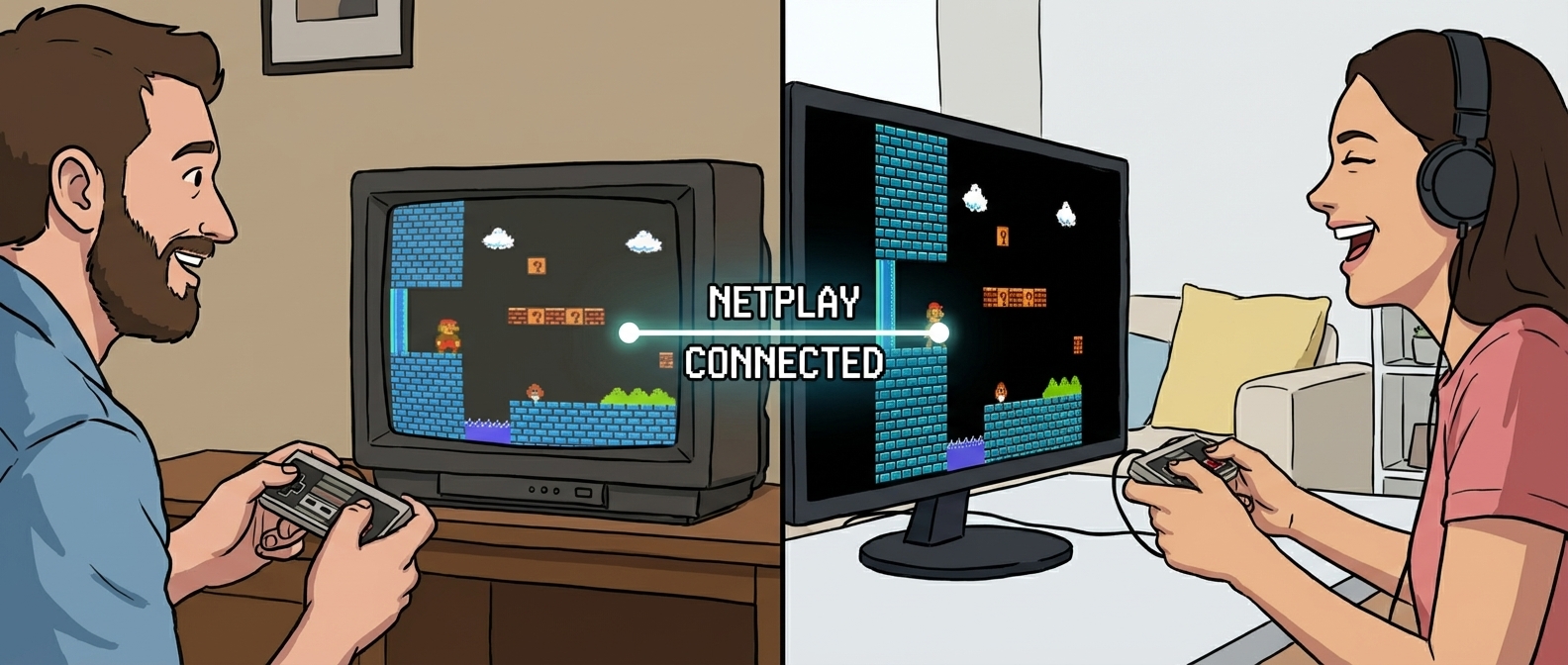
Room-based multiplayer flow If playing with friends still feels like a hostage negotiation over settings, you have not solved anything meaningful.
-
Cross-device sanity If one device works and another one feels like a rebuild from scratch, the convenience story is fake.
That is why a strong browser-first retro platform has to be more than "an emulator in a tab." It has to act like a system.
If you want the broad product entry point first, start here: play retro games online.
Why Browser Play Was a Joke for Years
Let's be honest: early browser emulation was rough.
You got:
- weird audio crackle
- controller mapping that forgot itself every session
- save behavior that felt like a prayer instead of a feature
- random performance drops the second another tab got busy
- sketchy ROM sites pretending a giant play button was not also a malware tutorial
And even when the emulation itself was decent, the experience around it was not. You were still doing labor:
- hunting for the right file
- reconfiguring per device
- managing saves manually
- explaining a setup to friends who absolutely did not want a setup explained to them
That is why most serious retro players still defaulted to local emulators. Not because browser play was conceptually bad, but because it rarely respected the way people actually play.
Where Browser Retro Gaming Is Genuinely Better
Here is the part a lot of hardware purists do not want to hear: there are several situations where browser play is not a compromise. It is the better option.
1. Fast session starts
If I want ten minutes of Tetris, one cup in Super Mario Kart, or a quick Double Dragon II co-op test, I do not want boot-up friction. Browser launch wins because momentum matters.
2. Shared multiplayer nights
Local emulation still turns "let's play tonight" into:
- what emulator are you using
- do we have the same file
- wait, who is hosting
- why does your audio sound like a lawnmower
A cleaner room-based flow is simply better for adult schedules and mixed-skill friend groups. That is where play retro games online with friends and retro netplay become more useful than a pure emulator discussion.
3. Long campaigns with save continuity
If your Final Fantasy VI, Chrono Trigger, Golden Sun, or Pokemon Crystal progress is trapped on one machine, you are not playing flexibly. You are babysitting a save folder.
This is exactly where cloud saves for retro games stops being a nice extra and becomes the whole point.
4. Device switching that does not feel cursed
Some systems are perfect for this. GBA and Game Boy especially become much more attractive when you can hop between laptop and phone without turning your save into a science fair project.
That is the real strength behind cross-device retro gaming.
Which Systems Feel Best in the Browser
Not every console benefits equally from browser-first play. Here is the honest breakdown.
Best fit: GB, GBC, GBA
These systems are almost suspiciously good for browser play.
Why:
- quick boot-to-game time
- short but satisfying sessions
- strong save-game culture
- simple controls
- excellent fit for phone, tablet, and laptop transitions
A game like Pokemon Crystal or Metroid Fusion makes immediate sense in a browser-first, save-synced environment.
Strong fit: NES, SNES
These work well because the games are mechanically readable and often session-friendly.
Great examples:
- Super Mario Bros. 3
- Contra
- Bubble Bobble
- Super Metroid
- Secret of Mana
- Street Fighter II Turbo
Browser play really shines when the input path is clean and the room flow is easy to repeat.
Situational but strong: N64, PS1
These are more sensitive. When they work, they are fantastic. When the session discipline is sloppy, they expose every weakness immediately.
That is why I think of N64 and PS1 browser sessions less as "casual click-and-play" systems and more as "rewarded by good setup" systems.
If you are running:
- Mario Kart 64
- GoldenEye 007
- Crash Team Racing
- Tekken 3
you want to keep fix retro netplay lag in your back pocket, because these are the games where weak session hygiene gets punished.
Most nuanced fit: Nintendo DS
DS in the browser is compelling, but it needs honesty. Some games are fantastic. Some are awkward. Touch-heavy titles can still be great, but they need the right screen and expectations.
A good DS browser experience is not about pretending the system has no quirks. It is about choosing titles and devices intelligently.
Input Feel: The Thing People Pretend Does Not Matter
I do not care how pretty the landing page is. If Ninja Gaiden feels late, the whole pitch is dead.
The deeper truth is that "input lag" is not one thing. It is a stack:
- controller latency
- browser overhead
- device performance
- background processes
- display latency
- network conditions for multiplayer
That is why strong browser play is not just a rendering problem. It is an experience architecture problem.
A clean browser setup helps by reducing the number of moving parts you personally have to manage. But you still need discipline:
- wired internet when possible for multiplayer
- no giant downloads in the background
- stable controller setup
- sensible game choice for the room
If your session keeps going sideways, use fix retro netplay lag early, not after everyone is already annoyed.
Browser Play vs. Local Emulation: The Honest Comparison
I still use local emulators. I am not pretending otherwise.
If I am doing:
- shader nerd stuff
- frame-advance practice
- TAS-adjacent experimentation
- bizarre ROM-hack compatibility testing
- obsessive latency tuning on one machine
local setups still rule.
But for actual life? For "I want to play tonight and I do not want the setup to become the event"? Browser-first flow wins way more often than people admit.
Especially when the workflow includes:
- your own uploaded library
- account-based saves
- room links
- clear internal support pages
That is where upload ROM and play online becomes more than a convenience feature. It becomes the foundation of a repeatable habit.
The Best Browser-First Use Cases
Here are the situations where I would actively recommend browser retro gaming over a traditional local stack.
The weeknight co-op session
You and a friend have 90 minutes, not a whole evening. You want Contra, TMNT IV, or Super Bomberman, not a networking debate.
The long campaign that needs to survive real life
If your schedule is chaotic, browser play plus save continuity is better than keeping your whole retro life trapped on one machine.
The rotating social room
Party-style sessions with late joiners work much better when the path into the room is simple and visible.
The mixed-device household
If one person is on laptop, one is on desktop, and one is on tablet, a browser-first platform has a real advantage because it starts from a common interface.
Mistakes People Make When They Try Browser Retro Gaming
Mistake 1: judging everything by one bad session
If your first test was a laggy fighting game on bad Wi-Fi while Discord, YouTube, and a cloud backup were all running, you did not evaluate browser play. You evaluated chaos.
Mistake 2: picking the wrong first games
Do not start with the most fragile possible setup. Start with games that are:
- readable
- fast to reset
- socially forgiving
That is why I always recommend mixing in browser-friendly classics first before pushing into more demanding room types.
Mistake 3: treating save continuity like an extra
No. Save continuity is the difference between a toy and a real platform.
Mistake 4: using broad "retro games" language without a product path
If your browser-play story does not connect to upload flow, saves, or friends, it is too vague to matter.
My Actual Recommendation
If you want to play retro games in browser, do not think of it as a novelty category. Think of it as a workflow decision.
Use browser-first play when you want:
- less setup friction
- easier room-sharing
- cleaner save continuity
- more flexibility between devices
Start here:
- play retro games online for the broad entry point
- upload ROM and play online if you already have your library
- play retro games online with friends if the whole point is group play
- cloud saves for retro games if continuity is your real pain point
The browser is not the magic part.
The magic part is when the whole retro workflow finally stops fighting you.