There is a version of retro gaming that becomes accidental office work.
You know the one.
You start with "I just want my games in one place," and suddenly you are:
- renaming files at 1 a.m.
- comparing ROM revisions in three folders
- wondering which save is the real one
- moving SRAM between devices like a small-time logistics manager
- realizing half your collection is playable, but not livable
That is the trap.
A real retro library is not just a pile of files. It is a workflow. And if the workflow is bad, it does not matter how many games you own, because the friction leaks into every session.
This is why I care so much about the gap between upload ROM and play online and the long-term experience after the upload. Getting the file in is step one. Keeping the library coherent and your saves synced is the part that determines whether you actually stay with the platform.
Step Zero: Accept That File Discipline Matters
I know, I know. Nobody wants a lecture about filenames. But if you have been around emulation long enough, you have already paid the tax for bad discipline.
The two biggest hidden killers are:
- multiple versions of the "same" game
- save files that no longer clearly belong to one canonical ROM
This is how good sessions die quietly.
You think you are opening Pokemon Emerald. Your save thinks you are opening a slightly different dump. Your friend thinks they are joining the same game, but they are actually joining a cousin of it. Then everybody wastes 25 minutes on confusion and starts blaming the emulator when the real problem was chaos.
So the first rule is simple:
Pick one clean version of a game and treat it as canonical.
If you are building a long-term library, consistency beats abundance.
What a Healthy Upload Workflow Looks Like
The clean workflow is:
- choose the ROM you actually want to live with
- upload it once through upload ROM and play online
- let metadata settle
- start playing
- keep save continuity tied to that single canonical file path
That sounds basic, but in practice it changes everything.
You do not want:
- five revisions of the same game
- random patched and unpatched copies mixed together
- names that hide region or version differences
- no memory of which save belongs to which file lineage
That is not a library. That is an archaeological dig.
My Library Rules After Years of Mistakes
Here is the system I actually trust.
1. One canonical file per active game
Archive your curiosities if you want, but only one file should be the file you are actively playing.
2. Version labels must mean something
If you are using a translation, a specific revision, or a patched enhancement, name it clearly enough that Future You cannot lie to yourself about what it is.
3. Never assume two similar files are interchangeable
They are not. Especially once saves are involved.
4. If a game is "main rotation," treat its save like a living document
That means respecting it. Do not casually swap the base file and hope the save just figures it out.
5. Build around continuity, not novelty
If you are serious about actually playing, the library should optimize for easy return, not infinite experimentation.
Why Save Sync Is More Important Than the Upload Itself
Uploading is the easy part. The meaningful part is what happens three sessions later.
This is where cloud saves for retro games becomes the real backbone.
Because once your library starts feeling stable, your next questions are:
- can I continue the same run tomorrow
- can I switch devices safely
- can I keep one campaign alive without micromanaging files
- can I host a session and know the right save state of the world is still intact
If the answer is no, then "my library is uploaded" is basically cosmetic.
Games that gain the most from synced saves
In my experience, these categories benefit hardest:
- RPGs
- tactics games
- long-form action adventures
- challenge runs with iterative progress
- multiplayer campaigns that need to resume later
Examples:
- Chrono Trigger
- Final Fantasy VI
- Pokemon Crystal
- Golden Sun
- Advance Wars 2
- Secret of Mana
These are not "nice to have saves" games. They are "if the save flow is messy, I stop playing" games.
Upload Strategy by Console
NES / SNES
Usually straightforward, but still watch revision drift and ROM-hack confusion.
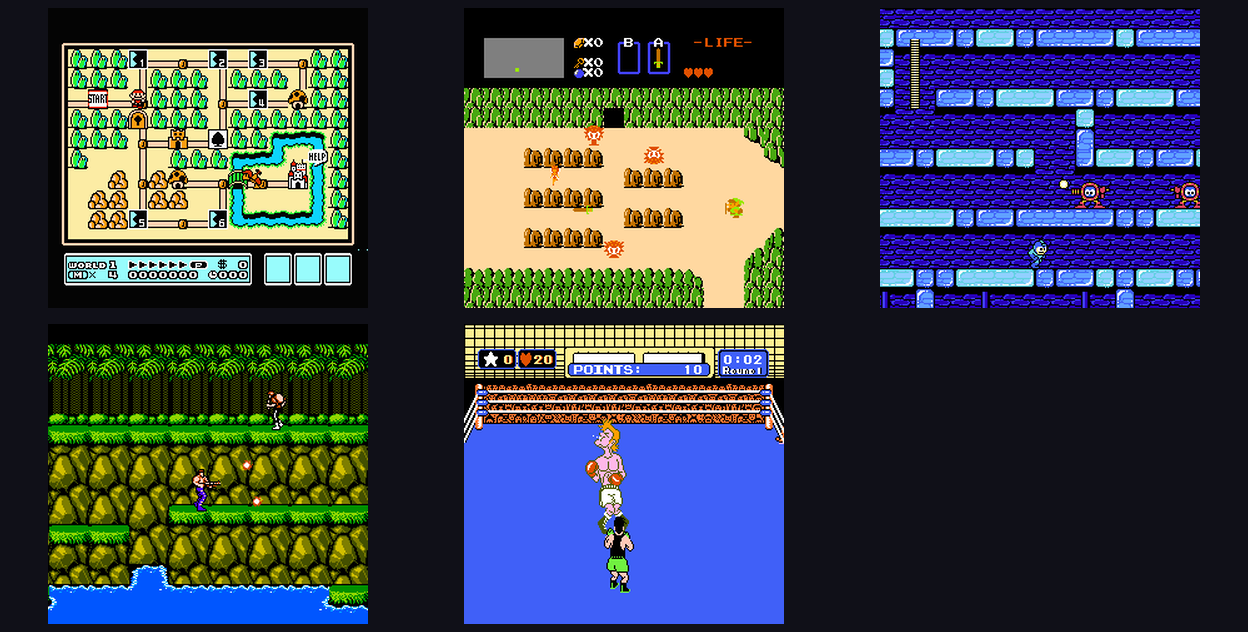
If the game is a challenge-run or co-op staple like Contra or Super Mario World, keep one clean canonical file and do not get cute.
Game Boy / Game Boy Color / Game Boy Advance
These systems are where save sync becomes emotional. Handheld-style games practically beg for continuity across screens and smaller time windows.
That is why they pair beautifully with cross-device retro gaming.
N64 / PS1
These need more respect around version consistency if you want multiplayer sessions to stay sane. One sloppy file mismatch can turn the night into detective work.
Nintendo DS
This is the console where people are most tempted to improvise. Do not improvise. Pick your file carefully, especially if you are mixing touch-heavy games, translations, or multiple revisions.
The Hidden Cost of "I’ll Sort It Out Later"
Everybody says this once.
Nobody means for "later" to become three months of:
- duplicate uploads
- mystery saves
- files named
PokemonEmeraldFINALreal2.gba - not knowing what to trust
Sorting it out later is harder than starting clean. Always.
The reason is psychological as much as technical. Once you have active progress in a messy library, every cleanup decision feels risky. So you postpone it. Then the mess becomes policy.
Do not build your library on postponed decisions.
Multiplayer Changes the Stakes
A sloppy solo setup wastes your time.
A sloppy multiplayer setup wastes everyone’s time.
If you are running sessions through play retro games online with friends or retro netplay, library discipline gets even more important:
- same game version
- same assumptions
- same stable host path
- no mystery revisions
This is why I always tell people that "ROM management" sounds like a boring backend chore, but in reality it is part of social design. A clean file workflow reduces friction, arguments, and desync suspicion before the room even opens.
My Practical Recommendation for a New Library
If you are starting fresh, do this:
Phase 1: Build a small active library
Do not upload your entire life story first.
Start with 10 to 20 games you actually plan to play:
- 3 solo comfort games
- 3 long-form campaign games
- 3 friend-session games
- a few experiments
Phase 2: Stabilize saves
Make sure the games you are actually using have trustworthy continuity before you scale up.
Phase 3: Expand intentionally
Add more games only when your workflow still feels clean.
This is how you prevent your library from turning into a museum warehouse.
The Professor Part: Why This Matters Conceptually
If I had to put this in more formal terms, here is the thesis:
Retro library quality is not determined by collection size. It is determined by the stability of identity, continuity, and retrieval.
Translated into normal language:
- identity = one game means one actual canonical file
- continuity = progress remains trustworthy over time
- retrieval = getting back into the game is easy and predictable
That is the real architecture of a serious retro setup.
And once you see it that way, "upload my ROMs" stops being a simple file-transfer task. It becomes the first move in building a stable play environment.
Final Advice
Upload less. Curate harder. Respect your saves more than your collection ego.
If you do that, browser-based retro play starts feeling like a mature system instead of a convenient experiment.
Use these as your anchors:
- upload ROM and play online for the library entry point
- cloud saves for retro games for long-term continuity
- cross-device retro gaming for screen-switching sanity
The people who enjoy retro gaming the longest are not always the ones with the biggest collections.
They are the ones with the cleanest return path back into the game.